EasyManua.ls Logo

Sunrise Internet Box - Page 100

Sunrise Internet Box
156 pages
Print Icon
To Next Page IconTo Next Page
To Previous Page IconTo Previous Page
Loading...
Page 100
Sunrise Internet Box User Manual
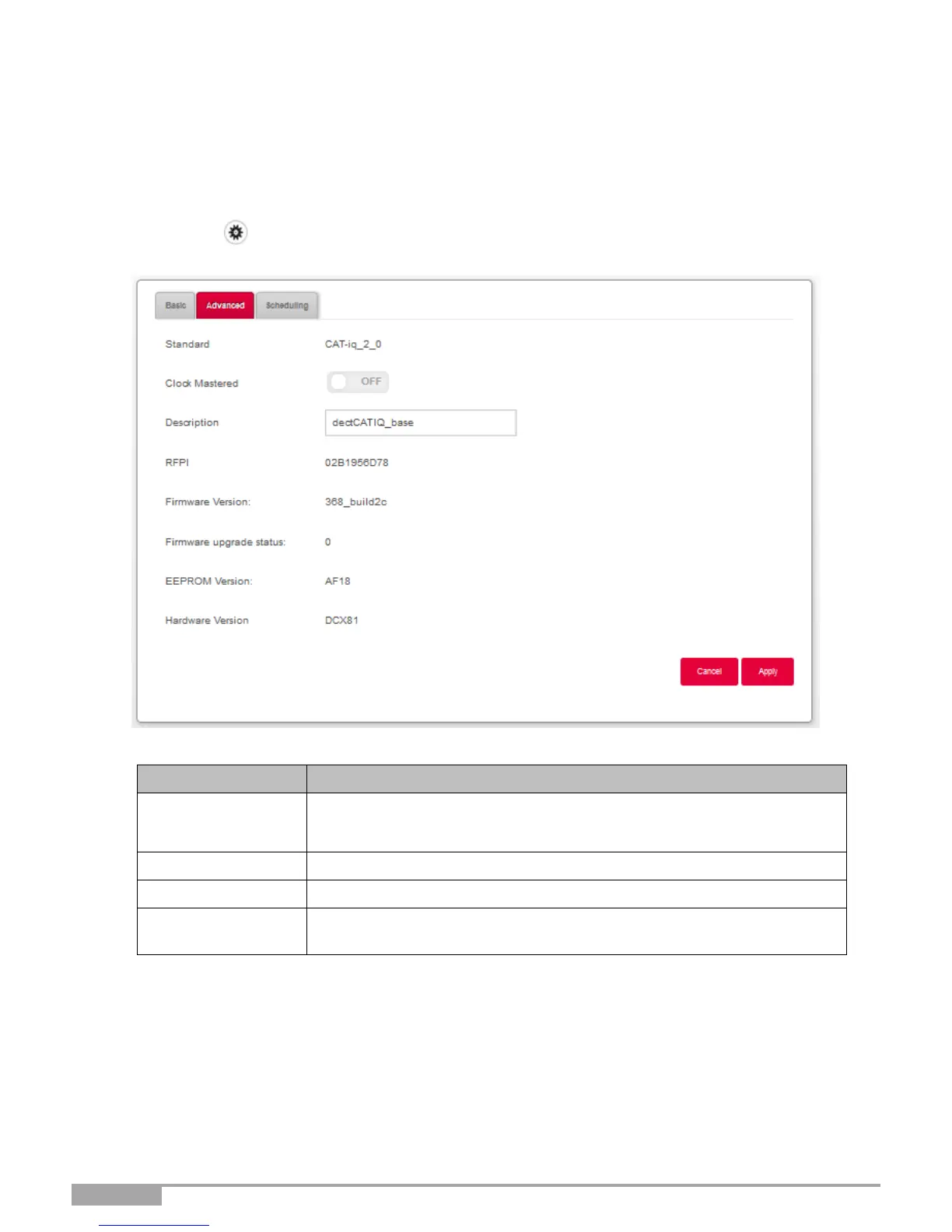
3.8.3.2 Advanced
Objective: This menu lets you display basic information about your DECT base and configure
advanced settings.
Click on the Expert Mode in the Top Menu to display DECT advanced settings.
Click on the button to access the DECT settings, then select Advanced.
The following screen opens:
Field
Meaning/Action
Clock Mastered
Turning Clock Mastered ON will allow the DECT handset to control clock
settings. Leaving it OFF will allow the Sunrise Internet Box control the
handset clock.
Description
Name of the embedded DECT Base Station.
Firmware Version:
Firmware version of the DECT Base Station.
Firmware
upgrade status
Firmware upgrade status for the DECT Base Station.

Table of Contents

Other manuals for Sunrise Internet Box

Related product manuals