Sunrise Internet Box User Manual
3.3.10.3 Internet Time (NTP)
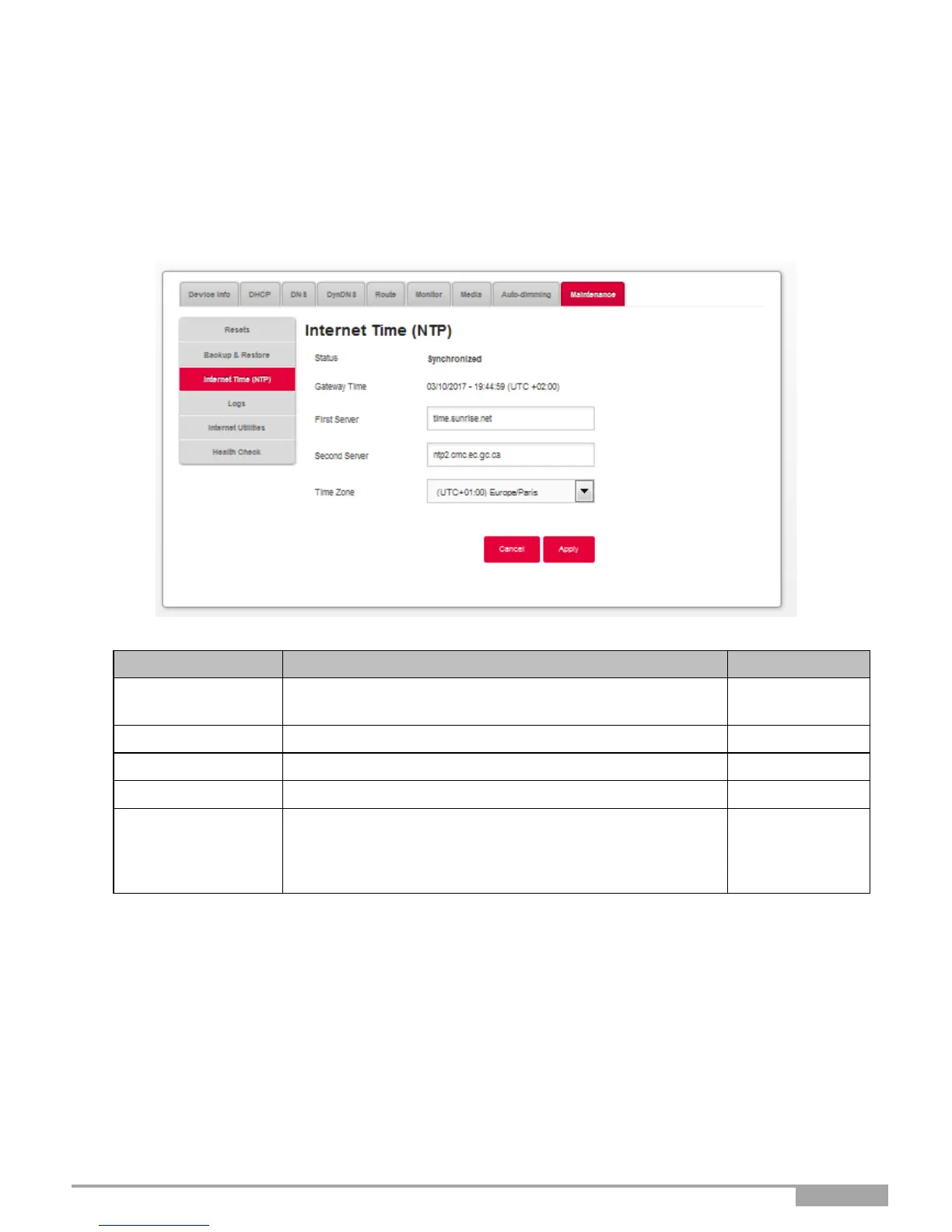
Objective: This menu lets you display the date and time used by your Sunrise Internet Box, which is
delivered automatically by an NTP (Internet Time) server after connection to the Internet.
•
In the My Sunrise Internet Box menu, select Maintenance > Internet Time (NTP).
The following screen opens:
Information on whether the time has been successfully
synchronized with an NTP server
Date and time delivered to your Sunrise Internet Box.
Enter an NTP server in the field.
Enter an NTP server in the field.
In the drop-down list, select the appropriate time zone
(GMT+1 – Paris, for example) to adjust the GMT time to
that of the country where you live with the seasonal
correction (Summer time or Winter time).



 To Next Page