3.4.1.2 URL Filter
Objective: This menu is used to create and manage URL access restriction for all LAN devices that
are connected to the Sunrise Internet Box.
•
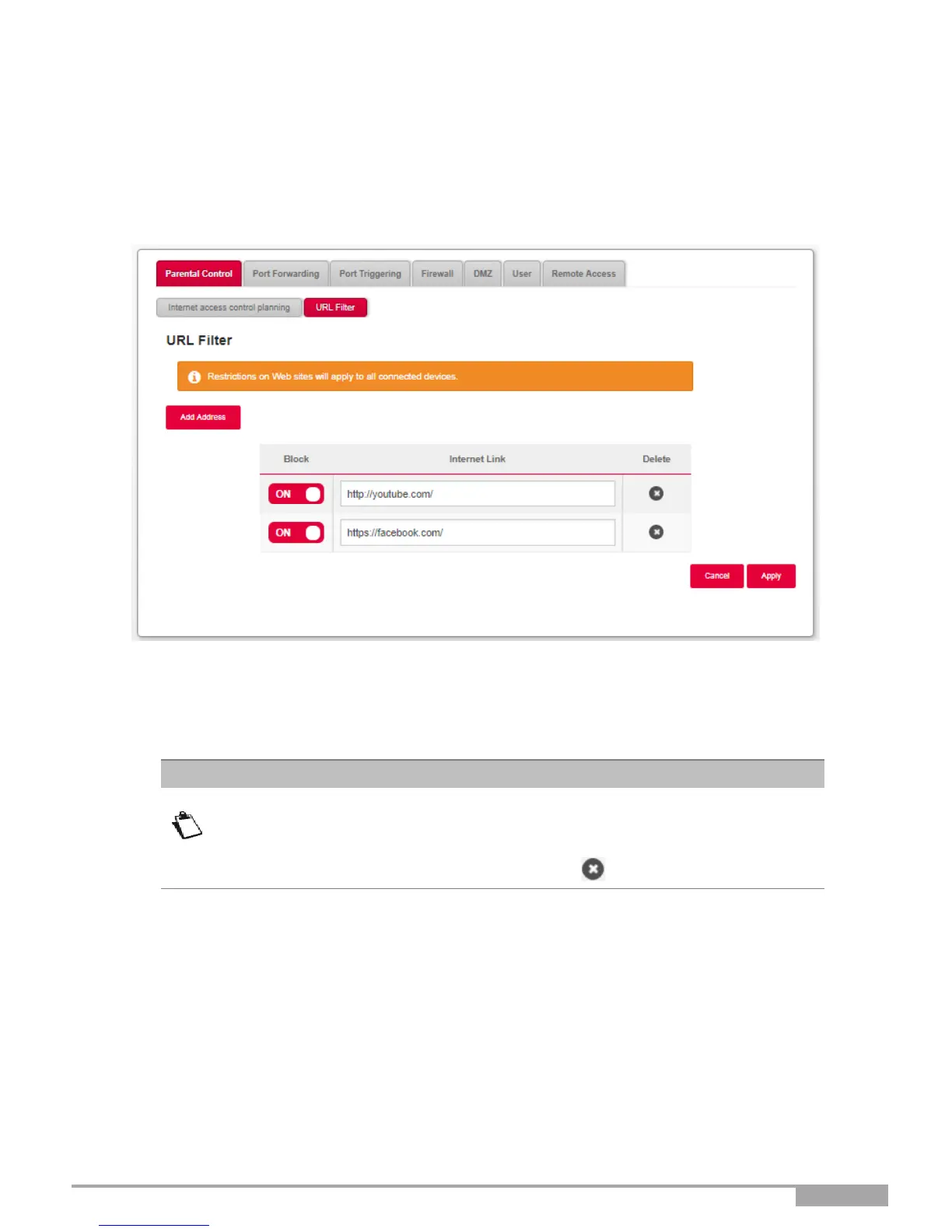
In the Access control menu, select Parental Control > URL Filter. The following screen opens (for
illustration purpose, two entries have been added):
To configure an access restriction, proceed as follows:
•
Enter the URL address whose access you have to restrict.
•
Click on the Apply button.
From the list, you can perform the following actions:
• Activate or deactivate access restriction using the ON/OFF button,
• Delete access restriction by clicking on the button.



 To Next Page