4.0 Hardware Descriptions and Specifications
- 26 -
5. Place the new EMMC module on the board.
6. Fasten the two EMMC screws.
7. Install the SG-CPM5 back into the SG-MLRF5.
4.2.2.5 DDR3 Memory
The SG-CPM5 incorporates replaceable/upgradable DDR3 required for normal operation.
To replace the DDR3 Memory, follow these steps:
1. Unfasten the SG-CPM5 thumb screws.
2. Partially remove the SG-CPM5, disconnect the SG-CPM5 fan tray cable, then remove the SG-CPM5 fully.
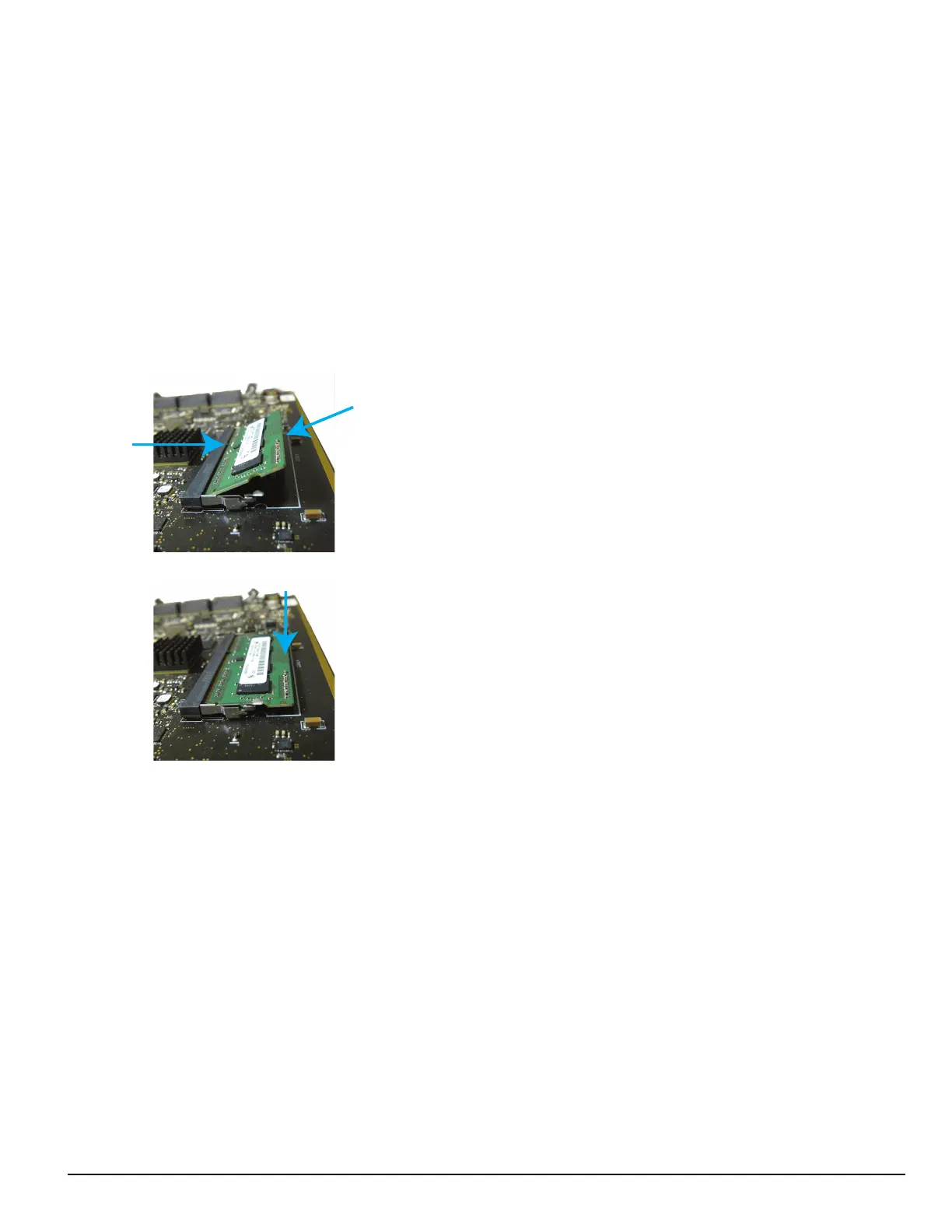
3. Push the clips on either side of the DDR3 away from the board. It should lift up automatically.
4. Slide the DDR3 out at a 45 degree angle.
5. Slide the new DDR3 in at a 45 degree angle (label up).
6. Push down until the clips engage.
7. Install the SG-CPM5 back into the MLRF5.
FIGURE 4-6: DDR3 Installation
*SNAP*
*SNAP*
PRESS
INSERT
ALIGN
NOTCH
4.2.3 SG-CPM5BATT - RTC battery
The SG-CPM5 requires two SG-CPM5BATT batteries on the board to power the Real-Time Clock (RTC) circuit. These batteries allow the SG-CPM5
to track the time even when the SG-CPM5 is completely powered down.



 To Next Page