4.0 Hardware Descriptions and Specifications
- 29 -
4.2.6 UPS setup
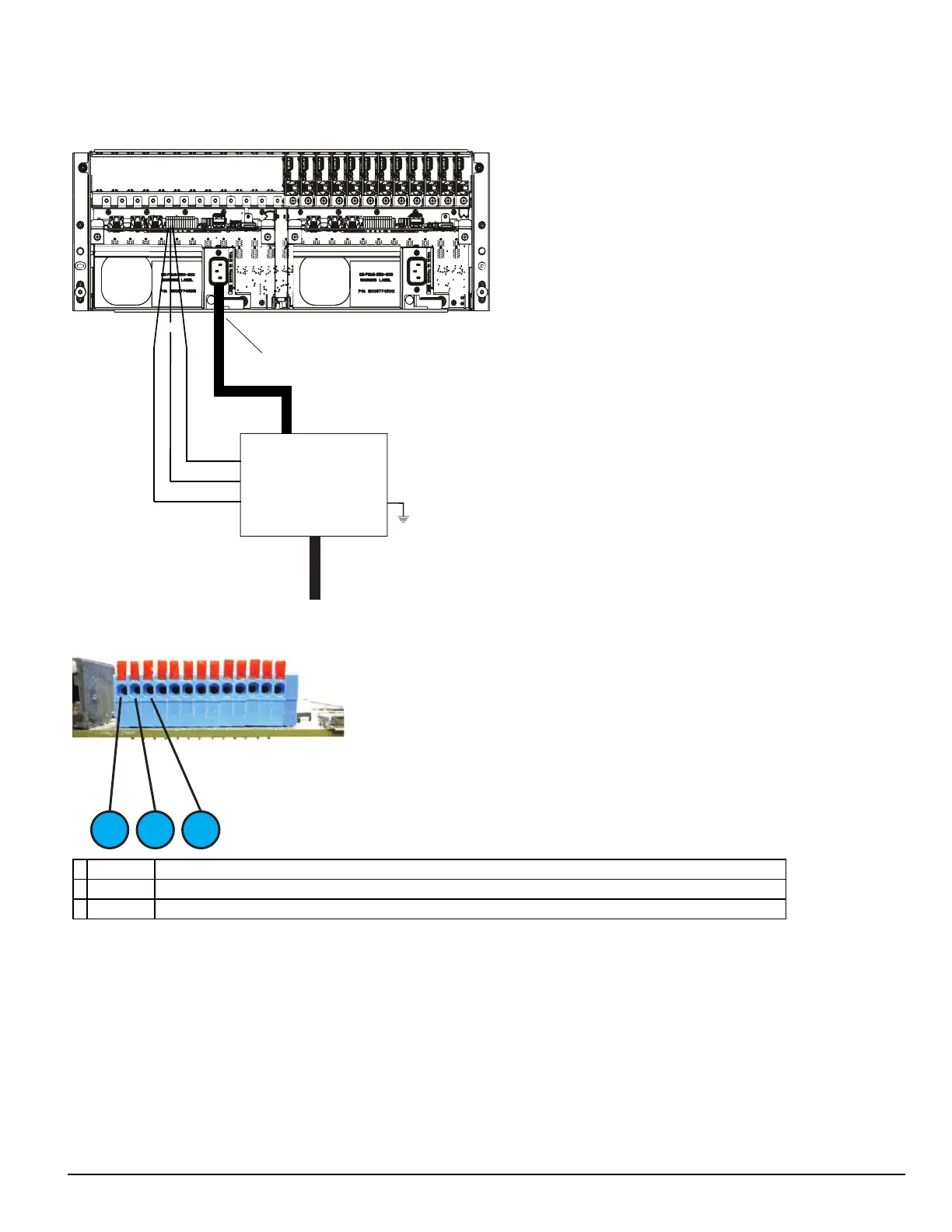
FIGURE 4-8: SG-System 5 UPSsupervision connection diagram
UPS LOW BAT Normally Closed
Common
UPS AC TROUBLE Normally Closed
UPS
AC In
AC Out
Input 2
Input 1
COM
IEC Power
Connector
EGND
FIGURE 4-9: I/O Terminal UPS connections
1. Input 1 UPS AC Failure: toggles from ground to open on failure.
2. GND Common (ground)
3. Input 2 UPS DC Failure: battery of the UPS failed (toggles from ground to open on failure)
For UL/ULC installations, use a UL listed UPS (Uninterruptible Power Supply) for protective-signaling systems and/or a listed burglary alarm power
supply, as applicable.
NOTE: UPS connection is to be made using dry contact connections provided by the UPS.
For UL and ULC installation of model SG-System 5: UPS Output 120V AC/60Hz, 5A
For ULC Installations, the equipment shall be rack mounted and energized by a permanently wired supply in accordance with C22.1, Canadian Electrical
Code, Part 1, Safety Standard for Electrical Installations, section 32.
Connection to a UPS (Uninterruptible Power Supply) with minimum 24 hour standby capability is required.
WARNING: To reduce the risk of electrical shock, the product is provided with a grounding type power supply IEC receptacle. Connect product
using an appropriate IEC cable to a grounded receptacle.



 To Next Page