5.0 Operation
- 53 -
5.5.3 Home screen
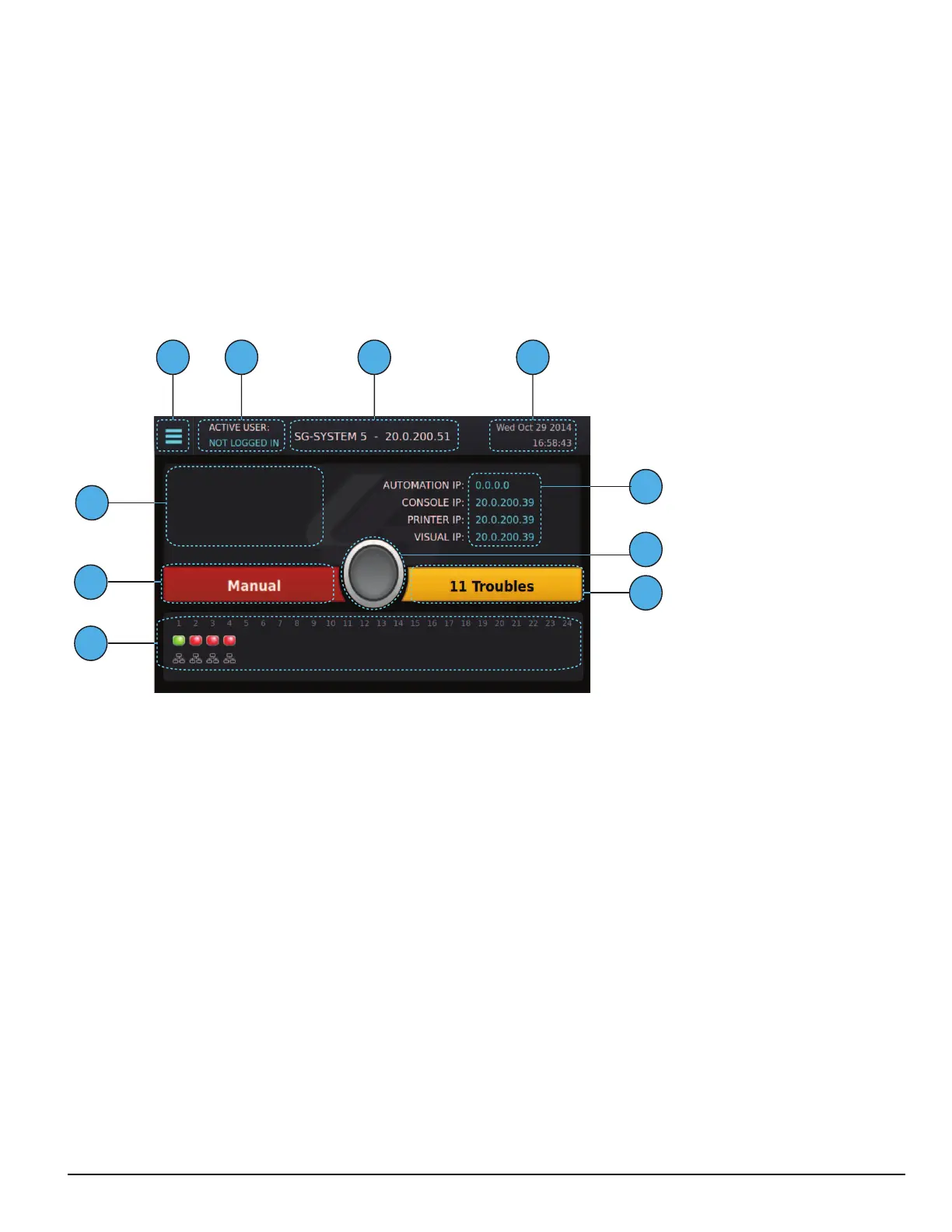
The Home screen displays the overall state of the SG-CPM5 and line cards including:
1. Menu button
2. Active user
3. Title with the unit IP
4. Time and date
5. IP addresses of computers connected to the SG-CPM5
6. ACK button
7. Trouble status
8. Line card status
9. Status banner (ACTIVE/MANUAL/STANDBY)
10. User defined messages
After 60 seconds without user activity, all user and administrator screens (except for the Hardware Diagnostics screen) time out and jump to the Home
screen.
5.5.3.1 Status banner
The Status banner displays whether the SG-CPM5 is in Active, Manual, or Standby mode and which automation slot is currently outputting to dis-
played SG-TCP, SG-SERIAL or SG-ALL.
This banner is displayed in reduced size on other user screens.
5.5.3.2 Type - unit IP
The upper middle of the screen displays the type of System and the SG-CPM5's IP address. For the SG-System 5, it displays “SG-SYSTEM 5 -
X.X.X.X”
5.5.3.3 Active mode
The SG-CPM5 is Active when sending signals to automation. In this mode, the Status banner displays "Active" and the color of the banner is blue.
5.5.3.3.1 SG-TCP
The Status banner displays SG-TCP when it is currently outputting the signals to the TCP port.
5.5.3.3.2 SG- SERIAL
The Status banner displays SG-SERIAL when it is currently outputting the signals to the serial port.



 To Next Page