4.0 Hardware Descriptions and Specifications
- 40 -
4.10 Installing SG-DRL5 PSTN cards in a SG-System 5
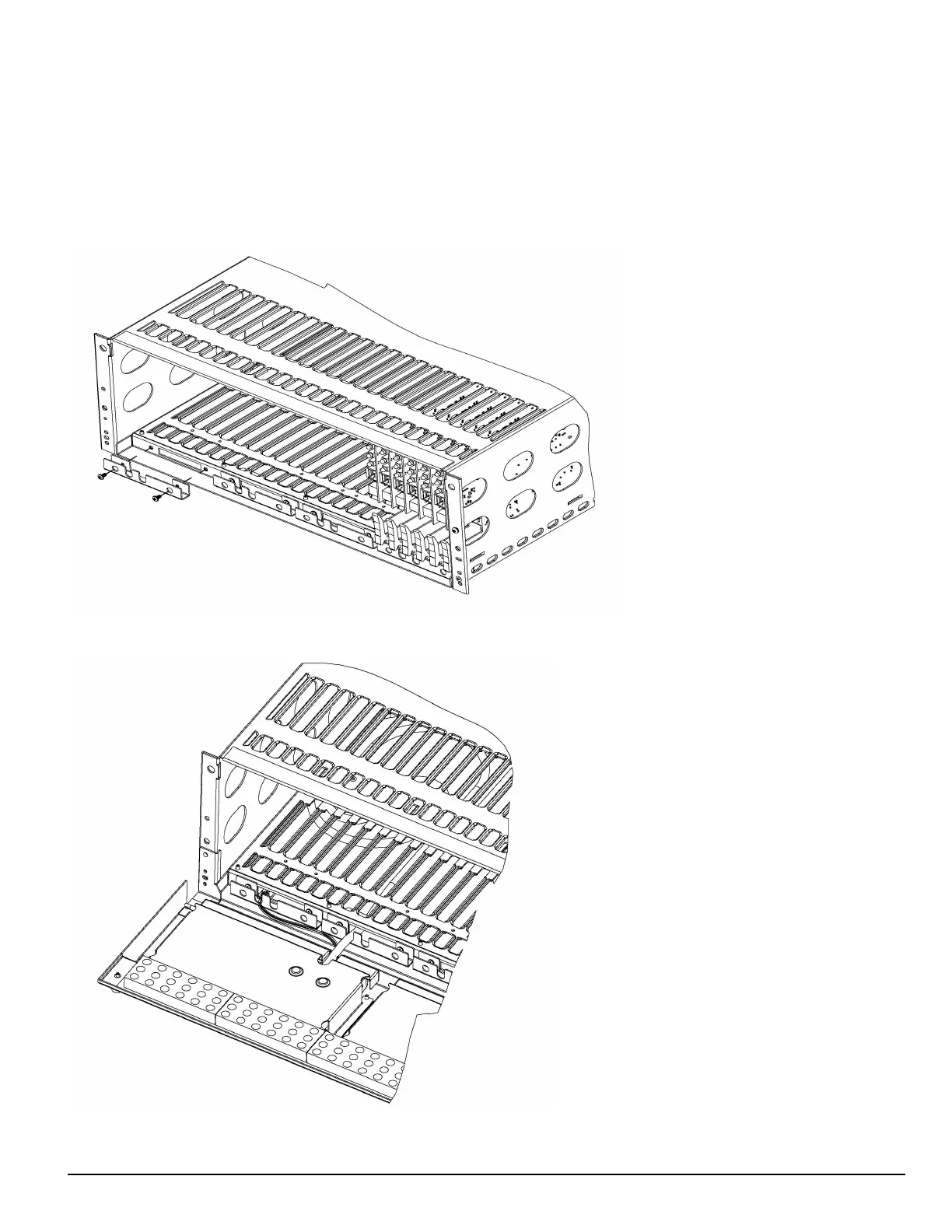
You can install PSTN line cards in groups of six. IP line cards and PSTN line cards cannot be grouped together. To facilitate card insertion and
removal, you must install an additional bracket with the PSTN card slots. Refer to "FIGURE 4-18" for placement of the SG-S5LBRKT bracket. Refer
to "FIGURE 4-19" for the location of the power and display cables.
NOTE: In order to install the DRL5 PSTN line card, the SG-S5LFANTR fan tray must be removed and the SG-S5LBRKT line card
extractor bracket must be installed.
FIGURE 4-18: Placement of the SG-S5LBRKT PSTN line card extractor bracket
FIGURE 4-19: SG-System 5 location of power and display cables



 To Next Page