5.0 Operation
- 63 -
5.5.7.3 Change SG-CPM5 options
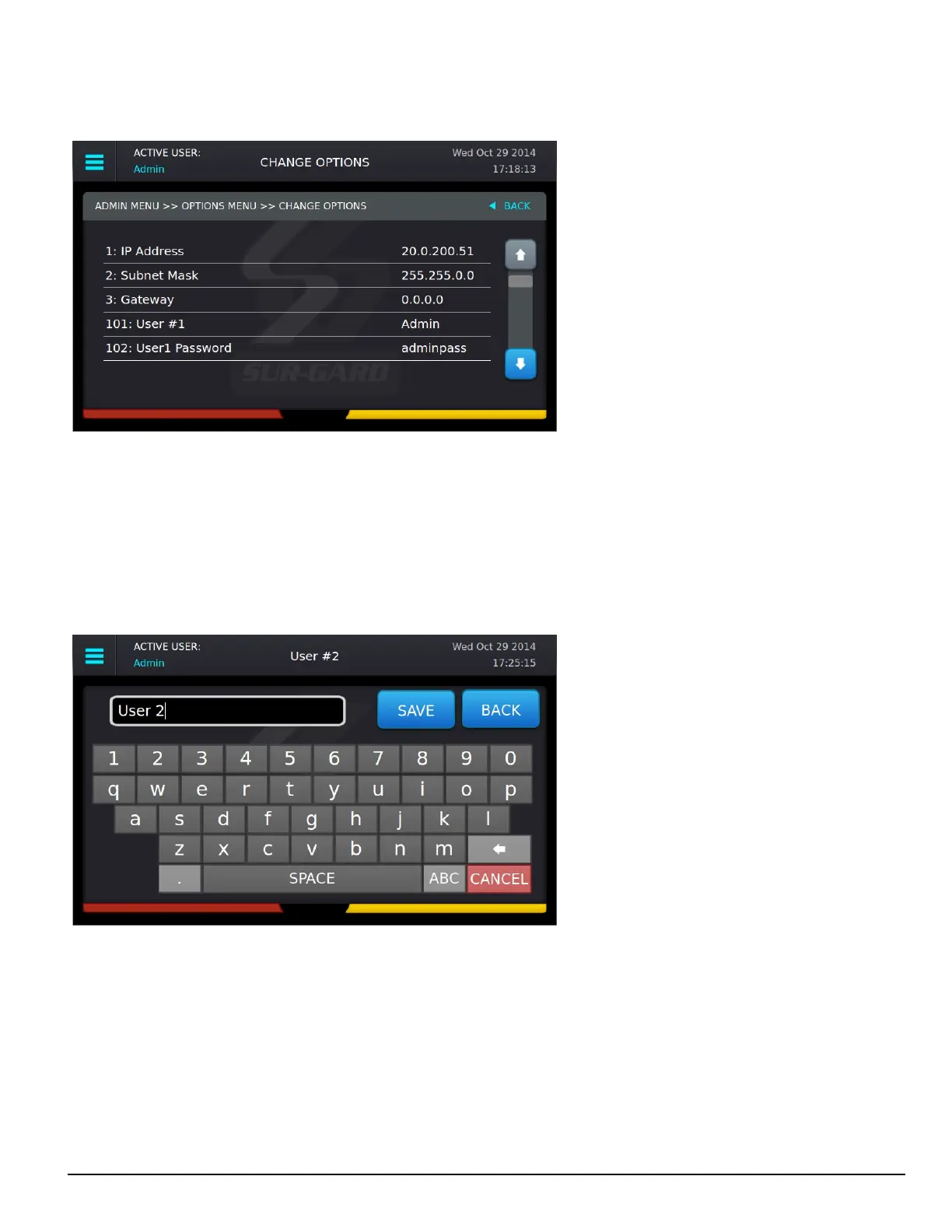
This screen is used to change SG-CPM5 options. Use the scroll bar on the right to access all SG-CPM5 options.
Click on an option to change it. The current value and the appropriate keyboards are displayed.
To save a change, press the Save button. To cancel the changes, press the Cancel button.
If a change requires a reset, a pop-up is displayed when the user exits the Main Menu or goes back to the Home screen. If reboot later is selected, a red
reset icon appears beside the time indicating that the user must reboot for the changes to take effect.
5.5.7.4 Full Keyboard options
A full keyboard is provided for options requiring alphanumeric entry. To save changes, press the Save button. The Save button turns red if the entry is
invalid. Press the Shift key to capitalize the next character typed. Press and hold the Shift key to enable or disable caps lock. When caps lock is enabled,
all letters are entered in uppercase.



 To Next Page