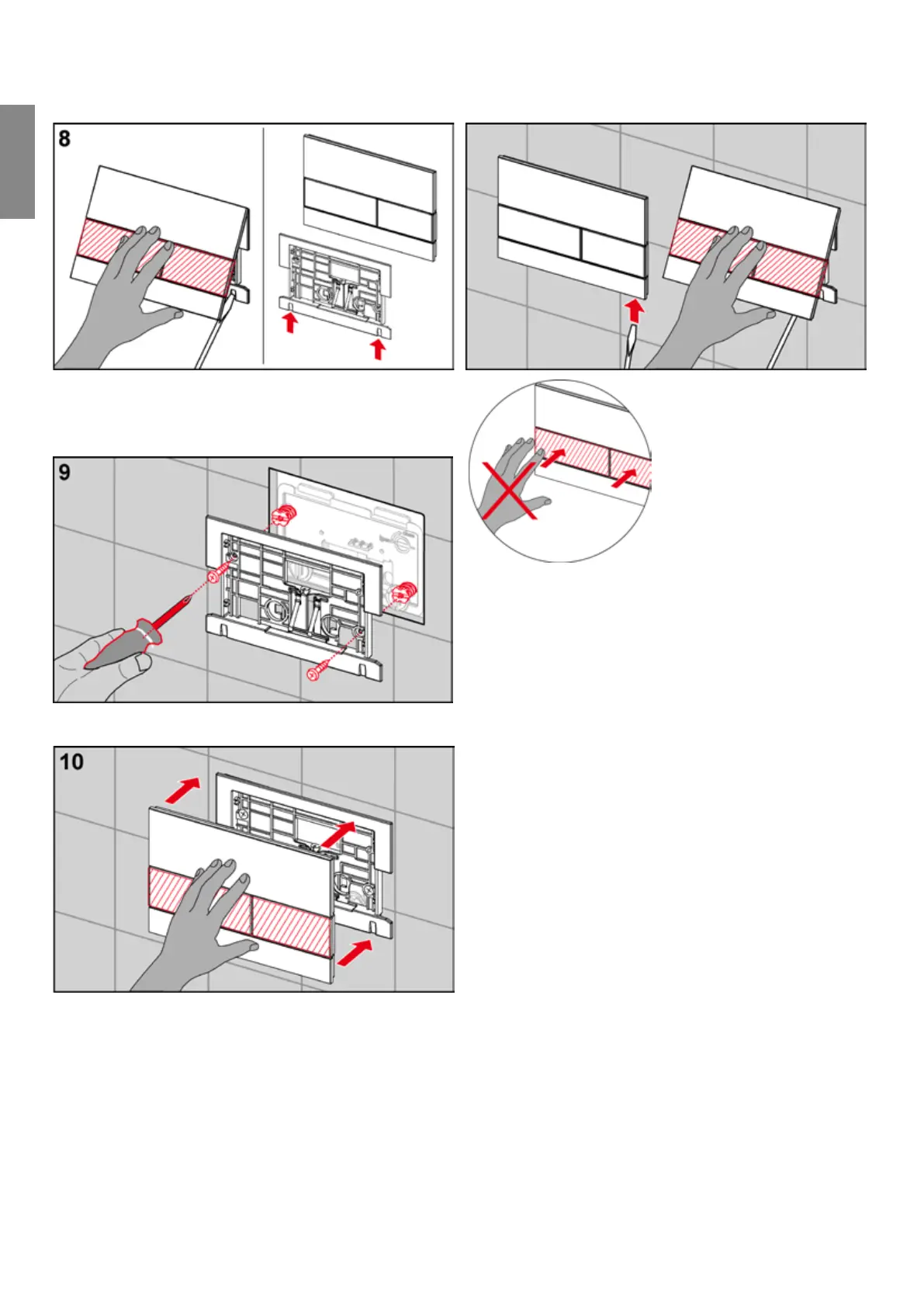
Remove the cover from the flush plate using a screwdriver.
Place the screwdriver into the recesses on the underside
of the flush plate and carefully remove the cover.
Screw the support frame onto the attachment rods.
Allow the TECEsquare flush plate cover to click into place
in the support frame.
The installed cover can be detached from the flush plate
using a screwdriver. To do this, insert the tool into the
recesses on the underside of the flush plate and carefully
remove it.
Please note:
During installation, only apply force to the glass surface,
not to the buttons.
TECE flush plates – TECEsquare
-
Flush plates


 To Next Page