BIOSTRENGTH LINE: Service & Maintenance manual - rev. 2.1
Page 7.84
7.3.2. REMOVING THE ELECTRONIC DISPLAY BOARDS
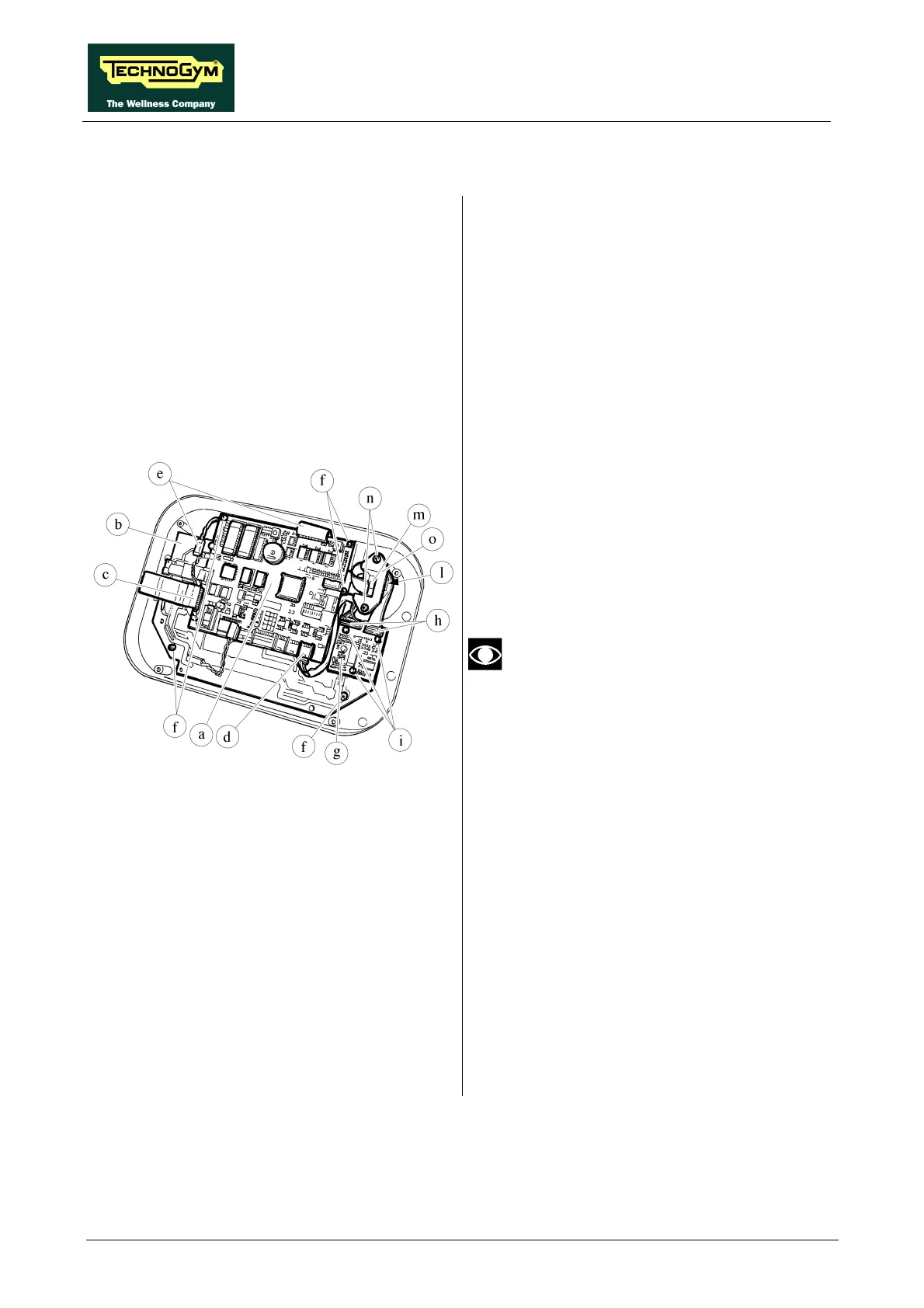
Figure 7.3.2-1
Follow the steps described in paragraph 7.3.1.
“Disassembling the display”.
With the display resting on a bench:
To remove the CPU a and LED b BOARDS:
1. Disconnect the connector c from the
keyboard.
2. Disconnect the connector d from the
TLCBR.
3. Disconnect the connectors e from the LCD.
4. Use a small Philips screwdriver to unscrew
the 5 screws f.
5. Remove the CPU and LED BOARDS.
6. To separate the CPU and LED boards,
disconnect the 2 connectors and 4 coupling
elements.
When finished, configure the machine
parameters as described in paragraphs
9.2. and 9.3. .
To disassemble the TLCBR g:
1. Disconnect the 2 connectors h.
2. Use a medium-sized straight screwdriver to
unscrew the 3 holding screws i.
3. Remove the card.
To disassemble the KEY READER l:
1. Disconnect the connector m.
2. Use a medium-sized Philips screwdriver to
unscrew the 2 screws n.
3. Remove the connector block o.
4. Remove the KEY READER.
Continued on next page →











 To Next Page