5. UNITY INTERFACE USEFUL INFO - SW&FW
UPDATE
5.1 ACCESSING THE MENU
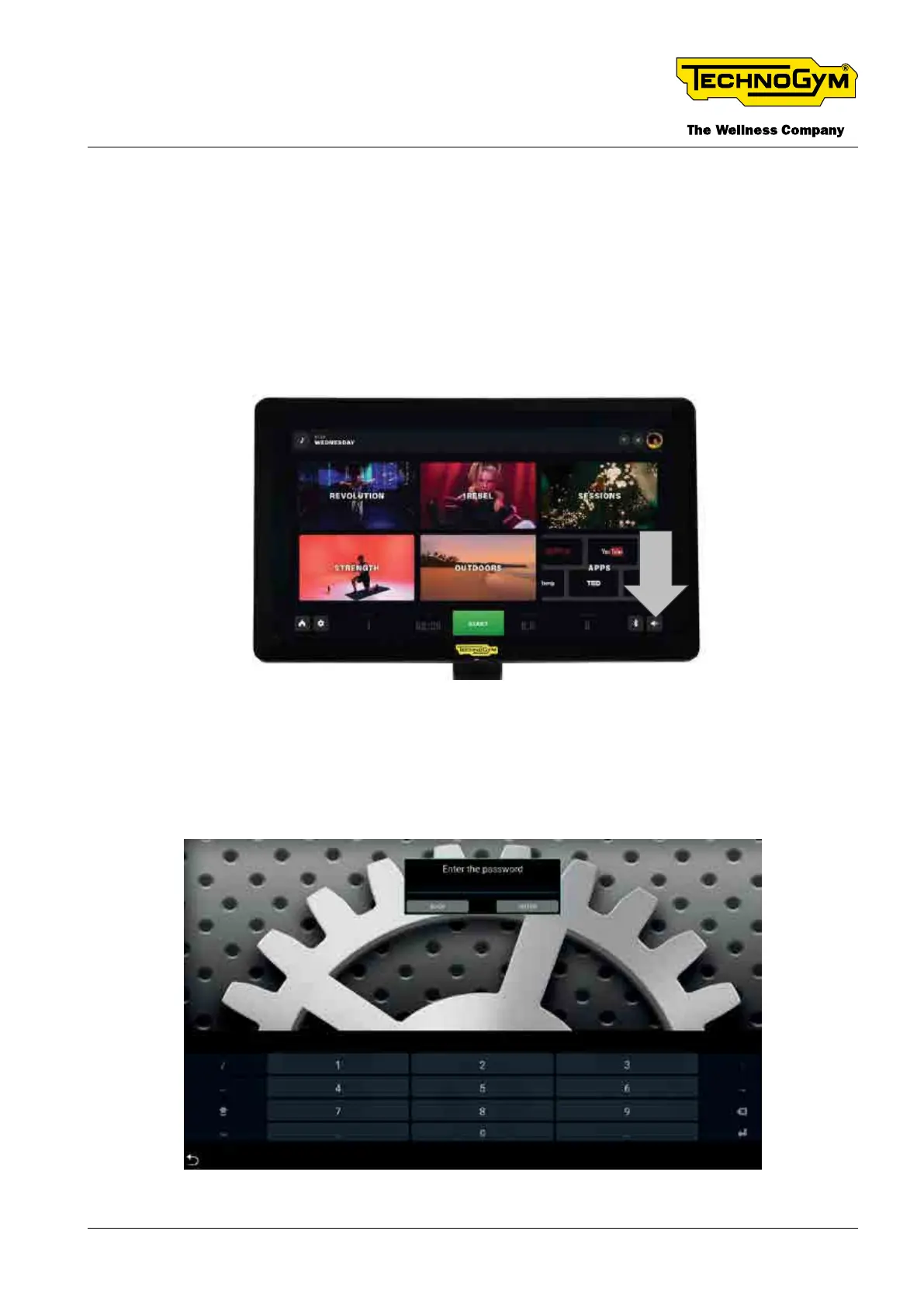
The procedure for accessing the menus is as follow:
_In the stand-by screen, press and hold the touch screen on the volume icon, as shown in the
gure below:
Fig. 19
_ Access the service/customer menu, by entering the relative password:
▪ 2501 for service menu;
▪ 2406 for customer menu.
Fig. 20 - Enter the Password
TECHNOGYM BIKE LIVE Technical Service Guide
Rev. 2.0
- 35 -TSG-00187-EN - Uncontrolled copy if printed













 To Next Page