[*]: When replacing components see §”6.1 Procedure to follow when replacing components”.
[**]: Make sure the problem is solved. See §”6.2 Equipment testing after the intervention of techni-
cal service”.
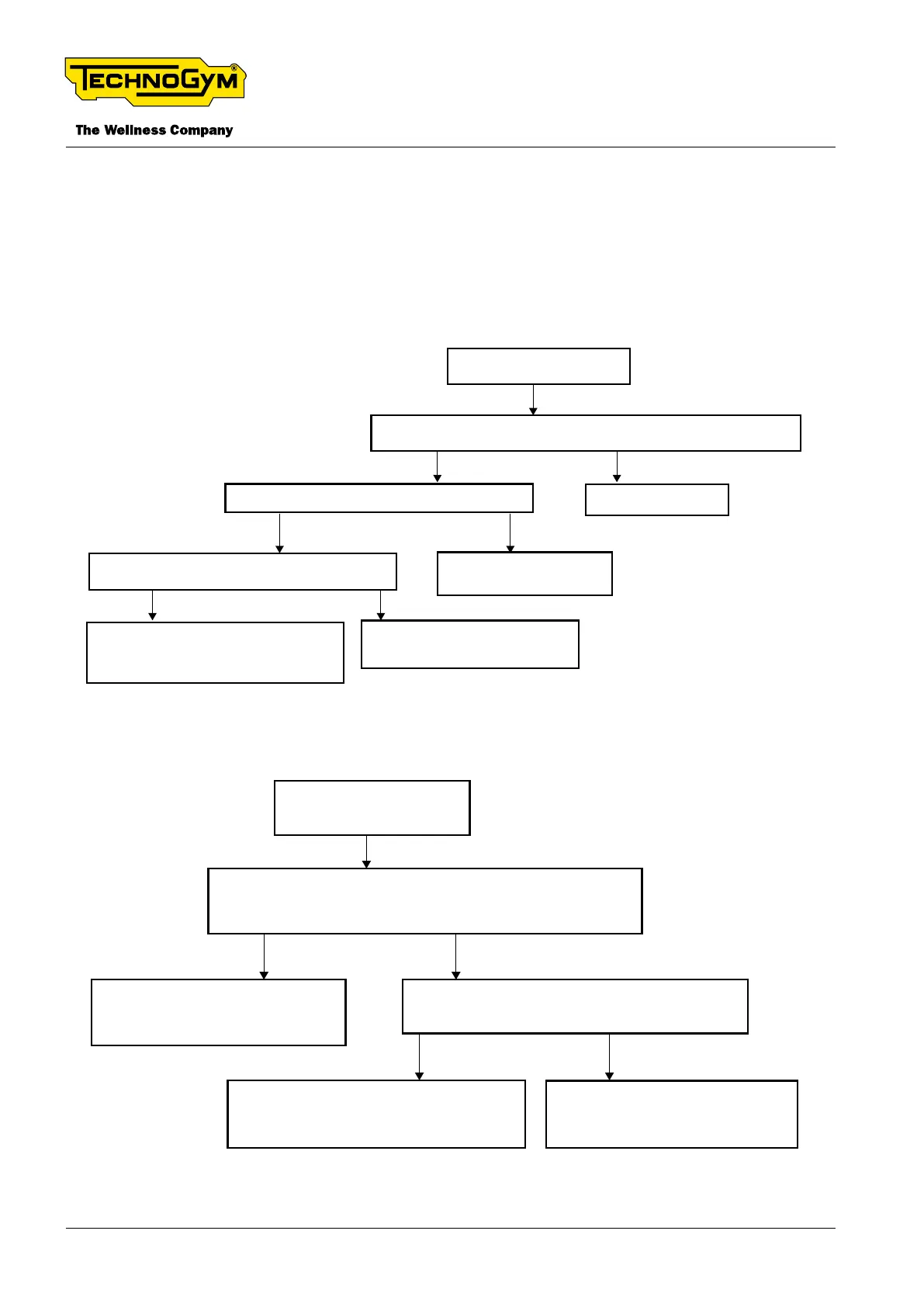
6.9 THE DISPLAY DOES NOT TURN ON
The display does not turn on
Check the power supply and resolve any encountered problems. [1]
Is the problem solved? [**]
Ok. Problem solved.
Are there +12Vdc in the Flying connector 1x2 pin,
accessible in the handlebar arm? [3]
YesNo
Replace the spiral cable. Make sure
the problem is solved. Otherwise,
replace also the power supply cable. [**]
No
Follow the troubleshooting
procedure A.
Yes
No
Yes
Are there +12Vdc at the input of the display? [2]
Replace the display cable.
Make sure the problem is solved.
Fig. 39
The display does not turn on.
Troubleshooting A
Turn off the UNITY display.
Insert the USB recovery key into the UNITY user USB port;
Turn on the UNITY display. Does the recovery start?
Disconnect all the peripheral devices and try to turn
on the equipment. Does the equipment function?
Complete the recovery procedure and
the machine setup. Make sure the
problem is solved. [**]
NO
YES NO
YES
One of the peripheral devices / cables
is short circuiting. Replace it. Make sure the
problem is solved. [**]
Replace the UNITY Display. [*][**]
Make sure the problem is solved. [**]
Fig. 40
TECHNOGYM BIKE LIVE Technical Service Guide
Rev. 2.0
- 52 - TSG-00187-EN - Uncontrolled copy if printed












 To Next Page