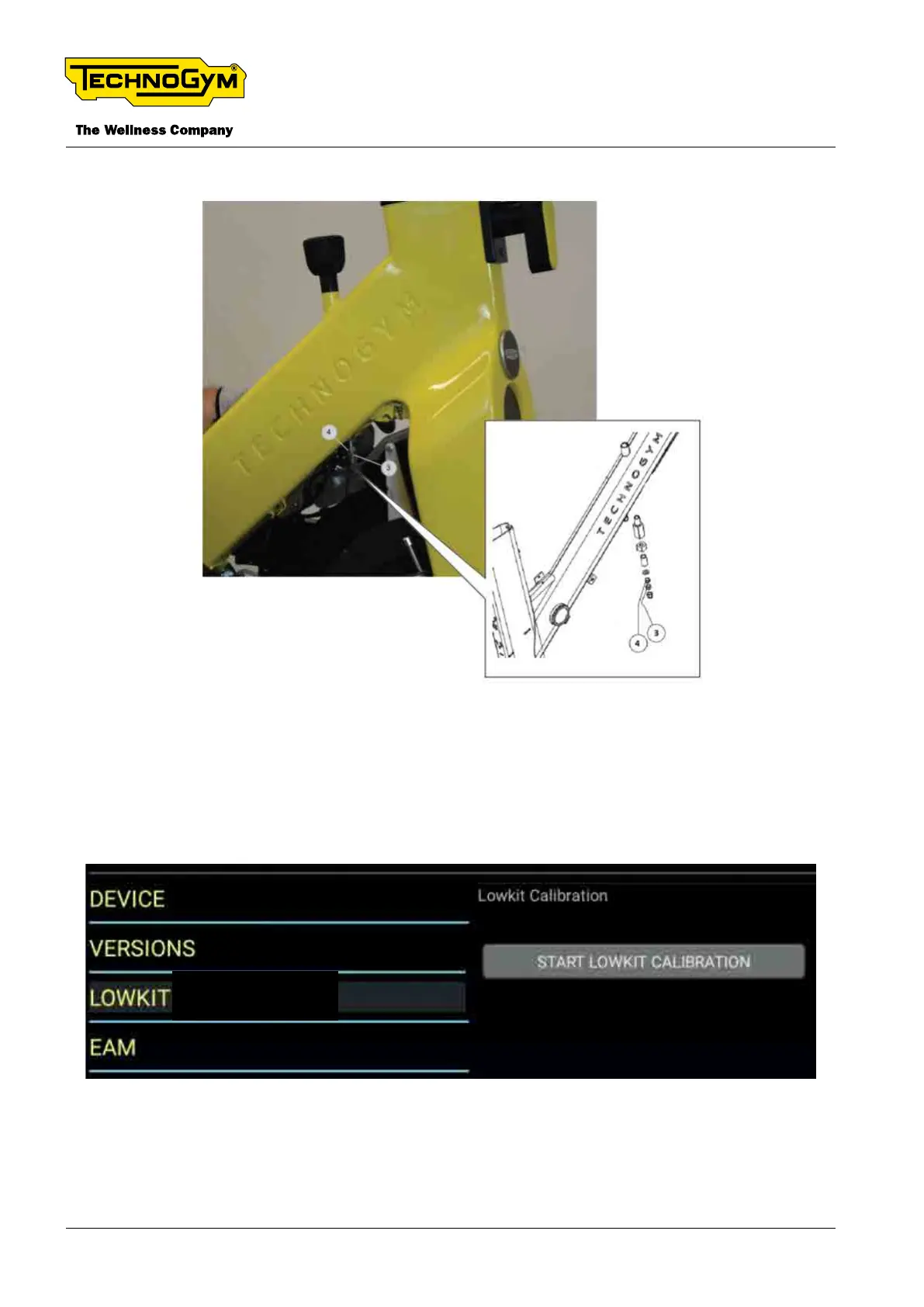
8. Then, lock the nut [3] with the self-locking nut [4].
Fig. 28
6.3.2.2 SOFT CALIBRATION OF THE BRAKE
On display, access the Service Menu (2501).
Click on LOWKIT --> START LOWKIT CALIBRATION.
Fig. 29
Turn the knob in 0 position and click on CONFIRM LEVEL.
TECHNOGYM BIKE LIVE Technical Service Guide
Rev. 2.0
- 44 - TSG-00187-EN - Uncontrolled copy if printed












 To Next Page