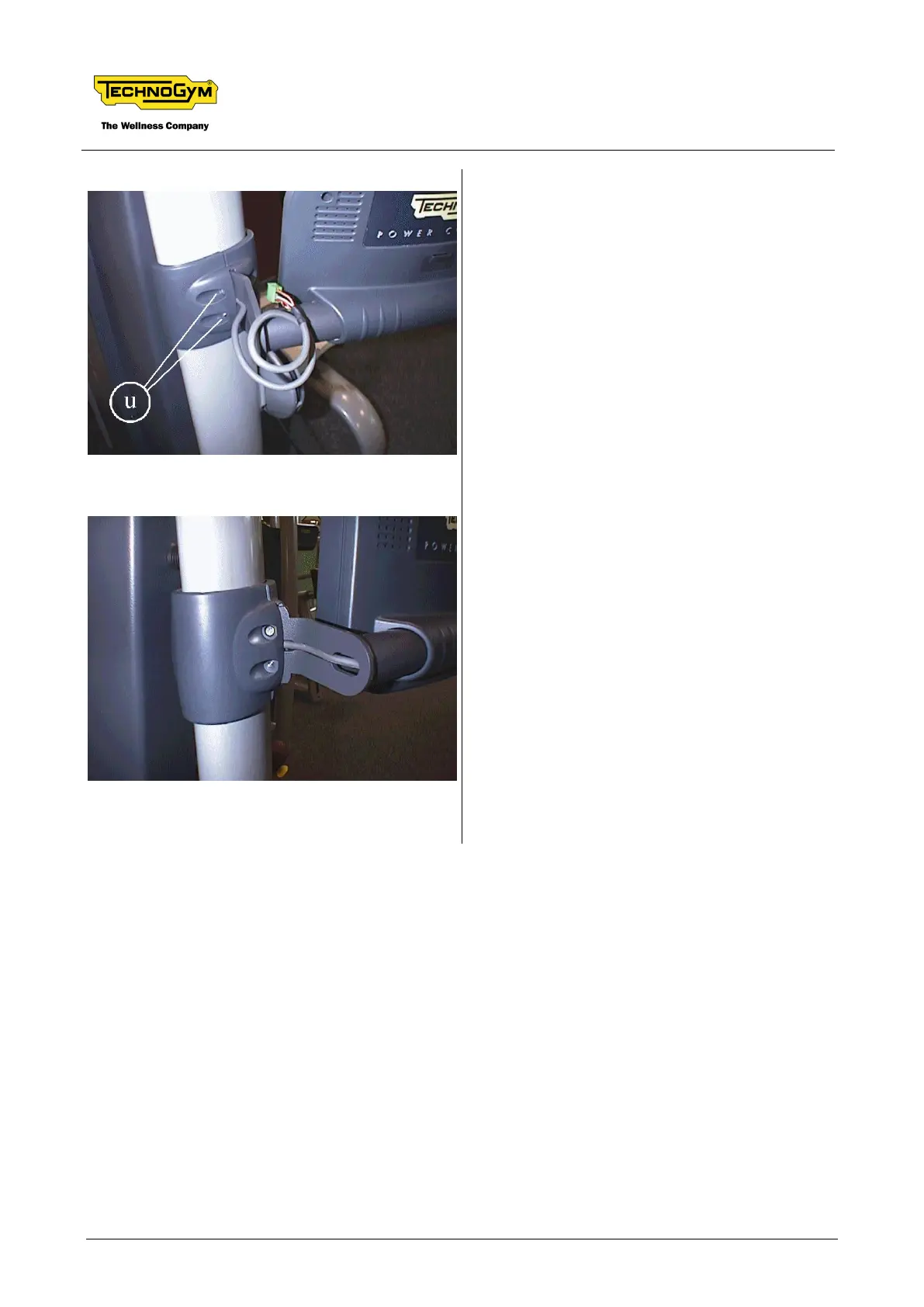
2. Position the support and frame holding
clamps and measure the exact length of the
display cable. Replace any excess cable
inside the frame.
3. Route the cable inside the rear locking clamp.
4. Fix the display support to the frame by means
of the locking clamps with the special
screws.
5. Secure the clamps with the 4 screws u, 2 on
each side (use a 4-mm hex T wrench). The
lock nuts for the screws are integrated into
the holding clamps.








 To Next Page