Fire Panel IRIS - Installation Manual 17
3. PROGRAMMING
When turned on, the panel always conducts a procedure of loading the parameters, which usually takes
about 30 sec. There is no access to the menus of the panel during that procedure.
Upon the initial start up, the panel does not hold any configurations. Initialization may take several minutes.
The initialization time needed depends on the number of periphery and loop devices. After the panel has
been turned on, it performs a procedure for detecting newly installed periphery and loop devices.
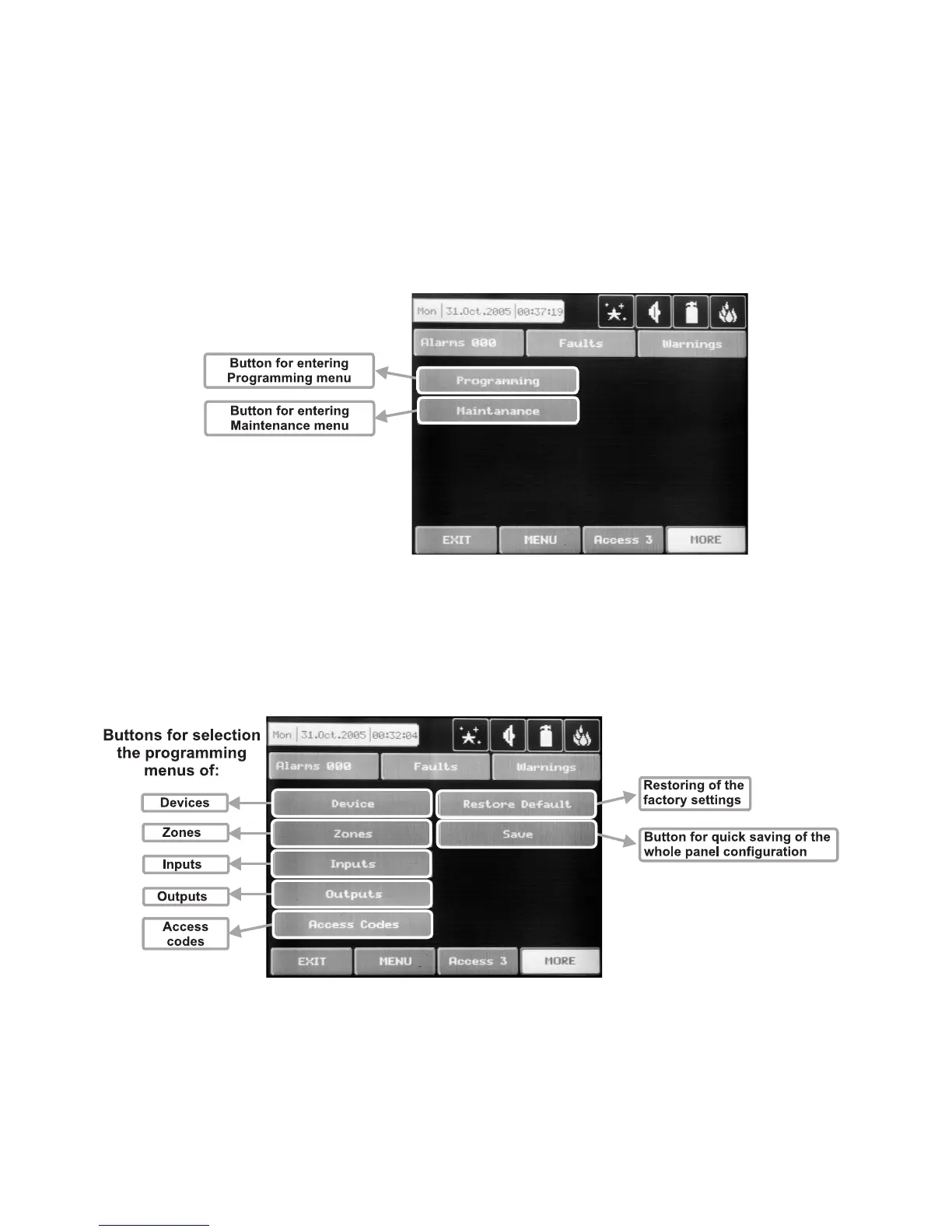
The general view of the CONFIGURATION Menu of IRIS Fire Panel is shown on Fig. Screen 1. It gives the
installer the possibility to choose the type of the operation, which is necessary to do:
1. To program system parameters – Programming Menu.
2. To study the panel operation, as to enter different parameters for the maintenance of the system – Main
-
tenance Menu.
Fig. Screen 1.
3.1 Programming Menu
To enter in the Programming Menu the installer has to choose button “Programming”. The general view of
the menu is shown on Fig. Screen 2.
Fig. Screen 2.
On the left side of the screen are located buttons for entering submenus for parameter programming of De-
vices, Zones, Inputs, Outputs and Access Codes. To enter a desired submenu just choose it button.
Choosing the button “Restore Defaults” on the left side of the screen can restore all the factory settings.
Button “Save” is for quick saving of the entered information.
With the button “Exit” in the bottom left corner the user/installer can easy move one step back on the
previous screen.



 To Next Page