36 Fire Panel IRIS - Installation Manual
4.6 LOG-file view
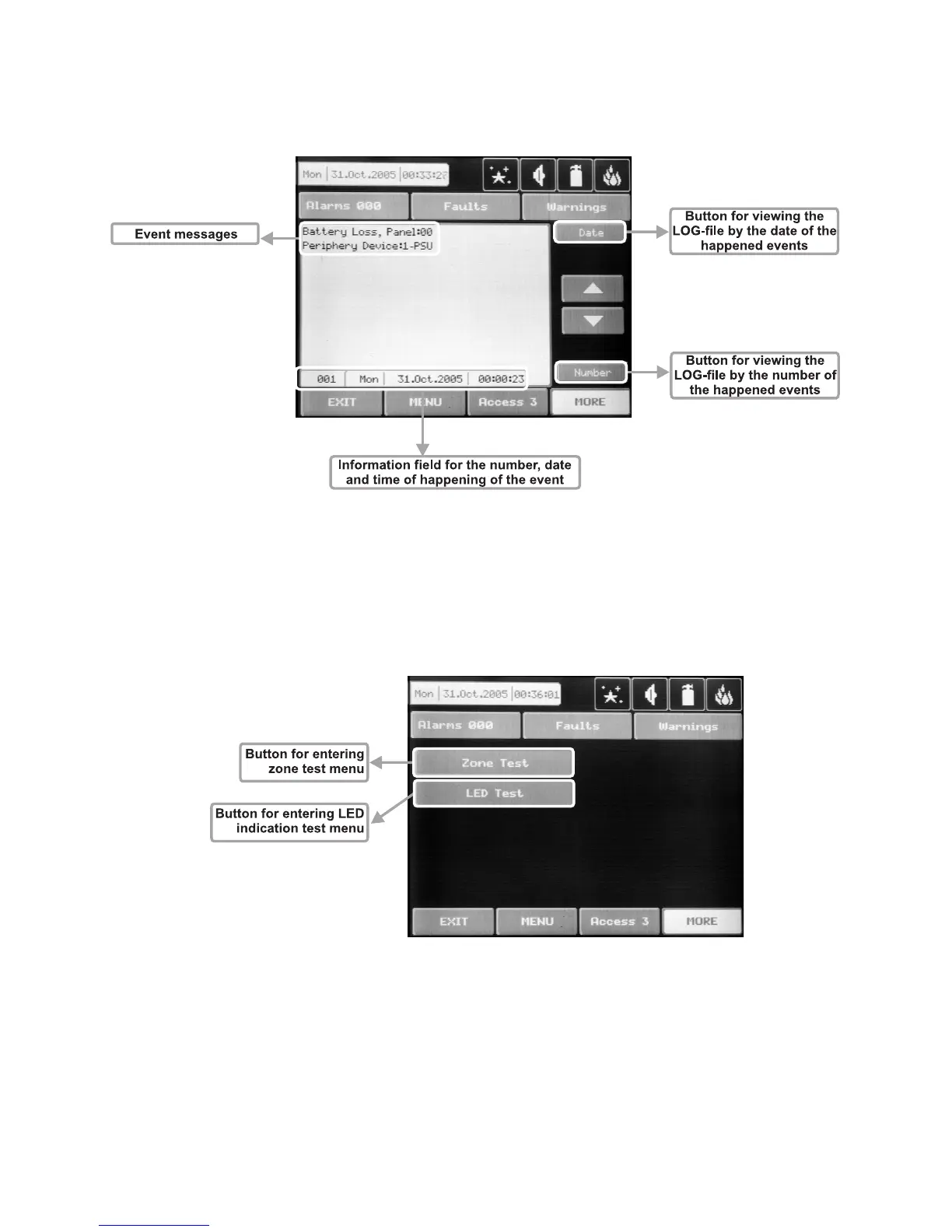
Choose “View Log” from the Maintenance Menu to enter in a screen for viewing the happened events in
the system. The addressable fire panel IRIS can show maximum 999 events, which could be viewed by
date or number – Fig. Screen 24.
Fig. Screen 24.
4.7 Testing
The addressable fire panel IRIS has an option for testing of zone functioning and the LED-indication of the
panel. To make a test, choose the “Test” button from Programming Menu – Fig. Screen 17. On the displayed
screen the user/installer could choose which test to perform – zone or LED-indication testing – Fig. Screen 25.
Fig. Screen 25.
After choosing the desired test by pressing the respective button, the user/installer could examine the proper
functioning of each zone and the LED-indication of the front panel. The entered information has to be con-
firmed by pressing “Apply” button.



 To Next Page