18 Fire Panel IRIS - Installation Manual
3.2 Devices
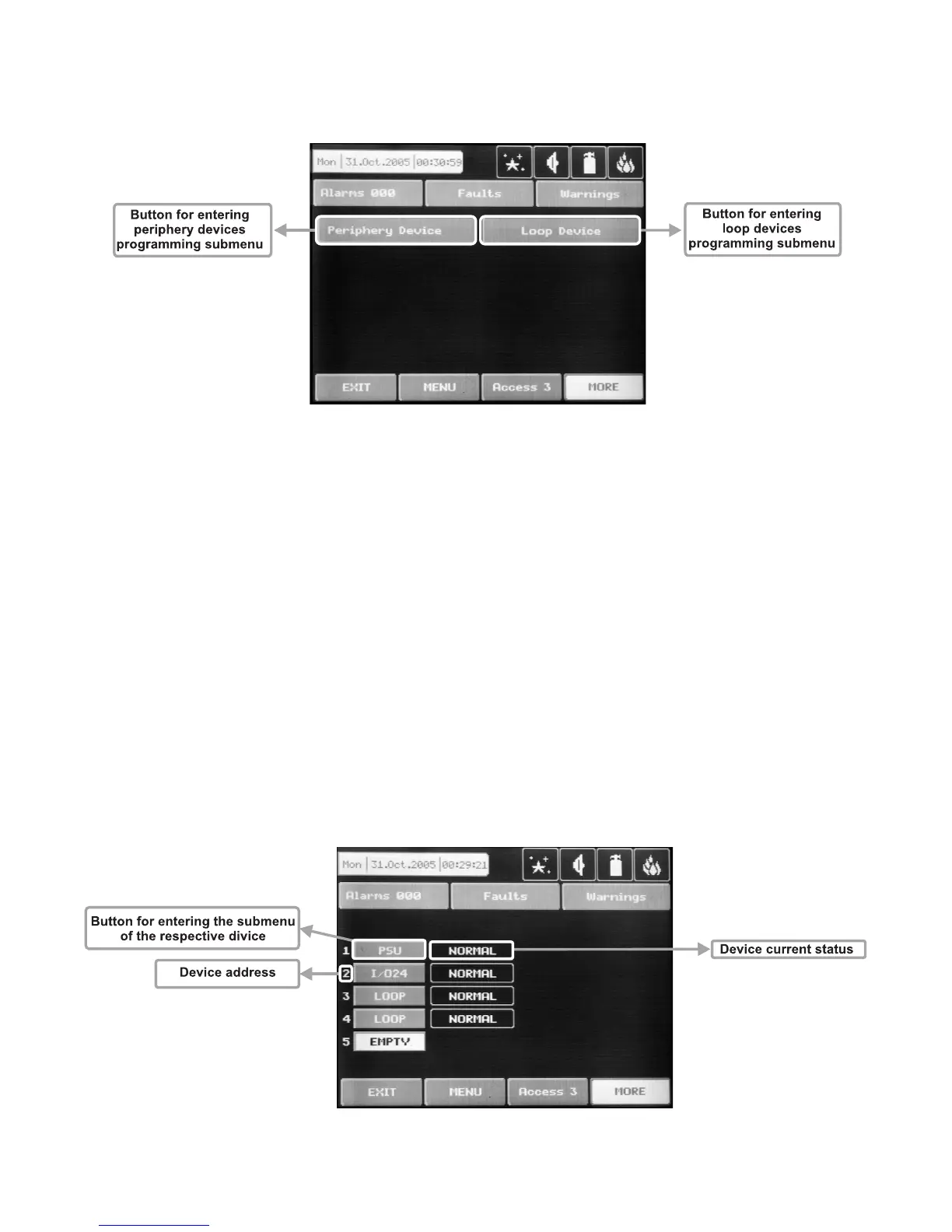
In the addressable fire panel IRIS are supported periphery and loop devices. With choosing the “Device” but-
ton the user/installer enters a menu for choosing the type of the device – Fig. Screen 3.
Fig. Screen 3.
3.2.1 Periphery Devices
Choosing “Periphery Device” button leads to submenu for entering the parameters of the available periphery
devices in the system configuration – Fig. Screen 4. List of 1.0 version supported periphery devices:
· PSU140 Power source
· IO4 (Main Board) - 4 input/ 4 monitored outputs/ 4 relays
· IO24 (Main Board + 20 Relay Expander Module) - 4 input/ 4 monitored outputs/ 24 relays
· LOOP1 (First Loop expander) / LOOP2 (Second Loop expander)
Upon detecting a new periphery device (which is missing in the configuration), the following message will be
displayed: “NEW PERIPHERY DEVICES FOUND”, and the number of the detected devices will be indicated.
All new periphery devices have to be added to the panel configuration using the SAVE command for the spe
-
cific device or the general SAVE command from the CONFIGURATION menu – Fig. Screen 2. Any devices,
not configured in the panel, shall not generate any messages. Where a periphery device is removed, the
panel shall display “PERIPHERY DEVICE FAULT”. In the case of an unregistered device, the panel reduces
the number of new devices, and if their number is 0 it will stop displaying the “NEW PERIPHERY DEVICES
FOUND” notice. The device can be deleted from the configuration of the panel with the REMOVE command
for the specific device. Where a device of a different type is placed in position on the panel of a given device
from the configuration, the panel shall display “PERIPHERY DEVICE TYPE ERROR”. In order to replace a
previous device with a new type, choose the REPLACE button for the specific device.
Fig. Screen 4.



 To Next Page