22 Fire Panel IRIS - Installation Manual
3.2.2.10 Active Field for Text Introduction
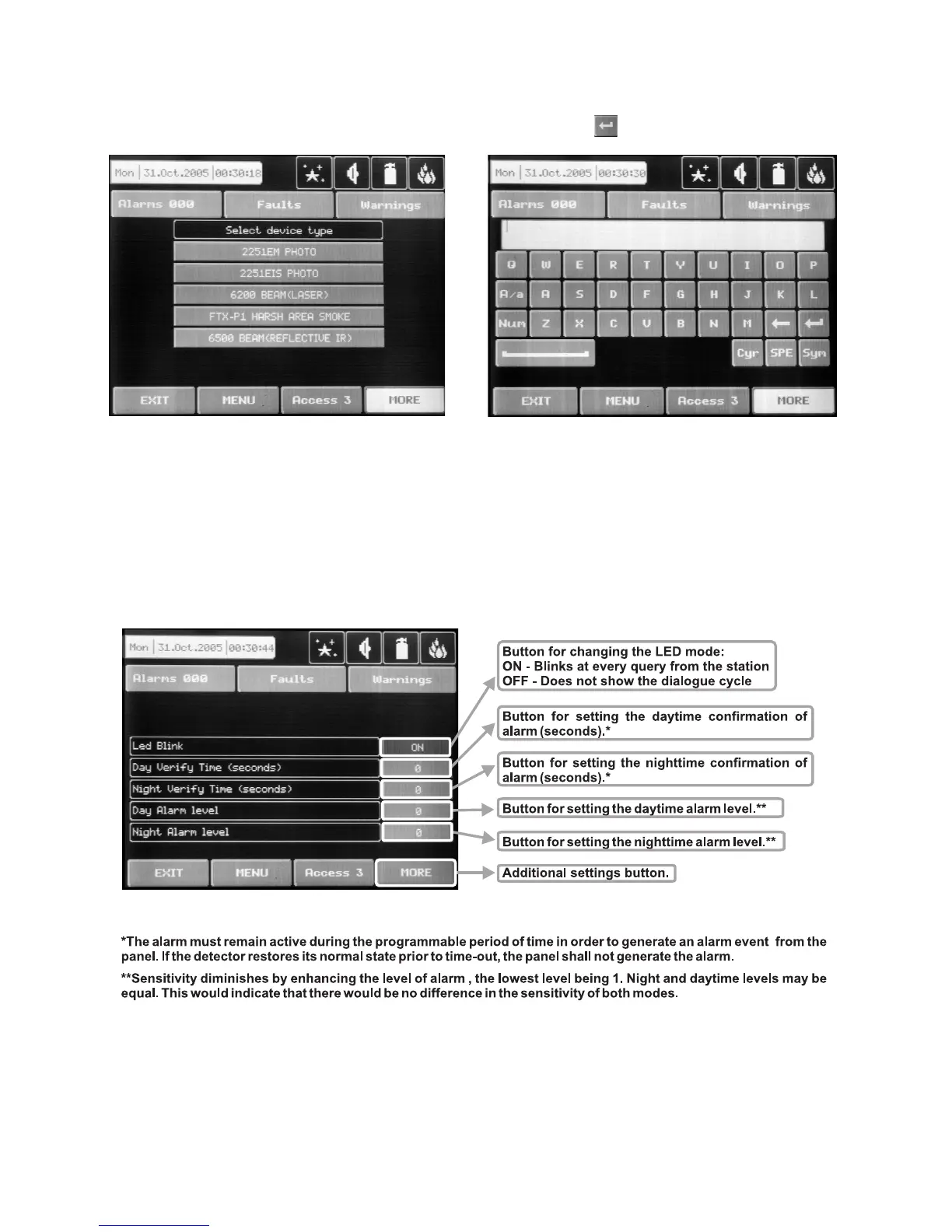
Choosing this field accesses the text introduction mode. The text must not exceed 40 digits together with the
spaces – Fig. Screen 10. Entered information is confirmed with button .
Figure Screen 9. Figure Screen 10.
3.2.2.11 Additional Settings Button
The additional adjustments vary according to the type of device. Setting the day and nighttime mode, as and
setting the levels of the alarm signal (FIRE) – Fig. Screen 11, is performed by pressing of the respective but-
ton and entering of the desired value by means of an additional keypad displayed on the screen.
Fig. Screen 11.



 To Next Page