Fire Panel IRIS - Installation Manual 41
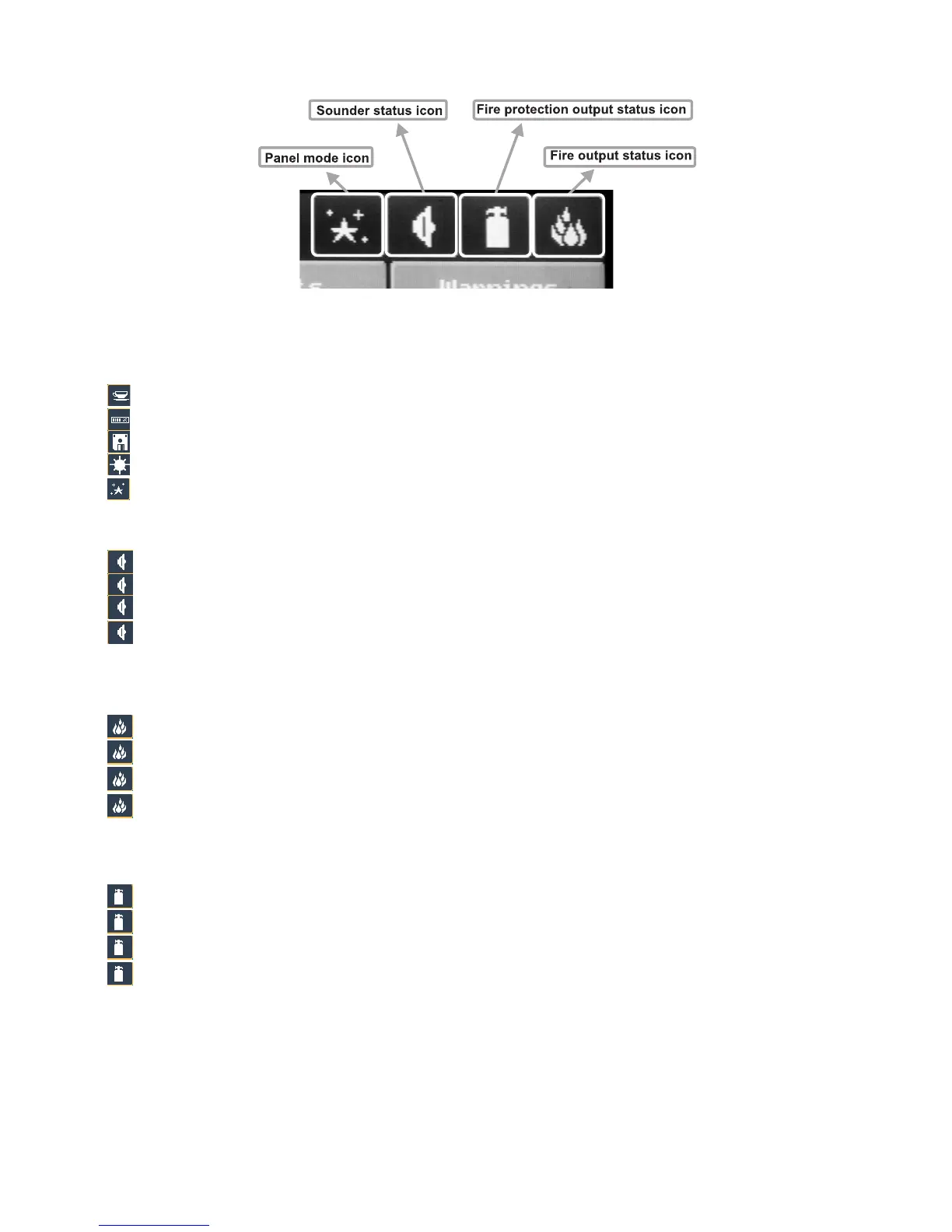
5.2 Panel Status Icons
Fig. Screen 32.
5.2.1 Panel Mode Icon
IDLE
LOADING – loads configuration data from permanent memory
SAVING – saves configuration data in permanent memory
DAY
– processes signals from detectors with enhanced sensitivity (set for every detector)
NIGHT
- processes signals from detectors with enhanced sensitivity (set for every detector)
5.2.2 Sounder Status Icon
ON (red) – activated output
OFF
(black) – dormant output
DISABLE
(grey) – deactivated output
DELAY
(red - blinks + countdown until activation) – delay is running prior to activation
(programmable for every zone)
5.2.3 Fire Output Status Icon
ON (red) – activated output
OFF
(black) – dormant output
DISABLE
(grey) – deactivated output
DELAY
(red - blinks + countdown until activation) – delay is running prior to activation
(programmable for every zone)
5.2.4 Fire Extinguishing Output Status Icon
ON (red) – activated output
OFF
(black) – dormant output
DISABLE
(grey) – deactivated output
DELAY
(red - blinks + countdown until activation) – delay is running prior to activation
(programmable for every zone)



 To Next Page