Fire Panel IRIS - Installation Manual 33
4. MAINTENANCE
4.1 Maintenance Menu
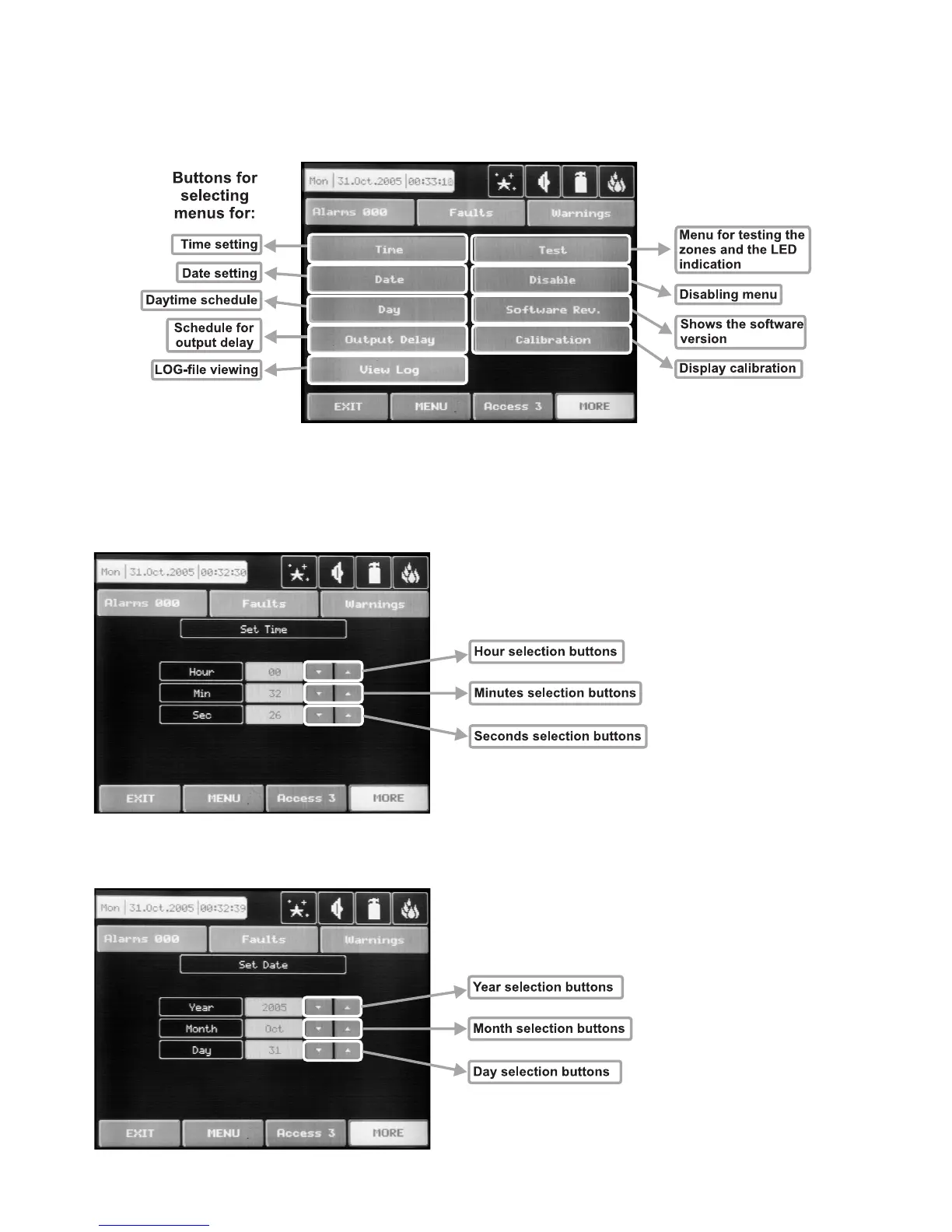
To enter in the Maintenance Menu the installer has to choose button “Maintenance” – Fig. Screen 1. The
general view of the menu is shown on Fig. Screen 17.
Fig. Screen 17.
4.2 Time introducing
Choose the button “Time” from the Maintenance Menu to set the current time – Fig. Screen 18.
The desired time can be
set with the buttons for se
-
lecting the hours, minutes
and seconds.
Fig. Screen 18.
4.3 Date introducing
Choose the button “Date” from the Maintenance Menu to set the current date – Fig. Screen 19.
The desired date can be
set with the buttons for se
-
lecting the day, month and
year.
Fig. Screen 19.



 To Next Page