32 Fire Panel IRIS - Installation Manual
3.6 Access Codes
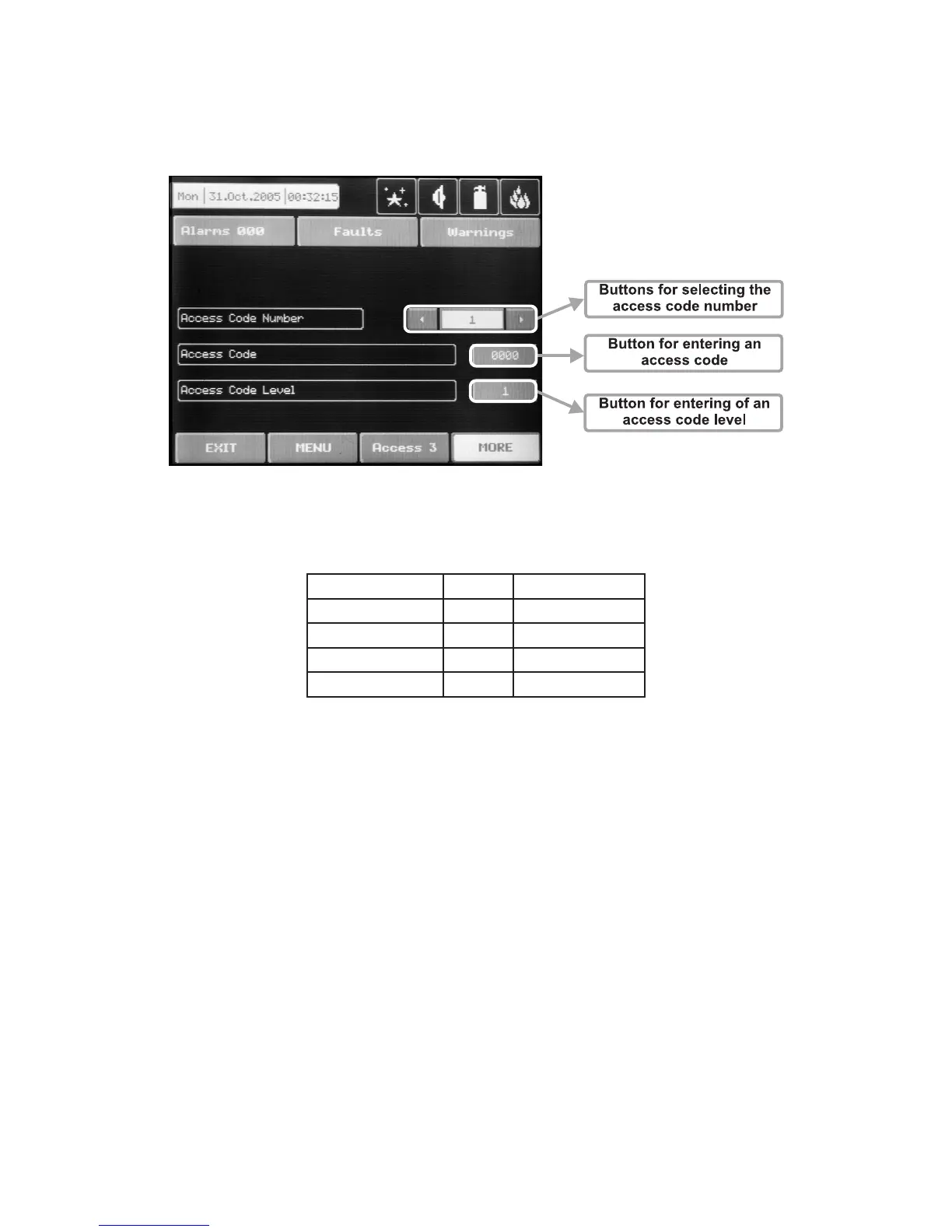
The access codes can be viewed and edited in the “ACCESS CODES” submenu, menu “Programming”
– see Fig. Screen 2 . It displays in turn: the code number, the access code (symbolic sequence) and the level
of access for the respective code – Fig. Screen 16. Other codes can be viewed by scrolling the navigation
arrows for changing the code number.
Fig. Screen 16.
By default the system has the following configuration of the access codes:
Code number Code Access Level
1 0000 1
2 1111 1
3 2222 2
4 3333 3
Accessible for programming are the fields “Code” and “Access level”. The “ACCESS CODES” menu is ac-
cessible only at access level 3.
3.6.1 Changing the Code
To change the access code select the “Button for introducing of access code” button on the right of the field
with the current code. The code introduction menu is automatically accessed. The code consists of 4 figures.
After the code is initially entered, the system shall request the code to be entered again for verification. If the
codes differ the system will ignore whatever was entered and the old code will remain active. If both codes
are identical, the new code will be displayed in the “ACCESS CODES” output field and an “Apply” button will
appear. Select “Apply” to save the entered code. If a code has already been entered the system will ignore it
and will retain the old one.
3.6.2 Changing the Access Level
Changing the level of access is done by choosing the “Change” button next to the field for calling out the ac-
cess level. When activated a menu appears in which the user selects a new level of access (1-3) by pressing
the respective button or “EXIT” to leave. If the newly assigned access level is different from the current one,
the “Apply” button will be activated. Pressing that will save the new access level.
There must be at least one code in the system with an access code 3! The program disallows editing
a level of access (3) if it is the only one!



 To Next Page