104
5.1.3 Premier and Premier Elite alarm systems
• Installation:
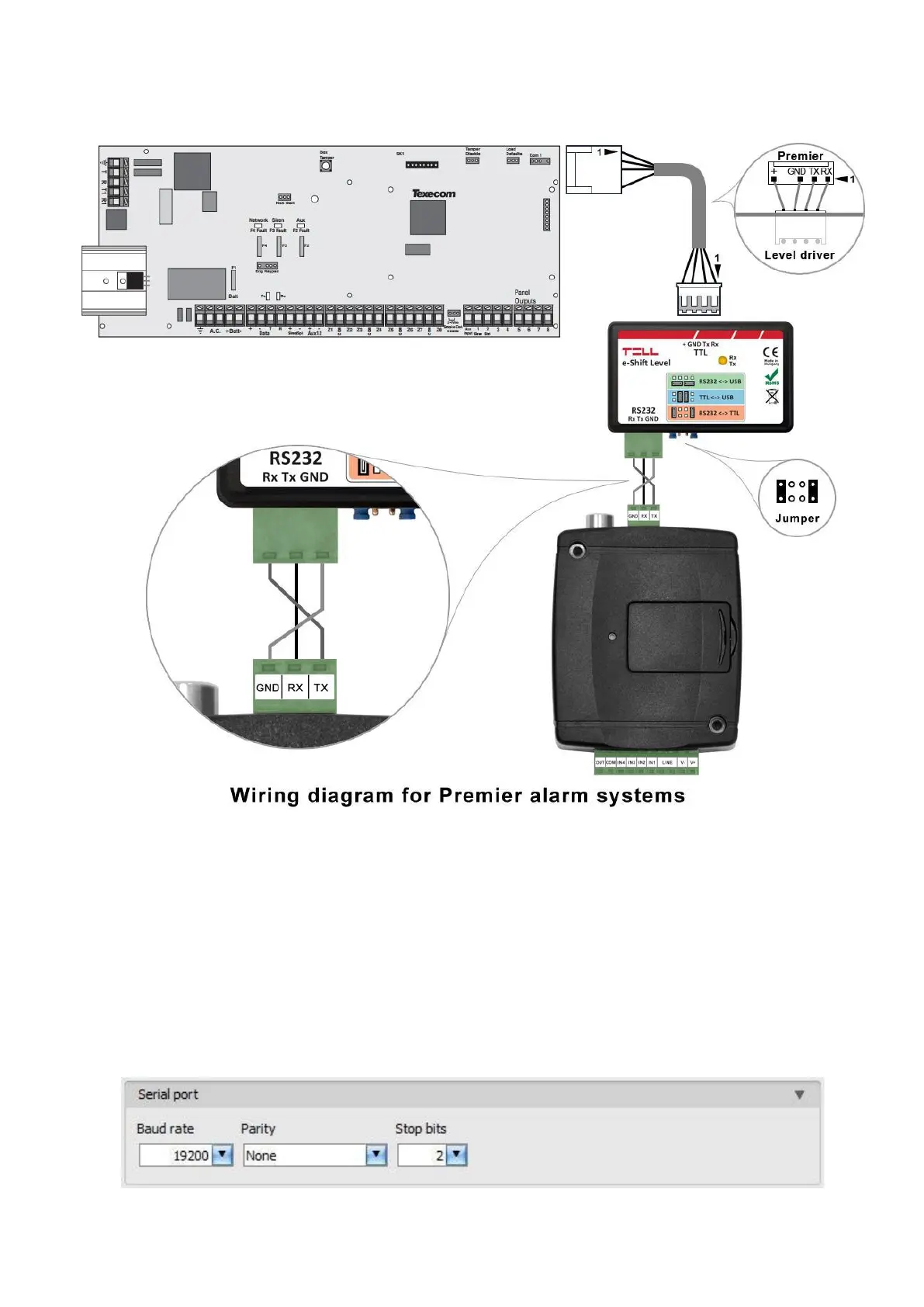
For Premier alarm control panels, a level driver interface is needed to establish the serial link.
TELL offers its own level driver interface produced for this purpose. Connect the serial port output
of the level driver interface to the serial port of the Adapter2, then link the level driver interface
with the alarm control panel using the supplied special cable, as shown in the figure above.
Configure the jumpers of the driver level interface as well as shown in the figure above.
• Software settings:
Configure the serial port settings in the “Serial port” section of the “General” menu, in the
Adapter2 programming software, as shown in the figure below (Baud rate=19200, Parity=None,
Stopbits=2):



 To Next Page