23
4.1.2 Connection type
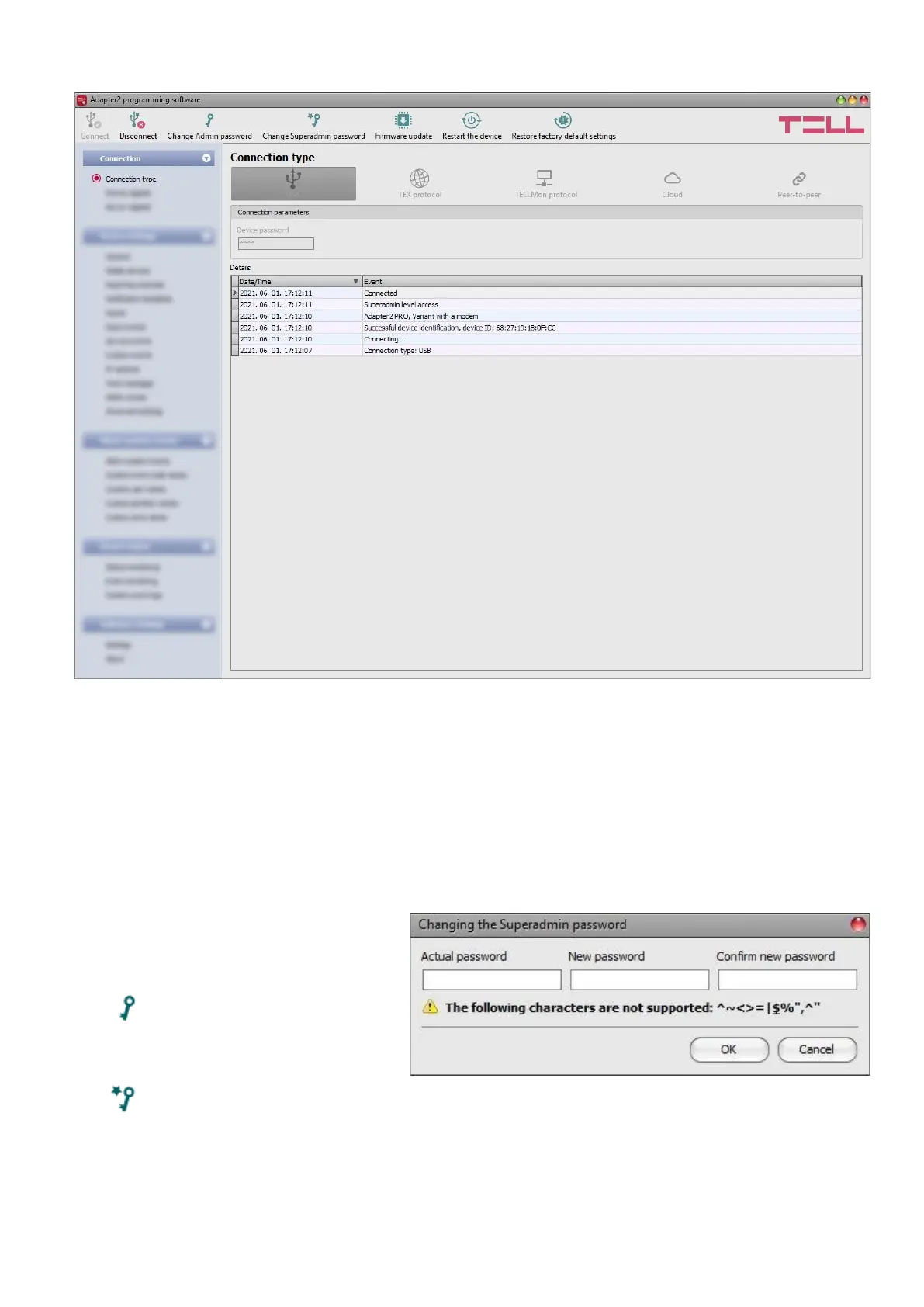
In the “Connection type” menu you can select the method for connecting to the device (USB or
different options for connecting over the Internet), view information about the connection process,
change the admin and superadmin passwords, restart the device, and restore the factory default
settings in the device.
The default superadmin password is 1234. If you want to use the admin level access as well, for
this the password should be configured separately by clicking on the “Change Admin password”
button (for “Actual password” enter the superadmin password).
Details: in this window you can follow the connection progress.
Available options:
• Change Admin password:
You can change the
administrator level password
after clicking on this button.
• Change Superadmin password:
You can change the superadministrator level password after clicking on this button.
Enter the actual password, then the new password and its confirmation, then click “OK”.
The password should consist of at least 4, but not more than 8 characters.
Accepted characters are: numbers (0...9), lower case letters (a...z), and capital letters (A...Z).
Attention! The following characters should not be used: ^ ~ < > = | $ % " '.



 To Next Page