110
5.1.5 Inim alarm systems
• Installation:
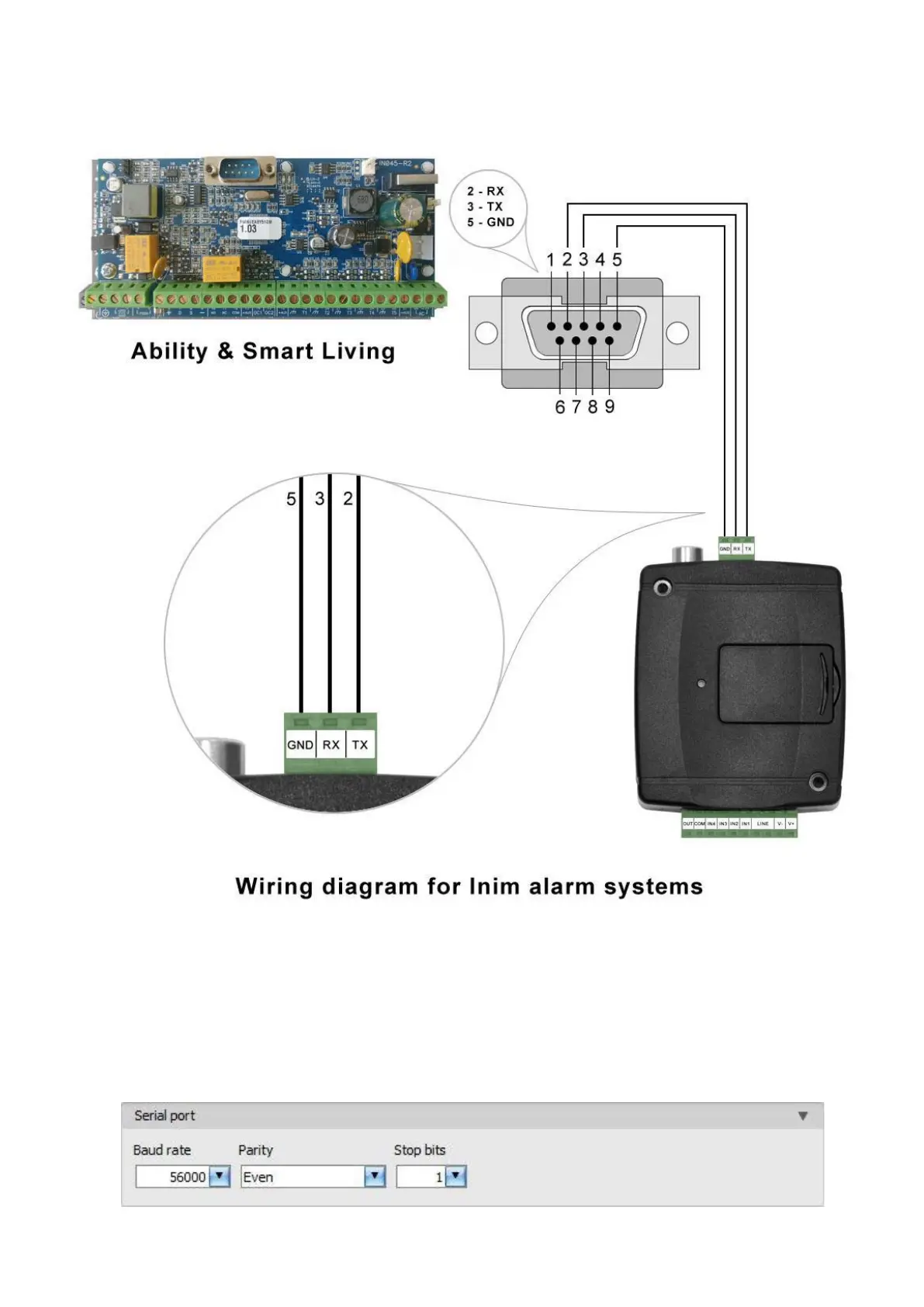
Connect the supplied special cable to the serial port of the Adapter2 device as shown in the figure
above, then plug it onto the alarm control panel.
• Software settings:
Configure the serial port settings in the “Serial port” section of the “General” menu, in the
Adapter2 programming software, as shown in the figure below (Baud rate=56000, Parity=Even,
Stopbits=1):



 To Next Page