45
4.2.4 Notification templates
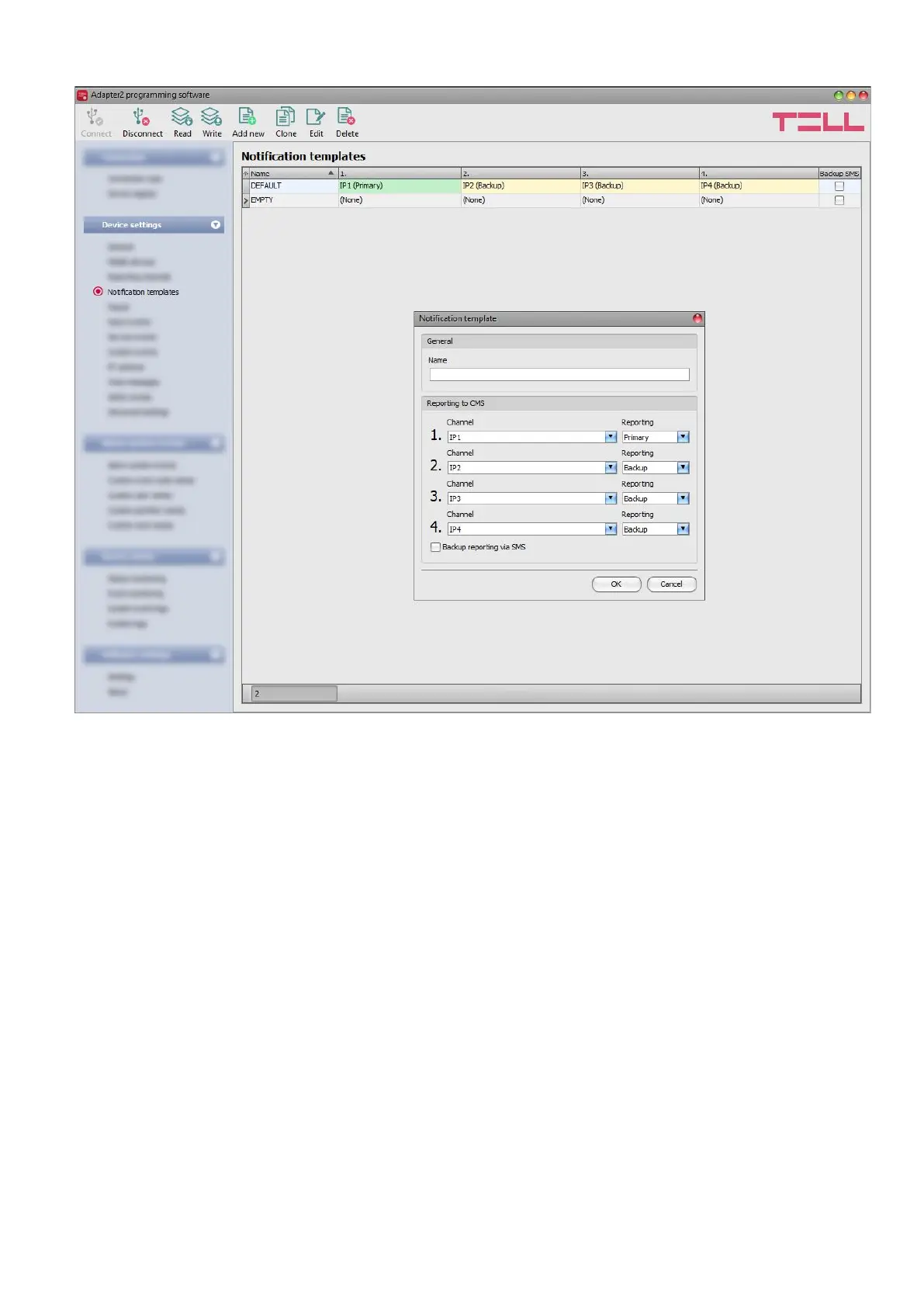
Notification templates should only be configured if reporting to CMS is needed. In this menu you
can configure different templates according to which the device will send reports to CMS servers
and receivers. For quick and easy setup, the device contains 2 built-in templates, named as
“DEFAULT” and “EMPTY”. The “DEFAULT” template cannot be deleted, but its configuration can
be changed if needed. If you wish to add new notification templates, it is appropriate to do this
prior to configuring events. Any template can be assigned to any event; thus, reports can be
directed to the desired servers and receivers, with the desired priorities. Servers/receivers are
classified into two groups, primary and backup. When an event occurs, the given report will be
sent to all servers and receivers configured as primary in the notification template associated with
the given event. In case that none of the primary servers/receivers are available, the device will
try to report to the servers/receivers configured as backup. The device will send the
acknowledgement signal to the connected alarm control panel when the event is received and
acknowledged by at least one of the servers or receivers.
The order of reporting to servers and receivers configured as backup in a template corresponds
to the numbering (1 to 6) of the channels in the template. The priority depends on the classification
of the configured servers/receivers (primary or backup). Primary servers/receivers will be notified
first. Reports will be sent to all primary servers/receivers, while backup servers/receivers will only
be notified if reporting to all primary ones fail. In this case, the device will try to report to the first
highest priority backup server/receiver, and then, if this fails, to the second one, and so on.



 To Next Page