77
4.3.2 Custom event code names
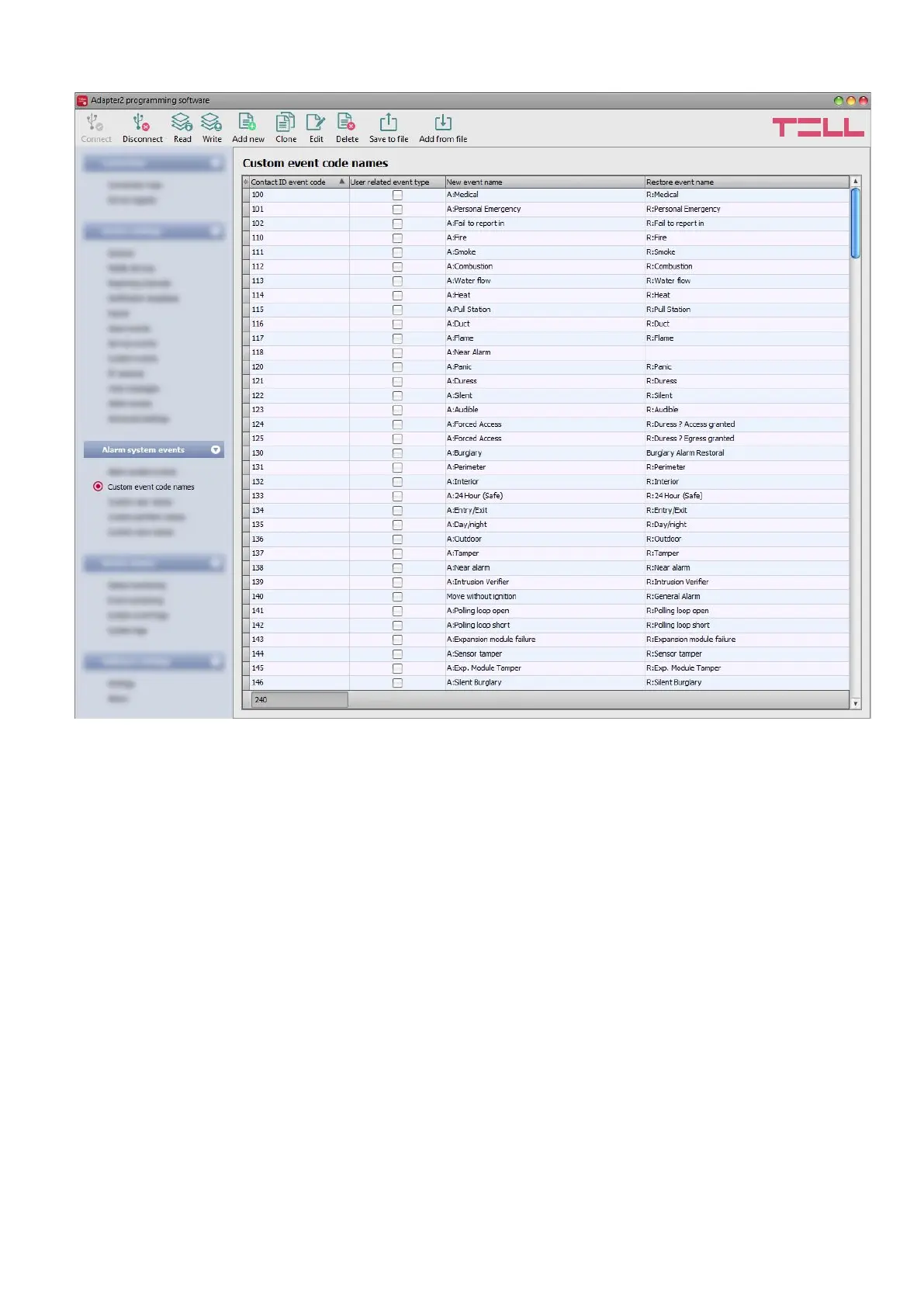
The table found in the “Custom event code names” menu contains the default Contact ID event
codes and event names. If needed, you can rename the events generated by the connected alarm
control panel, or add new custom events if your alarm control panel would use an evet code that
is missing from the event code table of the device. The device can use the event code names
displayed here in text-notifications (SMS, Push, e-mail). The $cn variable written in the text of the
message will be replaced by the device automatically with the event name associated in the table
with the event code received from the alarm control panel, when sending the message. This will
result in the message being received with the specific name of the event instead of the raw event
code.
You can record altogether up to 370 custom event codes and default event code name changes
in the system.
User related event type: this setting is used to qualify an event as user related or zone related.
If the checkbox is enabled, the device will consider the given event as user related, and if it is
disabled, the event will be considered as zone related. This option is relevant when you use the
$cz variable in messages, which the device will replace with a configured custom user name or
zone name. The device can decide from this setting, whether it has to replace the variable in the
message with a user name or a zone name, when it reports the given event via text message.



 To Next Page