19
3.2.5 Remote connecting to devices which are using the TEX protocol
This connection type can be used if the Adapter2 device you want to access remotely has
been configured to communicate with the given server using the TEX protocol. This is an
early custom TELL protocol which is supported by the Adapter2 device to be able to
communicate with the older TEX-MVP and TEX BASE/PRO servers. Therefore, this
connection type should be used basically to connect to the device via these servers.
However, for compatibility with the old TEX communicators, the TELLMon receiver and the
MVP.next server also support the TEX protocol. Therefore, still this connection type should
be used if the device is connected to a TELLMon receiver or an MVP.next server, and it has
been configured to communicate with the given server or receiver using the TEX protocol
for some reason.
Further details on the remote access of devices via the MVP.next server you can find in
chapter “Server register / Remote access of devices via the MVP.next server”.
With this connection type, connection between the device and the Adapter2 programming
software can be established through the server/receiver on which the device is online.
The “System logs” option of the programming software cannot be used in case of a remote
connection over the Internet.
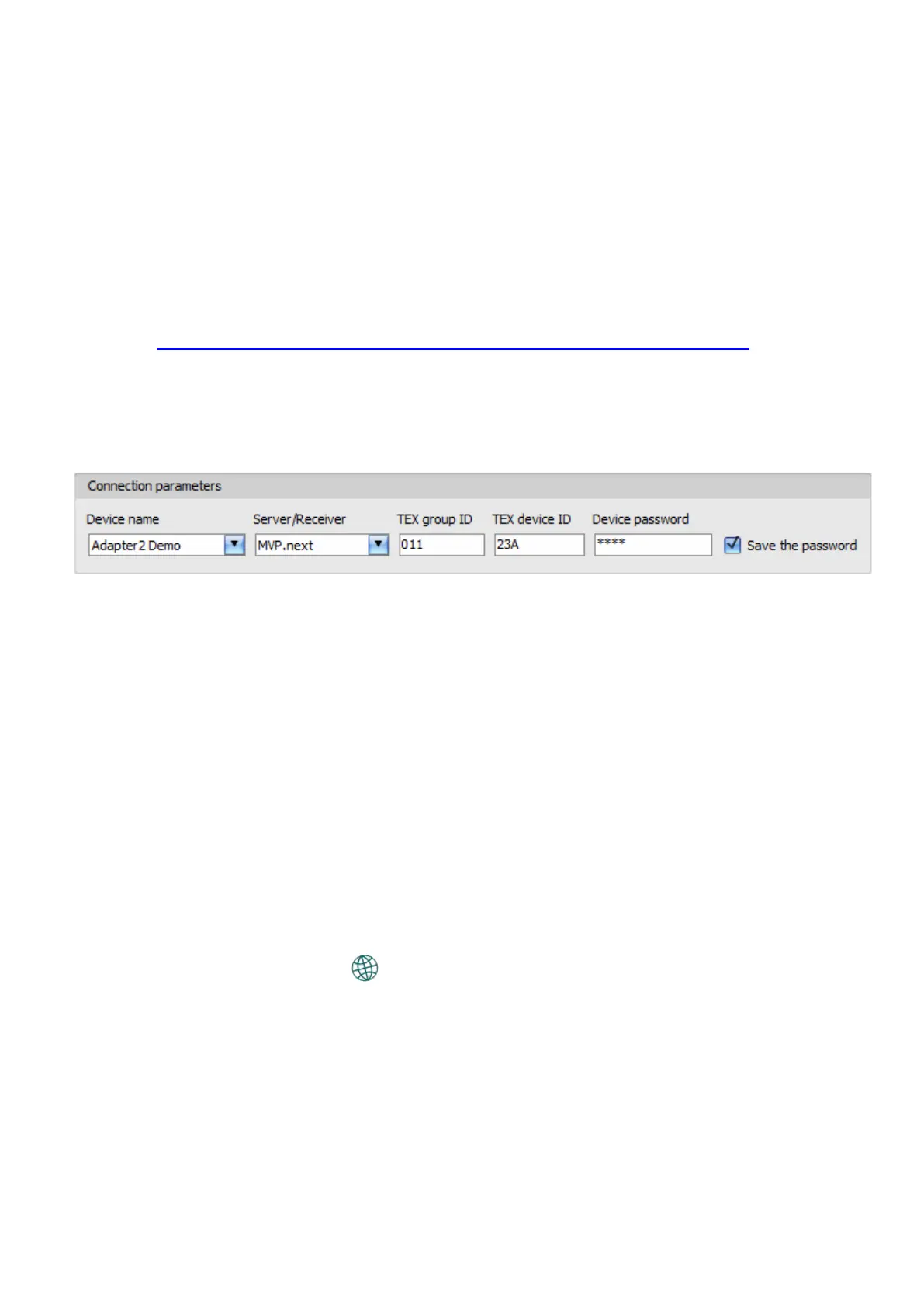
Device name: from this drop-down menu, you can select the device you want to connect to, if you
have already added the contact details of the given device in the “Device register” menu.
Server/Receiver: the name of the server or receiver where the device is connected. The server
or receiver contact details should be recorded in advance in the “Server register” menu.
TEX group ID: the CMS identifier of the Adapter2 to which you want to connect to. The TEX
group ID can be configured in the device settings. Its format is: FFF (3 hexadecimal characters).
TEX device ID: the TEX identifier of the Adapter2 to which you want to connect to. The TEX
identifier can be configured in the device settings. Its format is: FFF (3 hexadecimal characters).
Device password: the security password of the device (default superadmin password: 1234).
Save the password: in case that you have provided the data necessary for connecting to the
device here in the “Connection parameters” section, and you enable this option, the program will
also save the entered password in the device register, when you initiate a connection to the device.
Connecting to the device through a server/receiver which uses the TEX protocol:
• Select the “TEX protocol” option in the “Connection type” menu.
• If you have already registered the device in the "Device register" menu, select the device
you want to connect to from the "Device Name" drop-down menu. Otherwise, you can
either enter the data needed for connecting, in the corresponding fields, which will be
recorded automatically in the device register using the entered device ID as the device
name, when you start connecting to the device. For this, select the server from the
“Server/Receiver” drop-down menu, where the device is connected, enter the
CMS identifier in the “TEX group ID” field, the TEX identifier of the device in the
“TEX device ID” field, and the device password in the “Device password” field. The server
or receiver contact details should be recorded in advance in the “Server register” menu.



 To Next Page