20
Entering the device password.
o Super administrator permission: full access to all settings. (Default password: 1234).
o Administrator permission: can only access settings enabled by the superadmin.
You can configure the admin password separately (see chapter “Connection type”).
o Connecting remotely without a password is not possible.
• Click the “Connect” button.
• The connection status is indicated by the status icon in the top left corner of the program
window:
disconnected (green)
connected (grey)
• After connecting using the valid password, you can configure the device, change settings,
download event logs and monitor system status.
• To disconnect from the device, click on the “Disconnect” button.
3.2.6 Remote connecting to devices which are using the TELLMon protocol
This connection type can be used if the Adapter2 device you want to access remotely is
connected to a TELLMon receiver or an MVP.next server, and it has been configured to
communicate with the given server or receiver using the TELLMon protocol.
Further details on the remote access of devices via the MVP.next server you can find in
chapter “Server register / Remote access of devices via the MVP.next server”.
With this connection type, connection between the device and the Adapter2 programming
software can be established through the receiver on which the device is online.
The “System logs” option of the programming software cannot be used in case of remote
connection over the Internet.
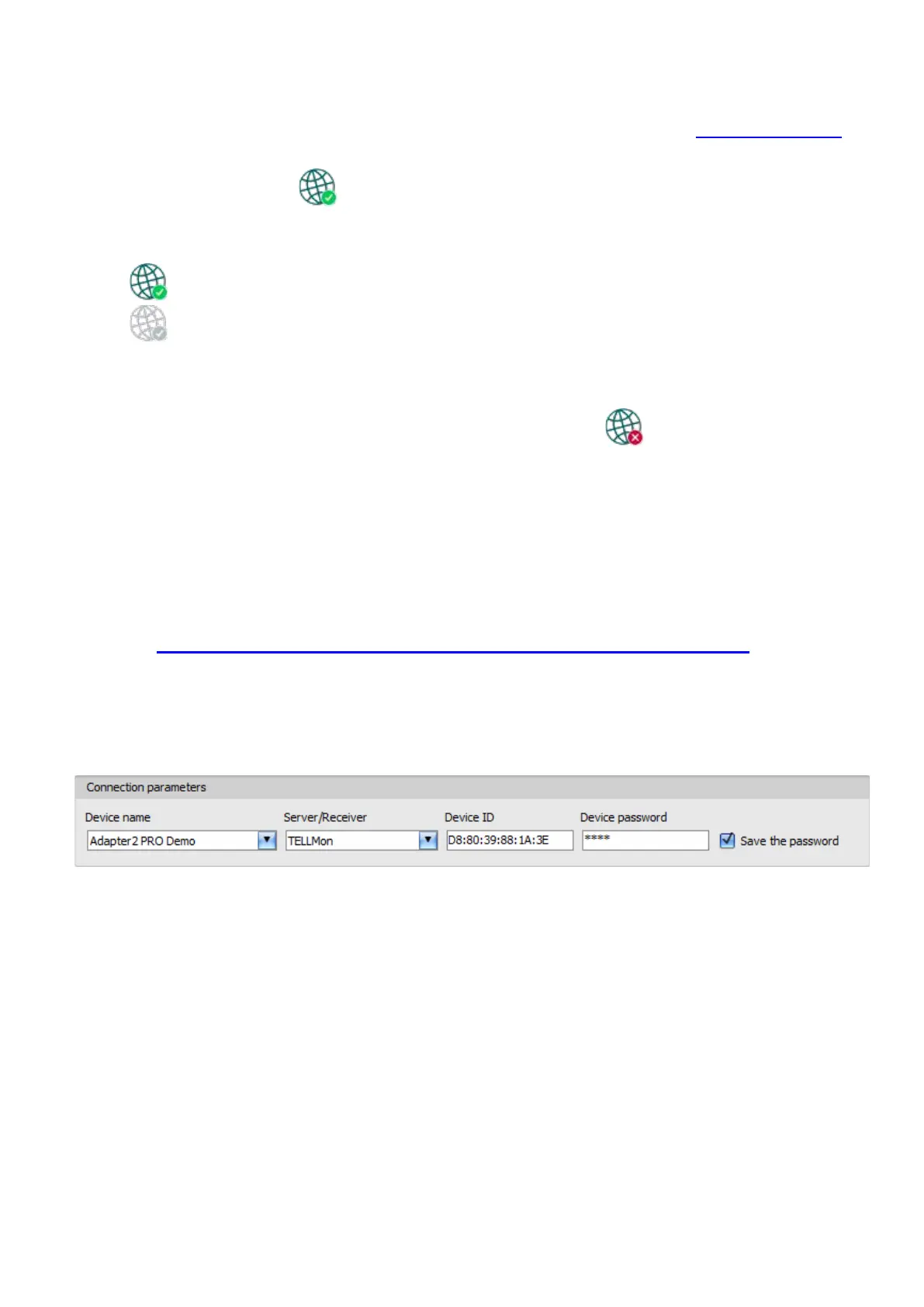
Device name: from this drop-down menu, you can select the device you want to connect to, if you
have already added the contact details of the given device in the “Device register” menu.
Server/Receiver: the name of the server or receiver where the device is connected. The server
or receiver contact details should be recorded in advance in the “Server register” menu.
Device ID: the device identifier of the Adapter2 device to which you want to connect to.
The device identifier is unique, burned-in during production, and thereby it cannot be changed.
The device ID format is: FF:FF:FF:FF:FF:FF (6x2 hexadecimal characters).
You can read the device ID of the given device from the “Device ID” section in the “Status
monitoring” menu, via USB connection, or from the user interface of the server or receiver.
Device password: the security password of the device (default superadmin password: 1234).
Save the password: in case that you have provided the data necessary for connecting to the
device here in the “Connection parameters” section, and you enable this option, the program will
also save the entered password in the device register, when you initiate a connection to the device.



 To Next Page