30
Remote access of devices via the MVP.next server:
If your devices are connected to an MVP.next server and you have a registered MVP.next remote
monitoring account, it is possible to download and save the data of your devices automatically in
the device register.
Through the MVP.next server it is only possible to download the data of your devices, and access
your devices remotely with a registered programming software (client application). Therefore, it is
necessary to register your programming software as follows:
• Sign in into your MVP.next account on the server’s user interface.
• Add a “Programming software”-type client application with a unique username and
password in the Settings→Client applications menu.
• Associate the client application with the desired device group or groups that contain the
devices you want to access remotely.
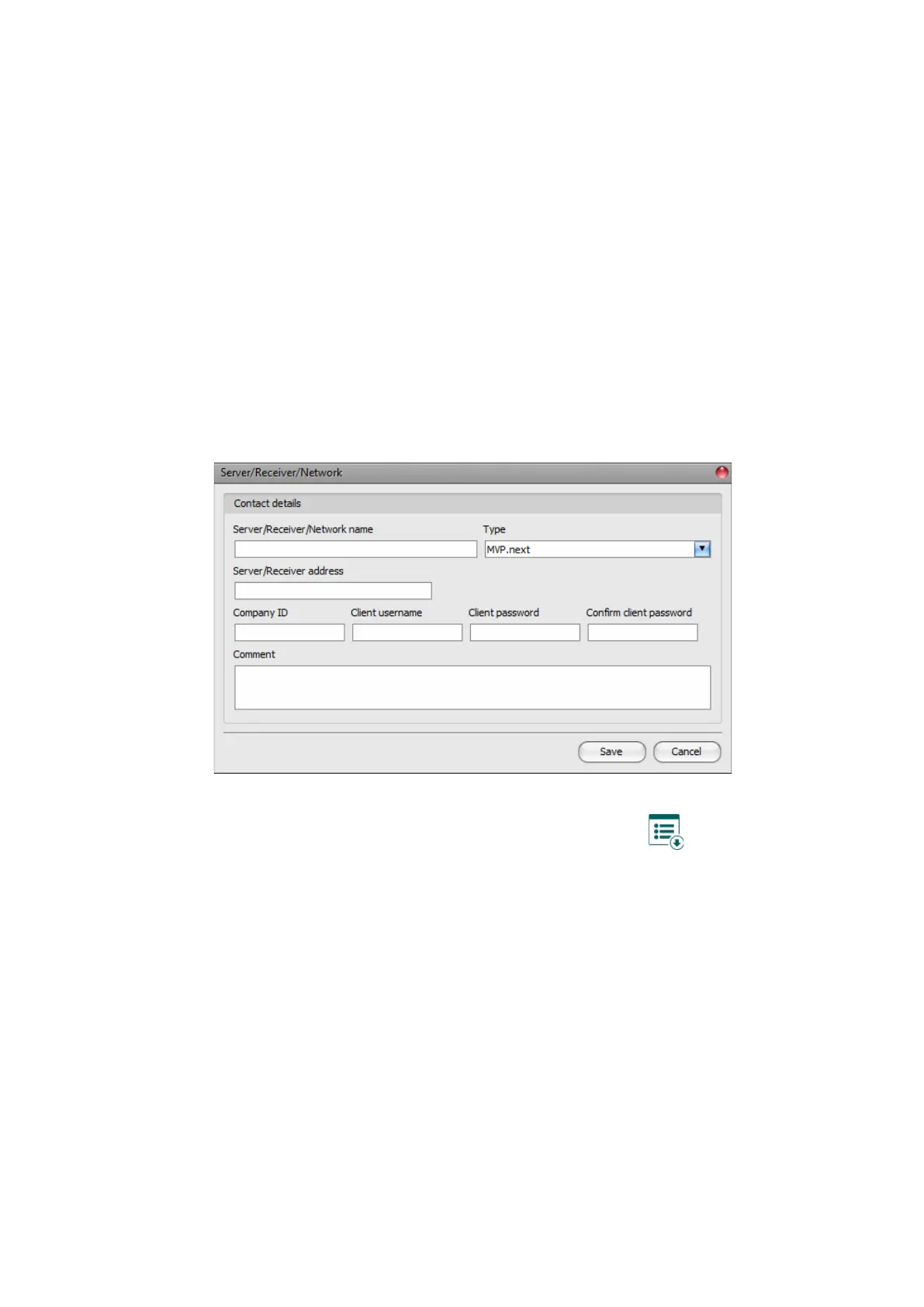
• Add an “MVP.next”-type server in the server register, in the programming software, and
enter the company ID of your MVP.next account and the username and password
configured for the registered “Programming software”-type client application.
• To download the data of your devices from the server, select the added server in the list by
clicking on it, and then click on the “Read MVP.next devices” button. If the provided
credentials are correct, the program will download the device list along with the data of your
devices and will save them in the device register. After a successful device list download it
is possible to connect remotely to your devices in the “Connection type” menu, after
selecting the appropriate protocol button (TELLMon or TEX).
Attention! You can use the registered client username and password in any other programming
software that supports the MVP.next, but you can connect to the server with one software only at
the same time, using the same username. If you want to use more than one programming software
simultaneously, you need to register each software separately as client-type programming
software on the server, with different usernames.



 To Next Page