40
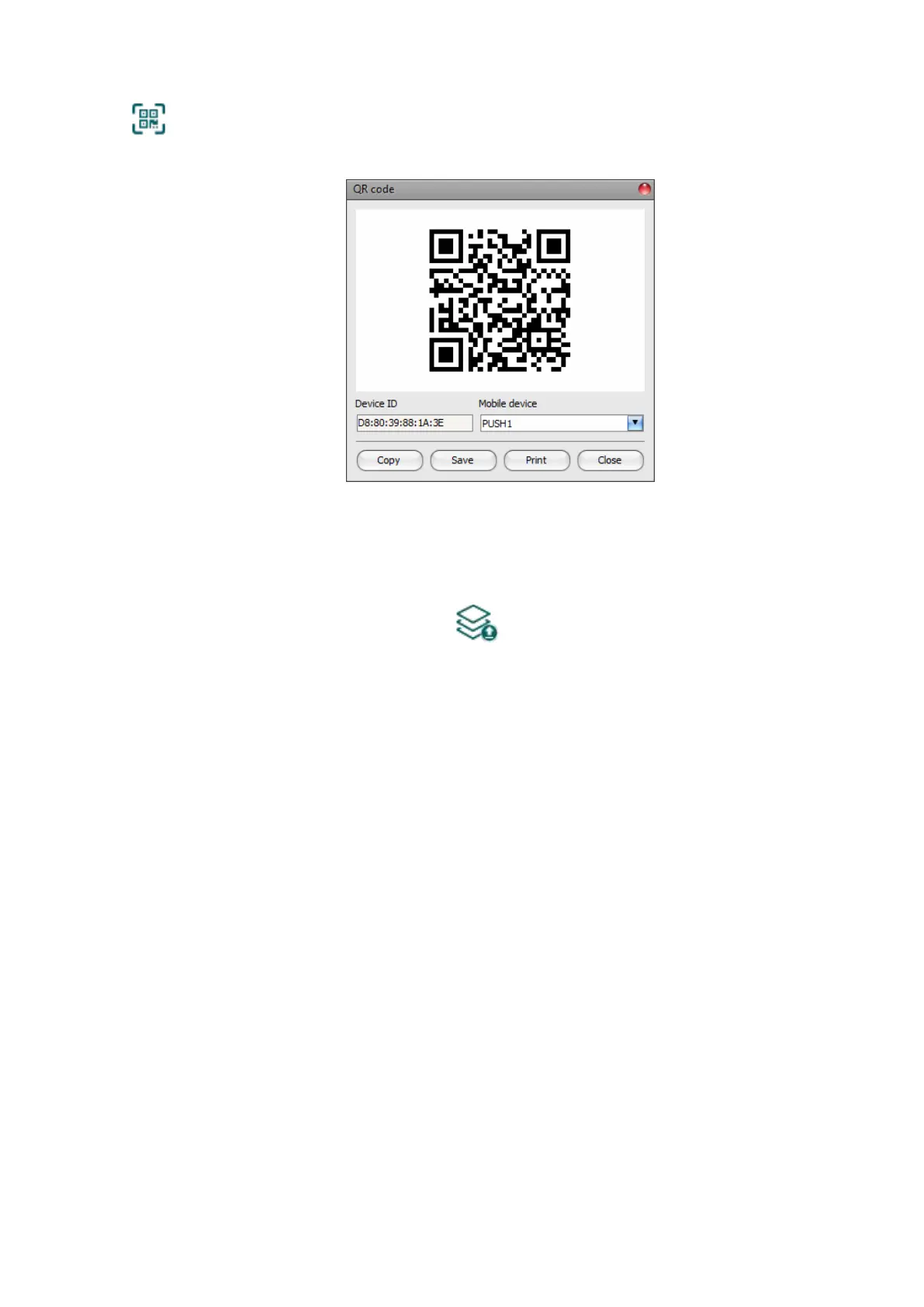
• QR code:
The “QR code” button can be used to generate the QR code necessary for assigning
the mobile application to the device. The QR code includes connection data:
device ID, server IP address and port number, and the sequence number of the
mobile device / user (1 to 4).
A different QR code belongs to each mobile device (1 to 4). You can select the desired
mobile device using the “Mobile device” drop-down menu. The QR code selected this way
can be copied to clipboard, saved to file, or printed by clicking on the appropriate buttons.
Please note that after you make changes, you must write the settings into the device
to be applied. For this, click on the “Write” button.
Device manager:
In case of assigning a mobile application to the Adapter2 device, receiving alerts from the device
will become available through Push notification too. For this, when configuring events, you can
select which of the up to 4 (PUSH1…PUSH4) assigned mobile devices you wish to receive a Push
notification on when the given event occurs.
Name: the name of mobile device’s user. The name entered in this section will be used to identify
the mobile devices when selecting the notification channels upon configuring events.
Registration password: the registration password must be provided in the mobile application
when you wish to assign it to the device. This password can be configured in this section
separately for each mobile device you wish to register. The registration password length is 4 to 8
characters and only letters and numbers are accepted. Accented letters are not accepted.
Mobile device: in this field the name of an already registered mobile device is shown, which is
read by the mobile application from the mobile device itself, therefore this name cannot be
changed in the programming software.
APP ID: in this field the identifier of an already registered mobile device is shown. This identifier
is used to identify the mobile device and it is unique for each device.
Delete: the “Delete” button is used to delete the given mobile device, i.e., to cancel its registration.
In case of deleting a mobile device, the application used on the given device will no longer have
access to the Adapter2 device.



 To Next Page