5.5 Configuring SNMP
5.5.1 MC: Help for SNMP Settings
SNMP settings for the Management Console are located on the MC's Network
Configuration page.
Note: For more information on using the PCoIP SNMP Agent, see "Using SNMP with a
PCoIP Device User Guide" (TER0805002).
5.5.2 AWI: SNMP Settings
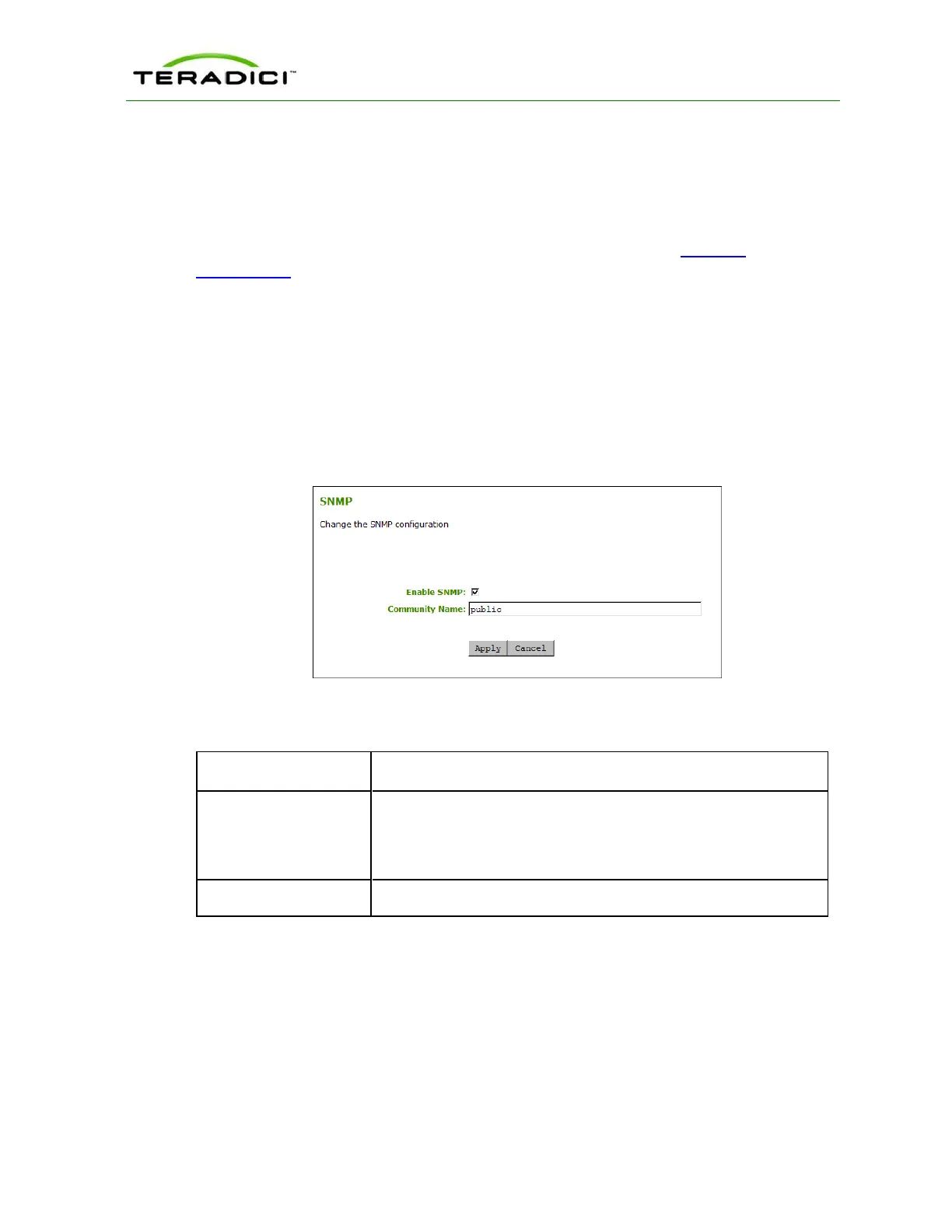
The SNMP page lets you enable or disable the host or client SNMP agent. You can display
this page for the host or client from the Configuration > SNMP menu.
Note: For more information on using the PCoIP SNMP Agent, see "Using SNMP with a
PCoIP Device User Guide" (TER0805002).
Figure 5-11: AWI SNMP Page
Table 5-15: AWI SNMP Page Parameter
Parameter Description
Enable SNMP When enabled, the device enables the PCoIP SNMP agent to
respond to SNMP requests. Disabling the SNMP agent prevents it
from responding to SNMP requests and from generating traps. It also
ensures that the PCoIP SNMP MIB cannot be accessed.
Community Name Configures the SNMP community name used by the device.
5.6 Configuring a Session
5.6.1 Configuring a Session
The Session pages on the MC, AWI, and OSD let you configure how the host or client
device connects to or accepts connections from peer devices. The available configuration
options depend on the session connection type you select.
TER1206003 Issue 1 129
PCoIP Zero Client and Host Administrator Guide



 To Next Page