5.12 Configuring Monitor Emulation
5.12.1 MC: Monitor Emulation
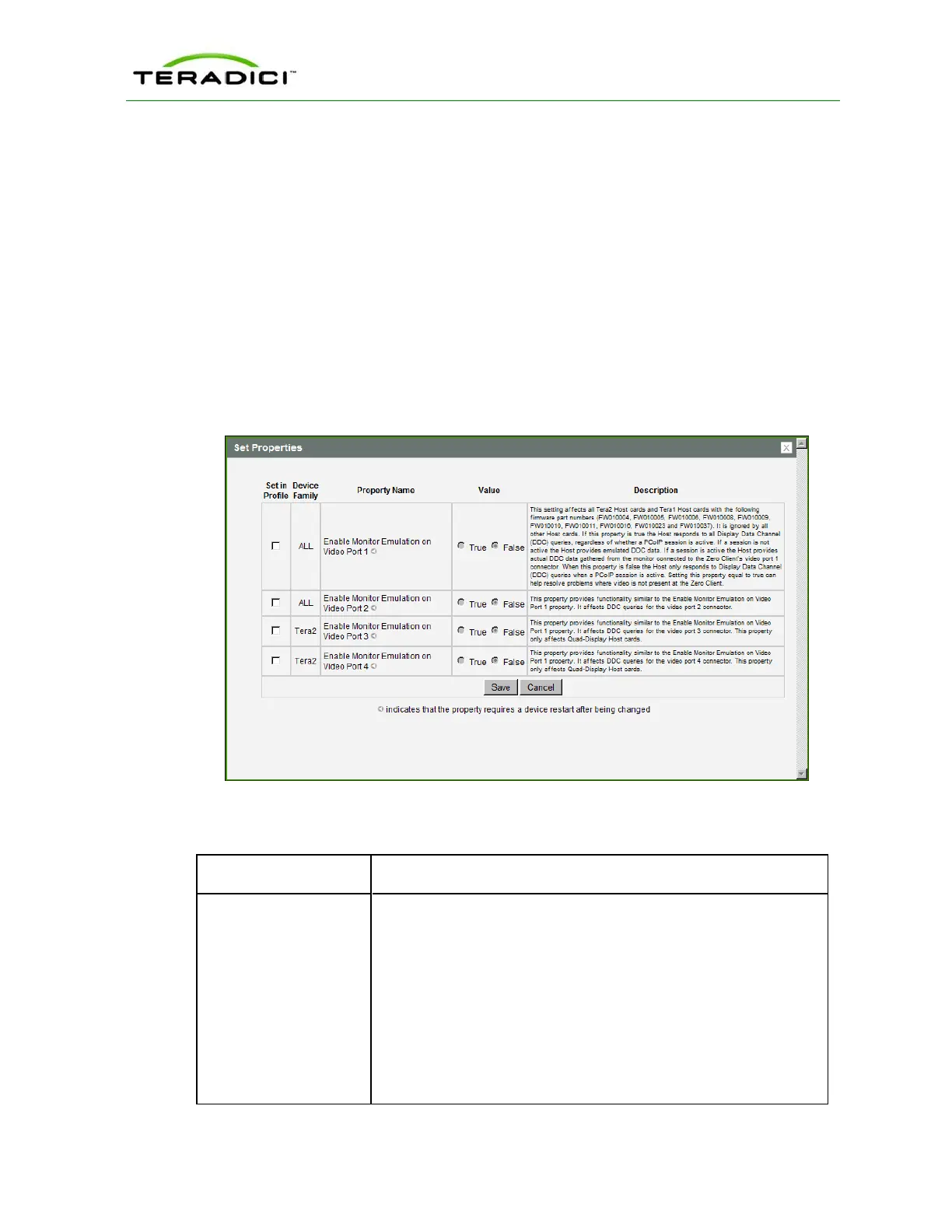
The Monitor Emulation page lets you configure a profile to enable or disable the monitor
emulation feature. This page is only available on host cards still using monitor emulation. It
is disabled and non-editable on the client.
Some PCs and workstations do not boot if a display is not attached. Monitor emulation
presents a generic display to ensure the boot process completes. When a session is
connected, the client display information is sent to the host.
To enable a property in the MC, click the Set in Profile checkbox and configure the fields
as indicated. After you update the properties on this page, click Save to save your changes.
Figure 5-58: MC Monitor Emulation Page
Table 5-55: MC Monitor Parameters
Parameter Description
Enable Monitor
Emulation on Video Port
1
When enabled, the host responds to all Display Data Channel (DDC)
queries, regardless of whether a PCoIP session is active. If a session
is not active, the host provides emulated DDC data. If a session is
active, the host provides actual DDC data gathered from the monitor
connected to the client's port 1 connector.
When disabled, the host only responds to Display Data Channel
(DDC) queries when a PCoIP session is active.
Note: Enabling this field can help resolve problems where video is
not present at the client.
Note: This property requires a device restart after being changed.
TER1206003 Issue 1 232
PCoIP Zero Client and Host Administrator Guide



 To Next Page