Note: To simplify system troubleshooting, set the NTP parameters to allow user events to
correlate with the relevant diagnostic event log entries.
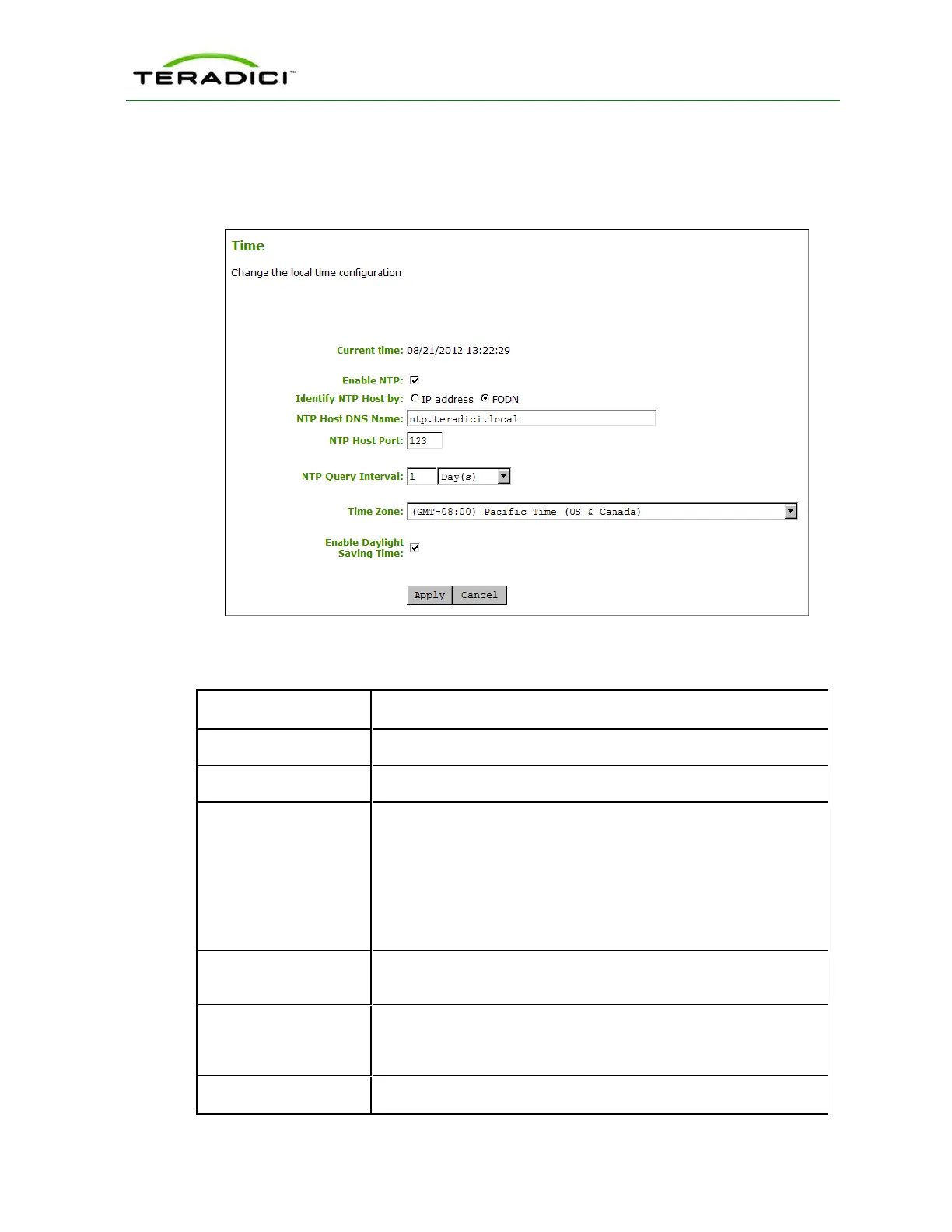
You can display this page for the host or client from the Configuration > Time menu.
Figure 5-62: AWI Time Page
Table 5-59: AWI Time Page Parameters
Parameter Description
Current Time Displays the time based on the NTP.
Enable NTP Enable or disable the NTP feature.
Identify NTP Host by Select if the NTP host is identified by IP address or by fully qualified
domain name (FQDN). If NTP is disabled, this field is not required
and is not editable. If you enter an invalid IP address or DNS name, a
message appears to prompt you to correct it. The parameter depends
on which method you choose.
l IP Address: Shows the NTP Host IP address
l FQDN: Shows the NTP Host DNS name
NTP Host Port Configure the port number of the NTP server. The default NTP server
port value is 123.
NTP Query Interval Configure the query interval. The first field is for the interval period
and the second field is for the time unit in minutes, hours, days, or
weeks.
Time Zone Select the local time zone.
TER1206003 Issue 1 237
PCoIP Zero Client and Host Administrator Guide



 To Next Page