l Info: The pages listed this menu let you view firmware information and the devices
currently attached to the device.
l Upload: The pages under this menu let you upload a new firmware version, an OSD
logo, and your certificates to the device.
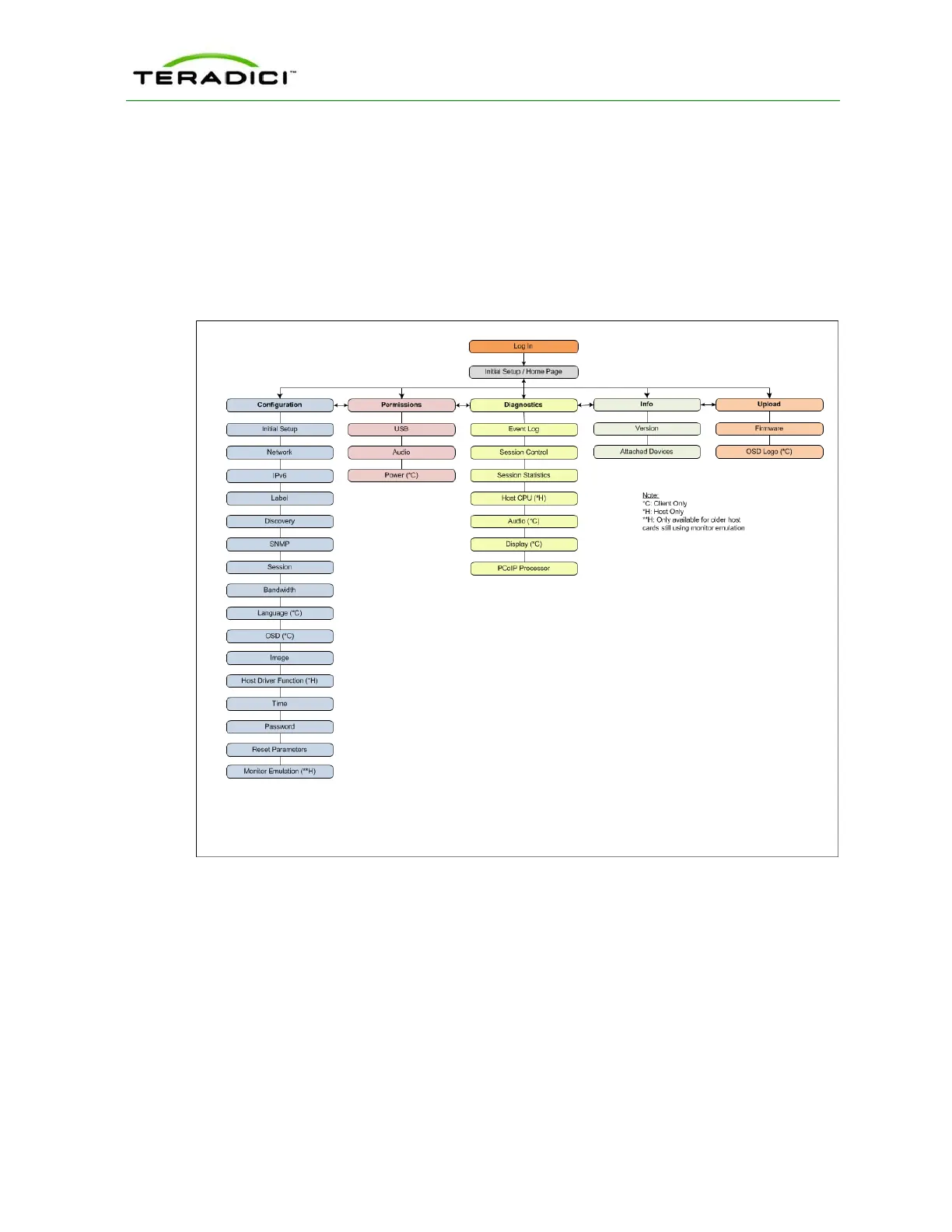
The following figure shows the menus and pages available in the AWI.
Note: The pages only available from the client are marked with a (*C) and the pages only
available from the host are marked with an (*H).
Figure 3-11: AWI Menu Overview
The GUI Reference in this help system contains full details about each page. For
information about how to configure or manage a device using these AWI pages, please see
the appropriate section in the GUI Reference.
3.11 About the OSD
The PCoIP On Screen Display (OSD), shown in the figure below, is a graphical user
interface (GUI) embedded within the client. It displays when the client is powered on and a
TER1206003 Issue 1 36
PCoIP Zero Client and Host Administrator Guide



 To Next Page