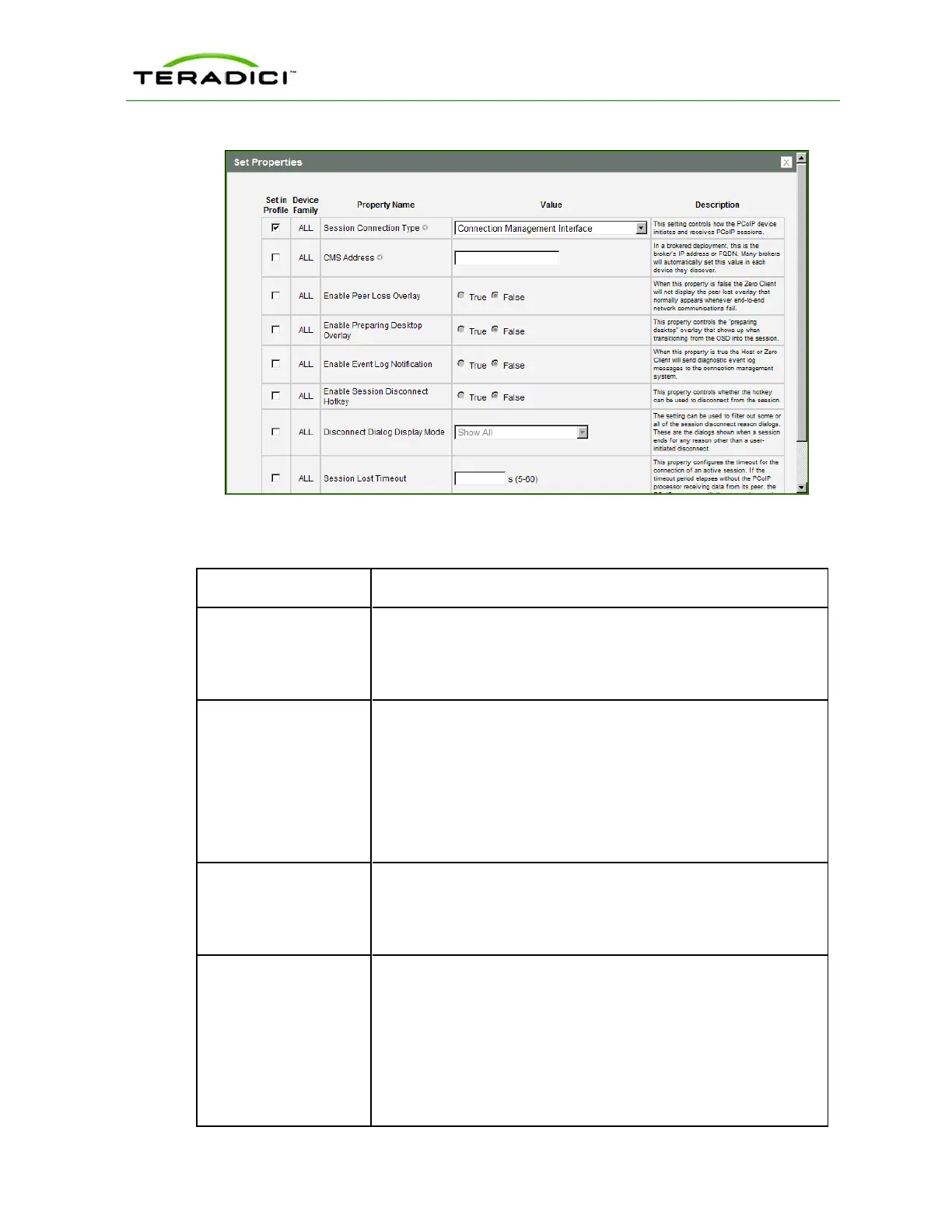
Figure 5-18: MC Session Connection Type – Connection Management Interface
Table 5-25: MC Session Configuration Parameters
Parameter Description
CMS Address Enter the IP address or fully qualified domain name (FQDN) of the
connection manager.
Note: Many connection managers will automatically set this value in
each device they discover.
Enable Peer Loss
Overlay
When enabled, the “Network Connection Lost” overlay appears on
the display(s) when a loss of network connectivity is detected. It also
appears in the case of a virtual desktop such as VMware View.
Normal hypervisor scheduling delays can falsely trigger this
message.
Note: This option is only available for a zero client. Desktop
applications that require the peer loss notification should re-enable
the feature through the OSD, AWI, or MC.
Enable Preparing
Desktop Overlay
When enabled, the "Preparing Desktop" overlay appears on the
display(s) when users log in.
Note: This overlay provides assurance that login is proceeding if the
desktop takes more than a few seconds to appear.
Disconnect Dialog Dis-
play Mode
This field lets you control what type of messages appear when a
session is disconnected. There are three categories:
Information: User- or administrator-initiated actions affecting the
session:
l You have been disconnected because you logged in from
another location or your host was shut down or restarted.
l You have been disconnected because an administrator
disconnected you.
TER1206003 Issue 1 152
PCoIP Zero Client and Host Administrator Guide



 To Next Page