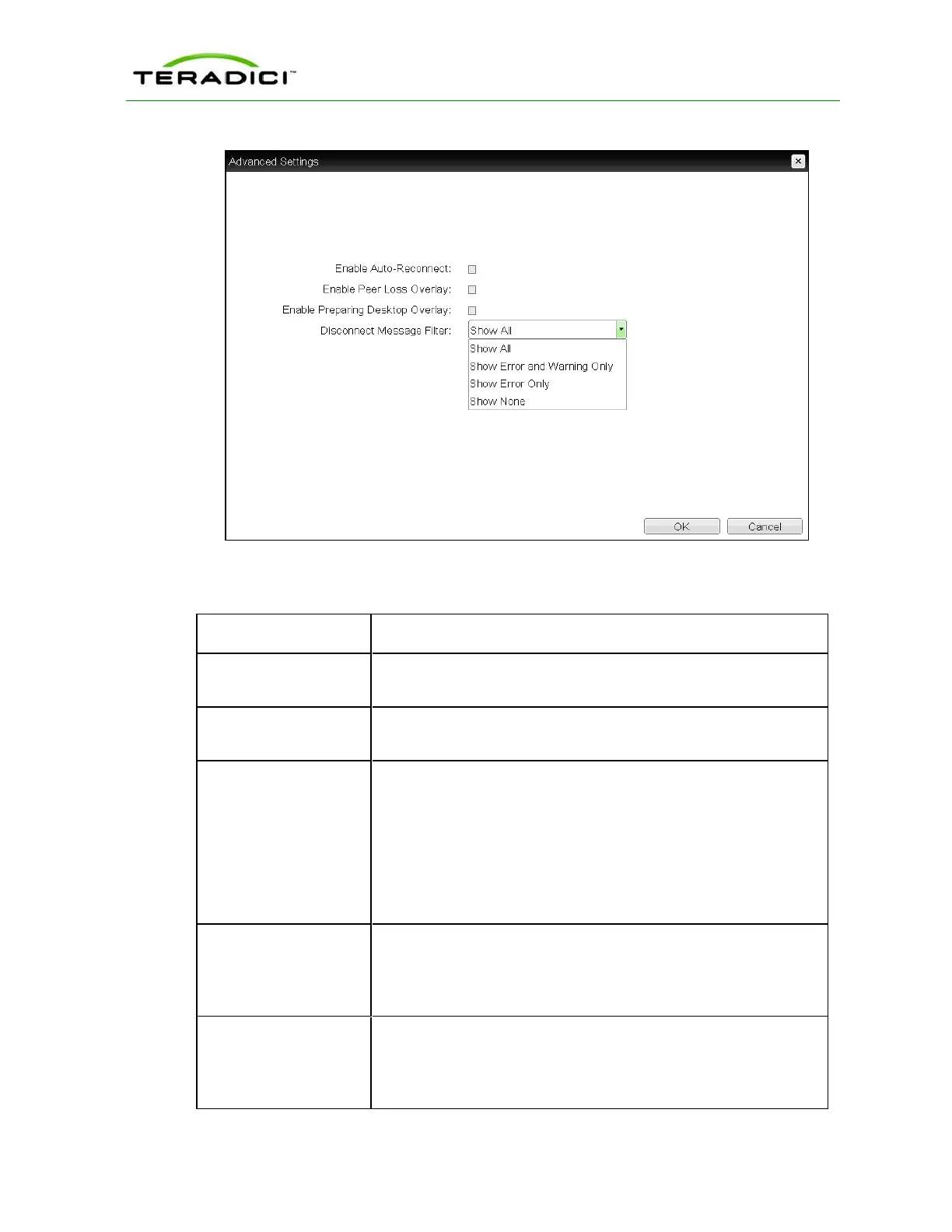
Figure 5-31: Advanced Settings
Table 5-35: OSD Session Page Parameters
Parameters Description
DNS Name or
IPAddress
Enter the IPaddress or DNS name for the host.
Enable Auto-Reconnect When enabled, lets the client automatically reconnect with the last
connected host when a session is lost.
Enable Peer Loss
Overlay
When enabled, the “Network Connection Lost” overlay appears on
the display(s) when a loss of network connectivity is detected. It also
appears in the case of a virtual desktop such as VMware View.
Normal hypervisor scheduling delays can falsely trigger this
message.
Note: This option is only available for a zero client. Desktop
applications that require the peer loss notification should re-enable
the feature through the OSD, AWI, or MC.
Enable Preparing
Desktop Overlay
When enabled, the "Preparing Desktop" overlay appears on the
display(s) when users log in.
Note: This overlay provides assurance that login is proceeding if the
desktop takes more than a few seconds to appear.
Disconnect Message
Filter
This field lets you control what type of messages appear when a
session is disconnected. There are three categories:
Information: User- or administrator-initiated actions affecting the
session:
TER1206003 Issue 1 191
PCoIP Zero Client and Host Administrator Guide



 To Next Page