Parameter Description
selection available.
Vendor ID This field is enabled when ID is selected.
Enter the vendor ID of the authorized (or unauthorized) device. The valid range
is hexadecimal 0-FFFF.
Protocol ID This field is enabled when ID is selected.
Enter the product ID of the (authorized or unauthorized) device. The valid range
is hexadecimal 0-FFFF.
5.25 Configuring the Certificate Store
5.25.1 MC: Certificate Store Management
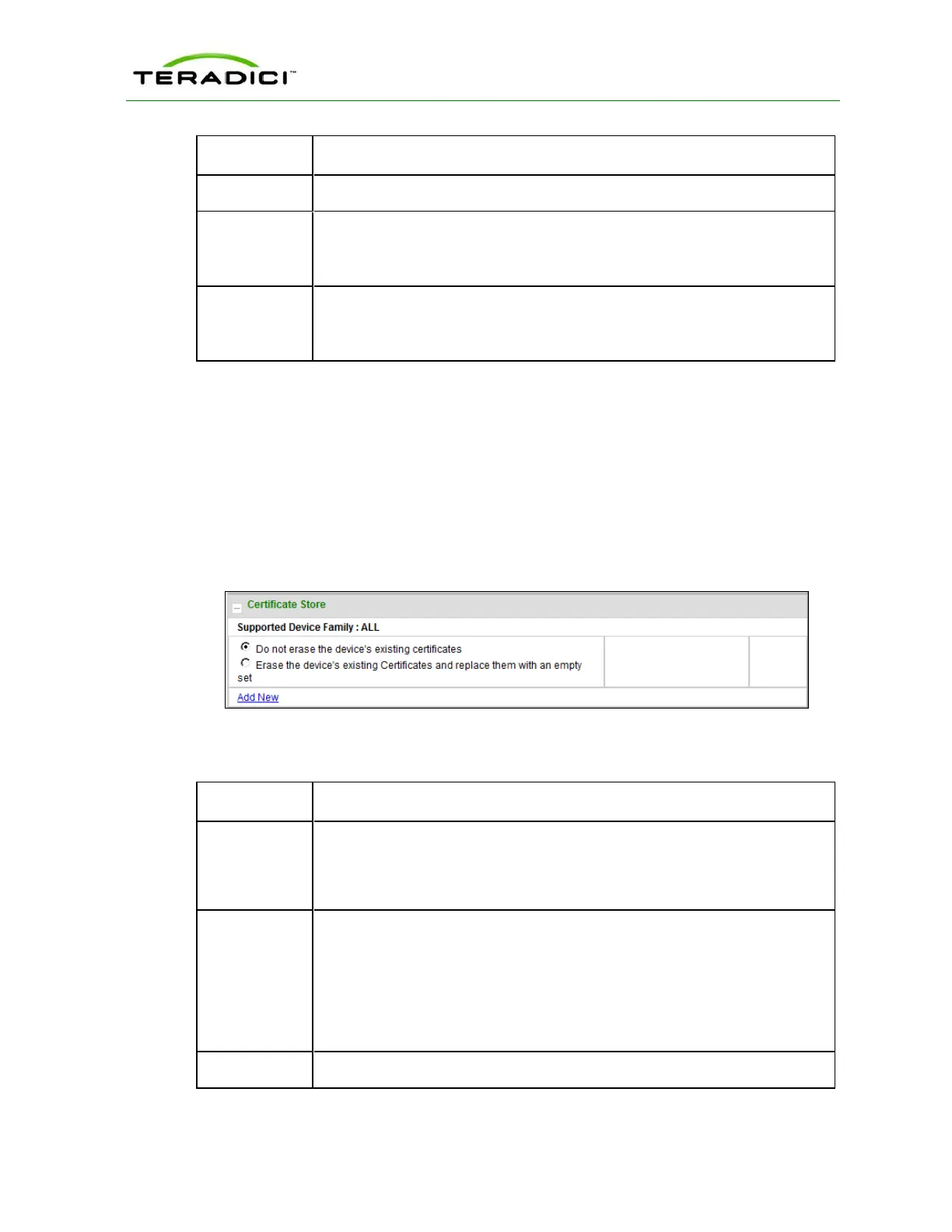
The Certificate Store section is located at the bottom of the Manage Profiles page on the
Management Console. This section lets you configure a profile to retain the certificate
settings that are configured on a device, to disable the settings, or to upload a new
certificate file to the profile.
Note: You can upload up to 16 certificate files into a profile and set their usages.
Figure 5-99: MC Certificate Store Configuration
Table 5-89: MC Certificate Store Configuration Parameters
Parameter Description
Do not erase
the device's
existing
certificates
Select this option if you want the profile to use the existing certificate settings
that are configured on the device.
Erase the
device's
existing
Certificates
and replace
them with an
empty set
Select this option if you want the profile to disable all certificates that are
configured on the device.
Add New Lets you upload a new certificate file to the profile.
TER1206003 Issue 1 280
PCoIP Zero Client and Host Administrator Guide



 To Next Page