Parameter Description
l Disconnect: If the connection state is Connected or Connection
Pending, click this button to end the PCoIP session for the device.
If the connection state is Disconnected, this button is disabled.
Peer IP Peer IP Address: Displays the IP address for the peer device. When
not in session, this field is blank.
Peer MAC Address Peer MAC Address: Displays the MAC address of the peer device.
When not in session, this field is blank.
5.28.4 AWI Client: Session Control Settings
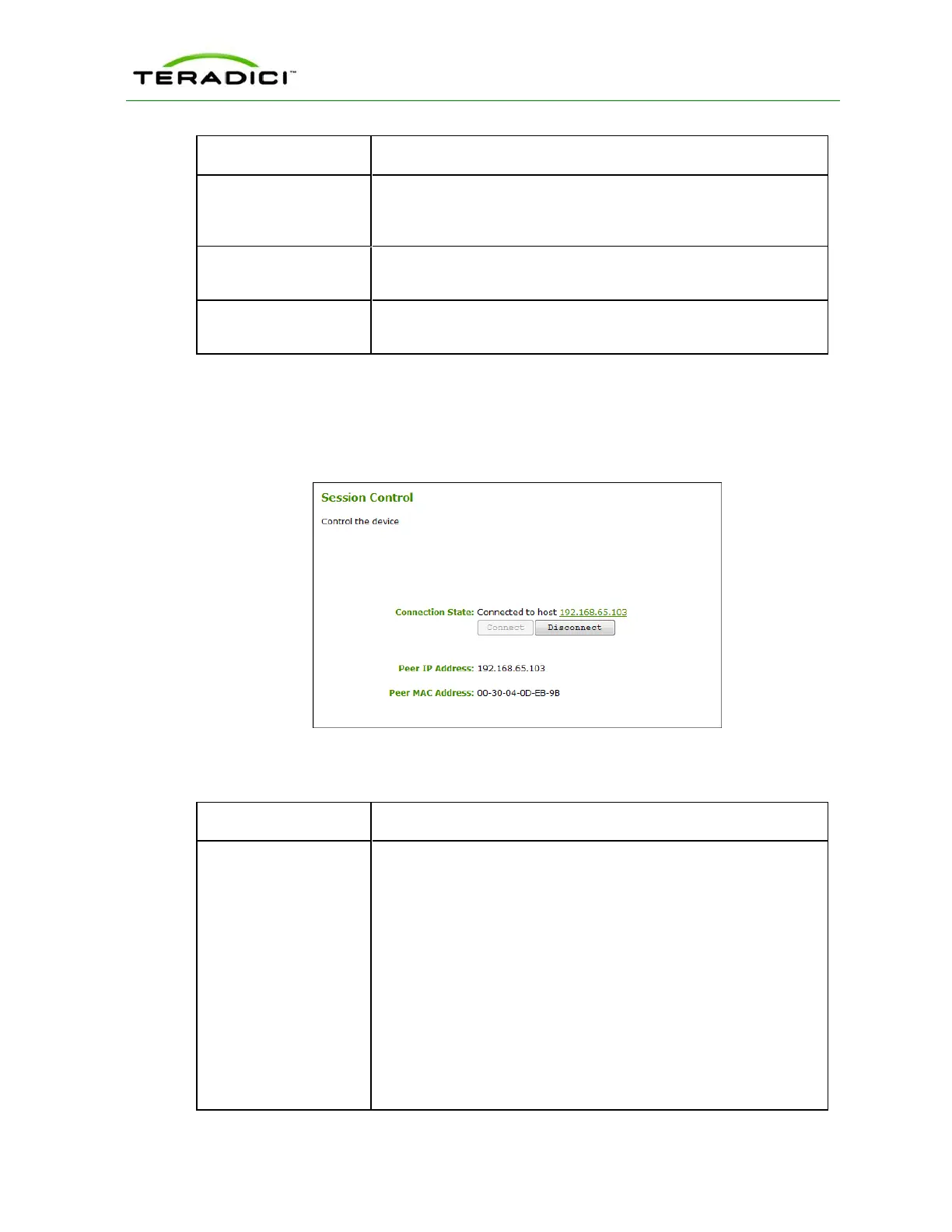
The Session Control page lets you view information about a device and also allows you to
manually disconnect or connect a session. You can access this page from the Diagnostics >
Session Control menu.
Figure 5-111: AWI Client Session Control Page
Table 5-100: AWI Client Session Control Page Parameters
Parameter Description
Connection State This field displays the current state for the session. Options include
the following:
l Disconnected
l Connection Pending
l Connected
Two buttons appear below the Connection State field:
l Connect: If the connection state is Disconnected, click this
button to initiate a PCoIP session between the client and its peer
device. If the connection state is Connection Pending or
Connected, this button is disabled.
l Disconnect: If the connection state is Connected or Connection
Pending, click this button to end the PCoIP session for the device.
If the connection state is Disconnected, this button is disabled.
TER1206003 Issue 1 293
PCoIP Zero Client and Host Administrator Guide



 To Next Page