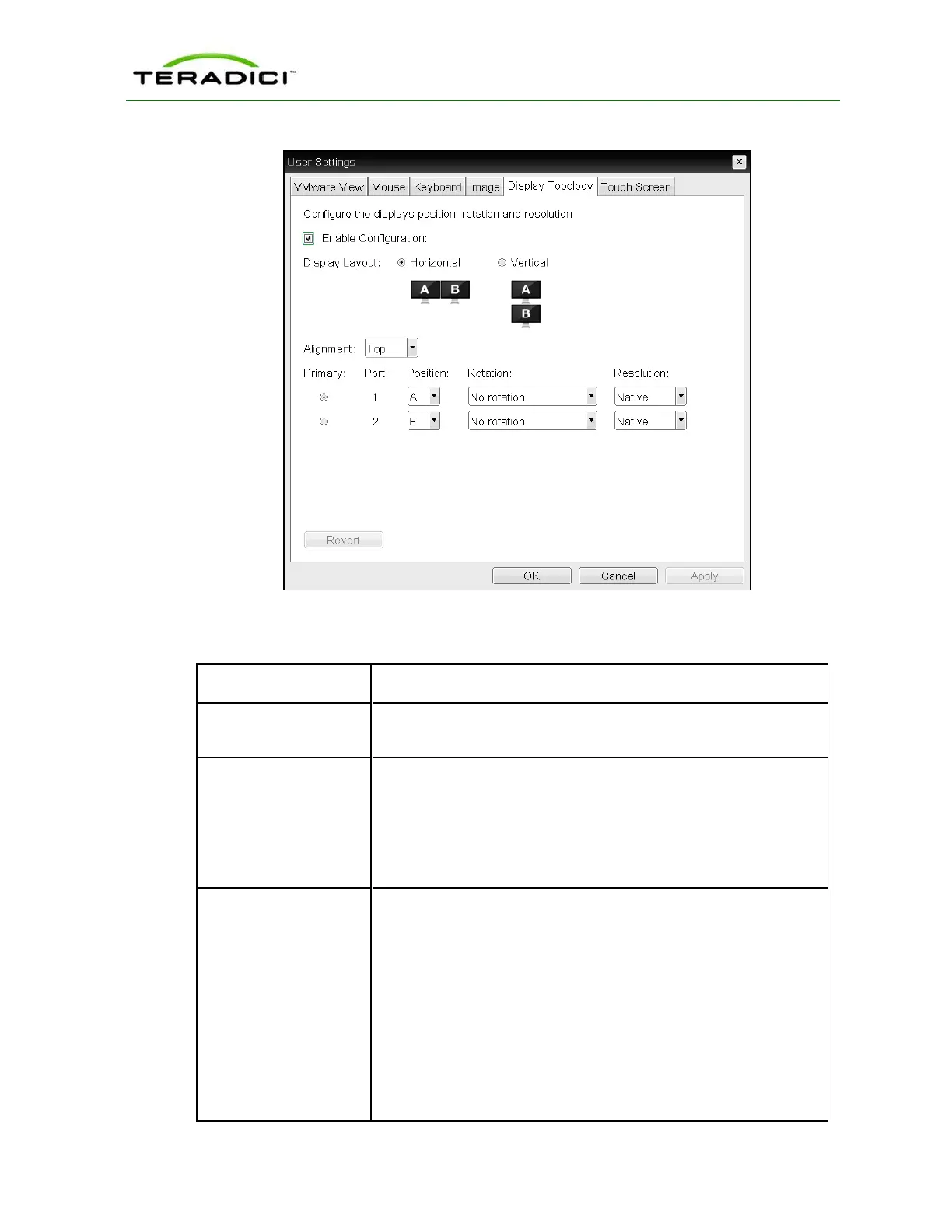
Figure 5-79: OSD Tera1 Display Topology Page
Table 5-76: OSD Tera1 Display Topology Page Parameters
Parameter Description
Enable Configuration Enable to configure a device that supports two displays per PCoIP
chipset.
Display Layout Select the layout for the displays (A and B). This setting should reflect
the physical layout of the displays on the desk.
l Horizontal: Select to arrange displays horizontally, as indicated
in the diagram.
l Vertical: Select to arrange displays vertically, as indicated in the
diagram.
Alignment Select how you want displays aligned when they are different sizes.
Note: This setting affects which area of the screen to use when users
move the cursor from one display to the other. The alignment options
that appear in the drop-down list depend on the selected display
layout.
Horizontal layout:
l Top: Select to align displays at the top. With this setting, use the
top area of the screen when navigating between displays of
different sizes.
l Center: Select to horizontally center displays. With this setting,
use the center area of the screen when navigating between
TER1206003 Issue 1 262
PCoIP Zero Client and Host Administrator Guide



 To Next Page