2-8
Initial Assembly and Admin Setup
BPM Bracket SetupBPM Bracket Setup
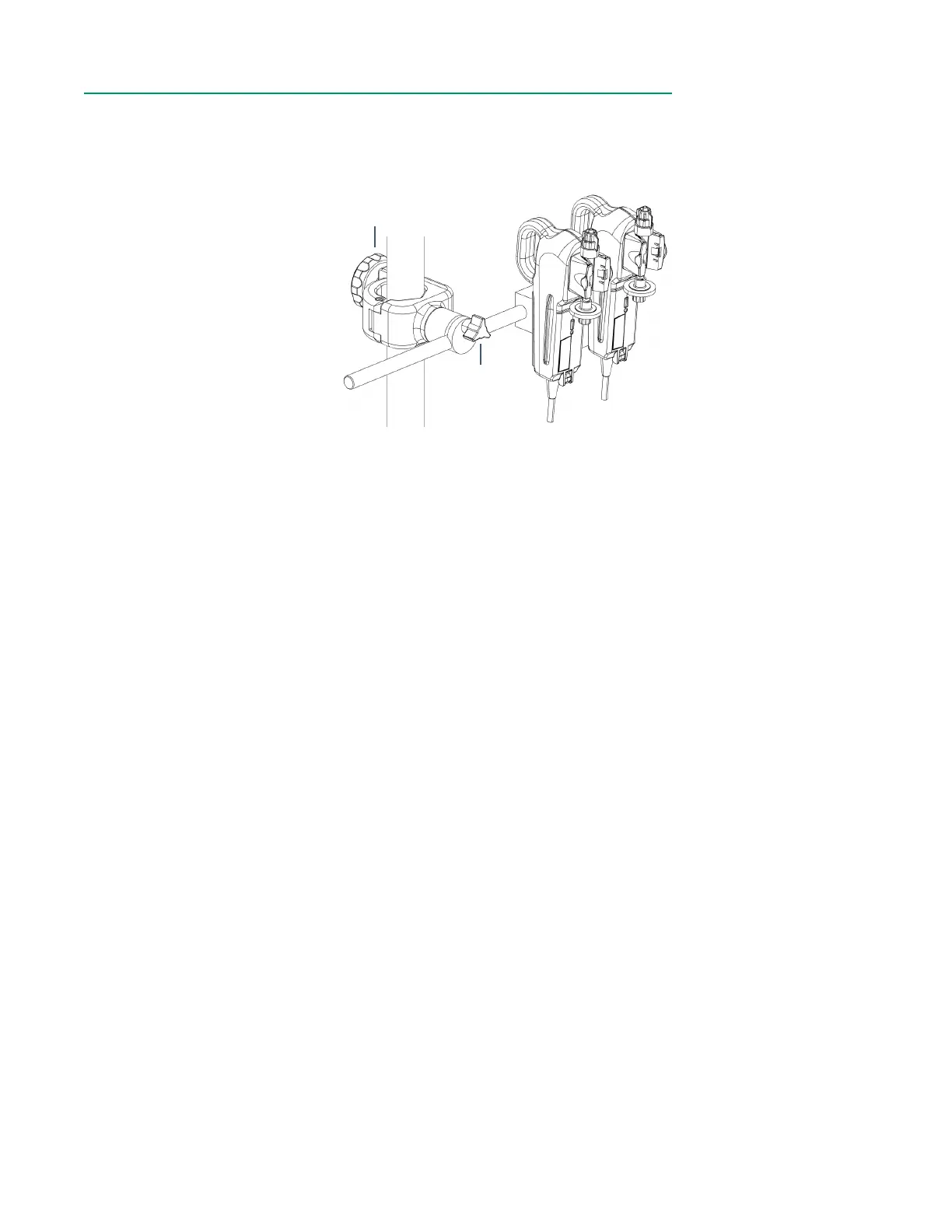
The CDI BPM Bracket should be placed on the HLM pole nearest the shunt/purge line
used for shunt sensing.
1. Close the pole clamp
around an HLM pole, then
twist the knob clockwise.
Ensure the bracket is
securely attached before
proceeding.
2. Adjust the plate so that the
BPM will be in a convenient
position to route the shunt
line tubing through the
Shunt Sensor.
The BPM Bracket can be adjusted in the following ways:
• The bracket length can be changed using the plate adjustment knob.
• The plate location can be changed by using the plate adjustment knob.
• The rotation of the plate can be changed by pulling the plate away from the bracket
and rotating the plate 90° or 180° right or left.
Note: The plate will lock into place in either a vertical or horizontal orientation.
Pole
Clamp
Plate
Adjustment
Knob



 To Next Page