5-8
Running a Case
Alerts/AlarmsAlerts/Alarms
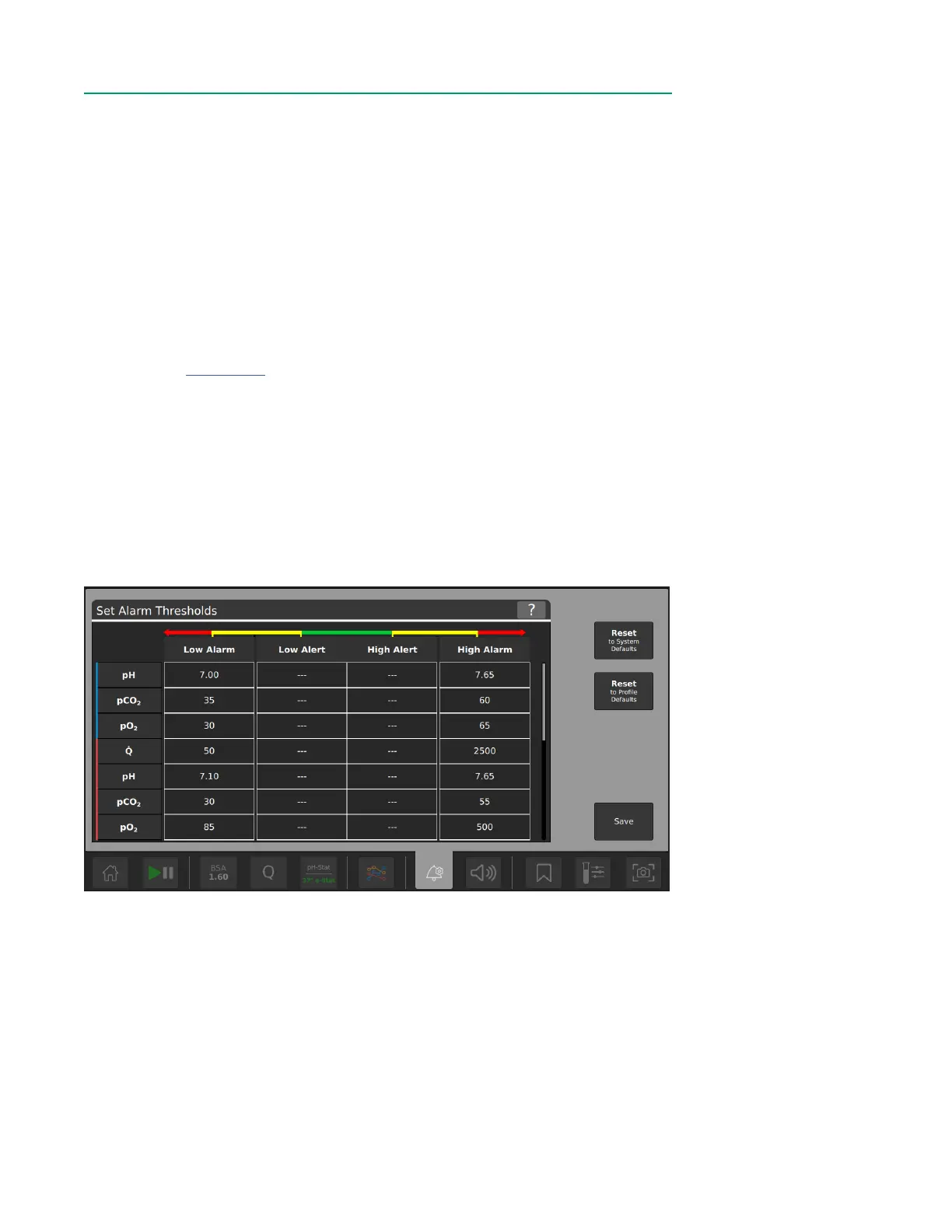
To set alert and alarm thresholds:
1. Tap the Alerts/Alarms button.
2. Tap the cell to edit that value.
3. Enter value with the number pad or use arrows to increase/decrease the value.
4. Tap outside the number pad to accept the value.
5. Once all changes are made, tap Save.
Reset to System Defaults – Resets all alarm limits to the manufacturer-dened default
limits (refer to Appendix B). The manufacturer-dened default limits are derived from
typical clinical values that can occur during CPB for which user intervention may be
required.
Reset to Prole Defaults – Resets all alert and alarm settings to case prole defaults
set by the admin.
Note: Set the low alarm limit at the desired threshold for DO
2
AUC calculation. The
threshold will appear as a dotted line on the graph.



 To Next Page