7 Parameterizing, adjusting and analyzing software (P2A software)
119
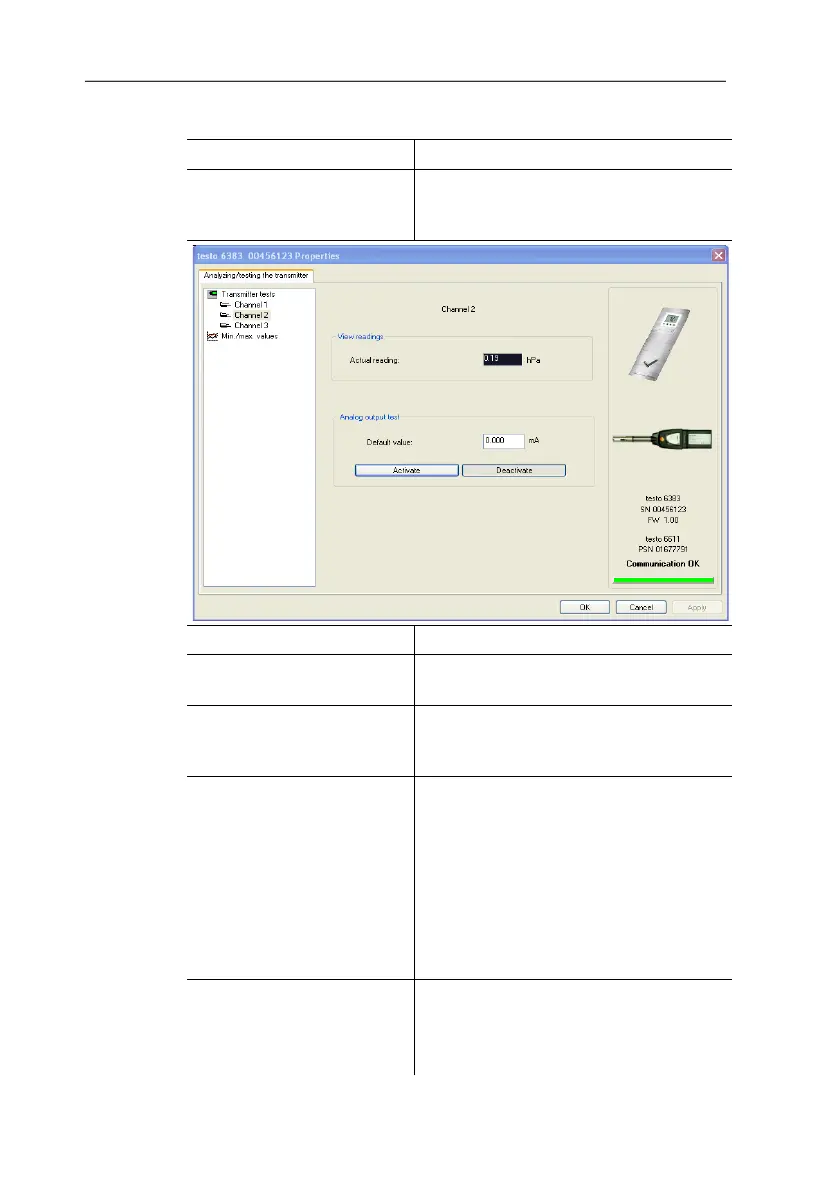
2. Mark channel and test values.
Field/button Explanation
Check the analog outputs (see
1, see 4.4.5.6. Editing Main Menu
Analysis).
Readings are updated every second.
Unit Unit according to the type of analog
output.
Default value Freely definable output value for the
respective type of analog output (V or
mA), 1 decimal place.
[Activate]
The entered default value is forwarded
to the corresponding analog output
and to the test contacts by clicking.
A warning informs that the value is
being transmitted to the connected
instrument in the event of existing
cabling.
Now check the analog output using a
precise multimeter.
[Deactivate] Finish entering the electrical variables
at the analog output.
The analog output returns to the
current reading again.



 To Next Page