7 Parameterizing, adjusting and analyzing software (P2A software)
105
by the instrument, after it has been connected to the
electric power supply.
Multiple instruments can be attached, however only one connection
is active at all times.
✓ USB driver is installed (see 7.2.1.2. Installing USB driver).
1. Start the P2A software.
2. Connect adapter (supplied with the P2A software) to the service
interface of the instrument (see 4.2.4. volume 1, Service
interface).
3. Connect instrument/adapter to the PC via the USB interface.
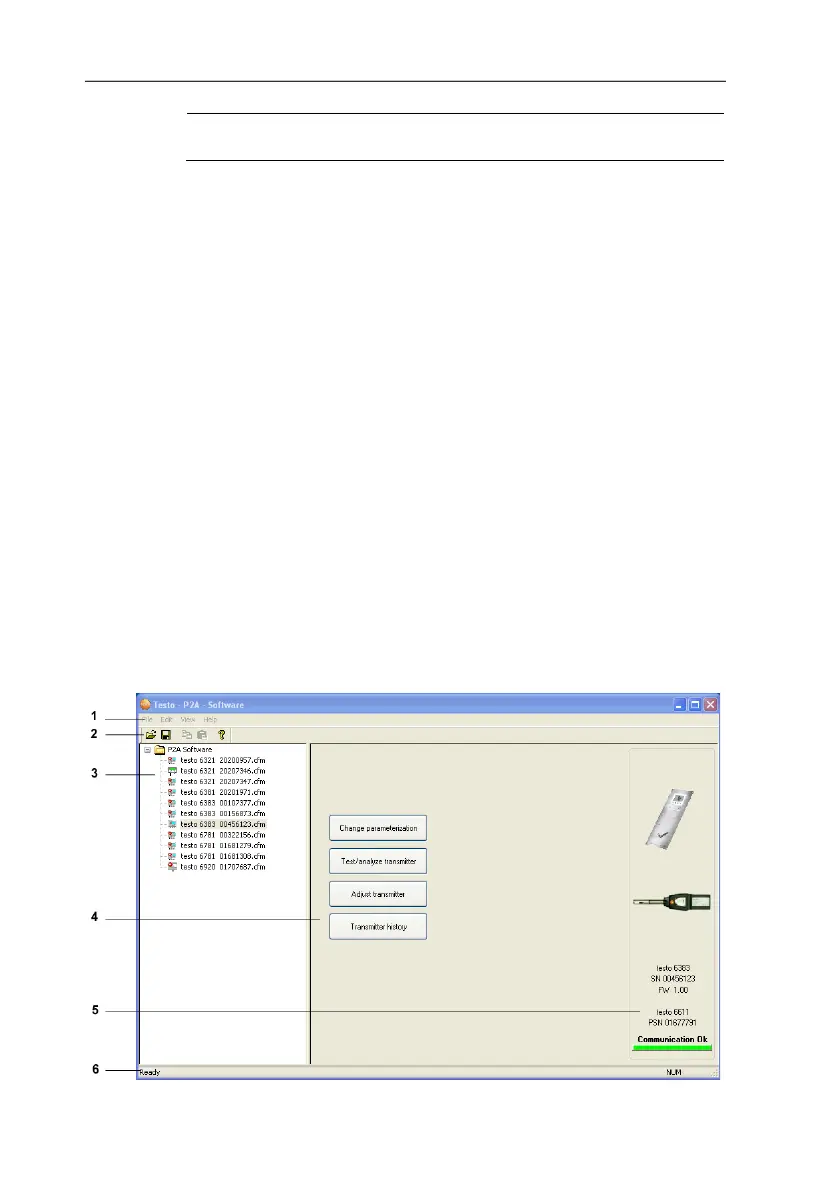
- The instrument file of the attached instrument is shown in the
file list.
7.2.2.3. Activating the connection with the instrument
> Click on the desired instrument file.
- The selected file is marked in colour and the connection with
the instrument is activated.
If a connection with the instrument is established when the program
is started, the corresponding instrument file is marked
automatically.
7.3. Using the software
7.3.1. User interface



 To Next Page