4 Transmitter
44
4.4.5.4. Editing Main Menu Alarm
With the alarm, the relays, available as options, are programmed.
In addition, the alarm statuses are shown on the display (top right)
(even without relays).
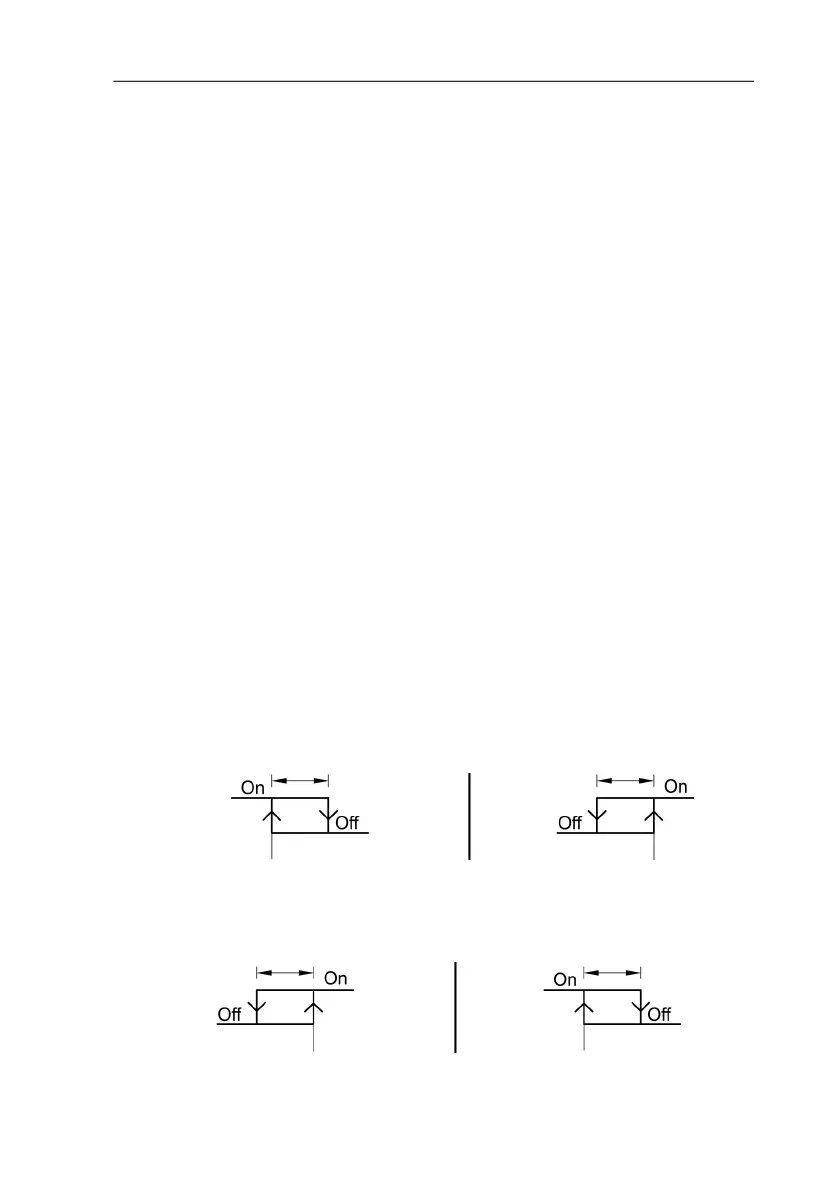
You can choose whether the alarm is to be used to monitor limit
values or as a collective alarm. If an alarm is to be used to monitor
limit values, you can choose between monitoring the minimum or
maximum value and set a limit value and hysteresis for each alarm.
In addition, every alarm can be linked to a clearly visible visual
alarm (display background lighting and the corresponding
measurement value flash when limit values are violated).
An alarm delay between 0 and 3600 seconds can still be assigned
to every alarm used for limit value monitoring so that both the
corresponding relay effect and the visual alarm are delayed. If the
alarm status goes out within the set alarm delay time, neither the
visual alarm nor a relay connection is triggered. .
With an alarm status present, the visual alarm and all relay outputs
can be reset by means of acknowledgement with any button. The
triggering of a new alarm cannot be enabled until after the alarm
status goes out.
1. In the Measuring Mode press SET, select Main Menu Alarm
with or and confirm selection with SET.
- Four alarms can be parameterized.
2. Select Alarm x with or and confirm selection with SET.
Using alarm to monitor limit values



 To Next Page