4 Transmitter
51
10. Continue to Main Menu Ident with or or return to
Measuring Mode with ESC.
An overview of the messages can be found in 4.5.
Status,
warning and error messages.
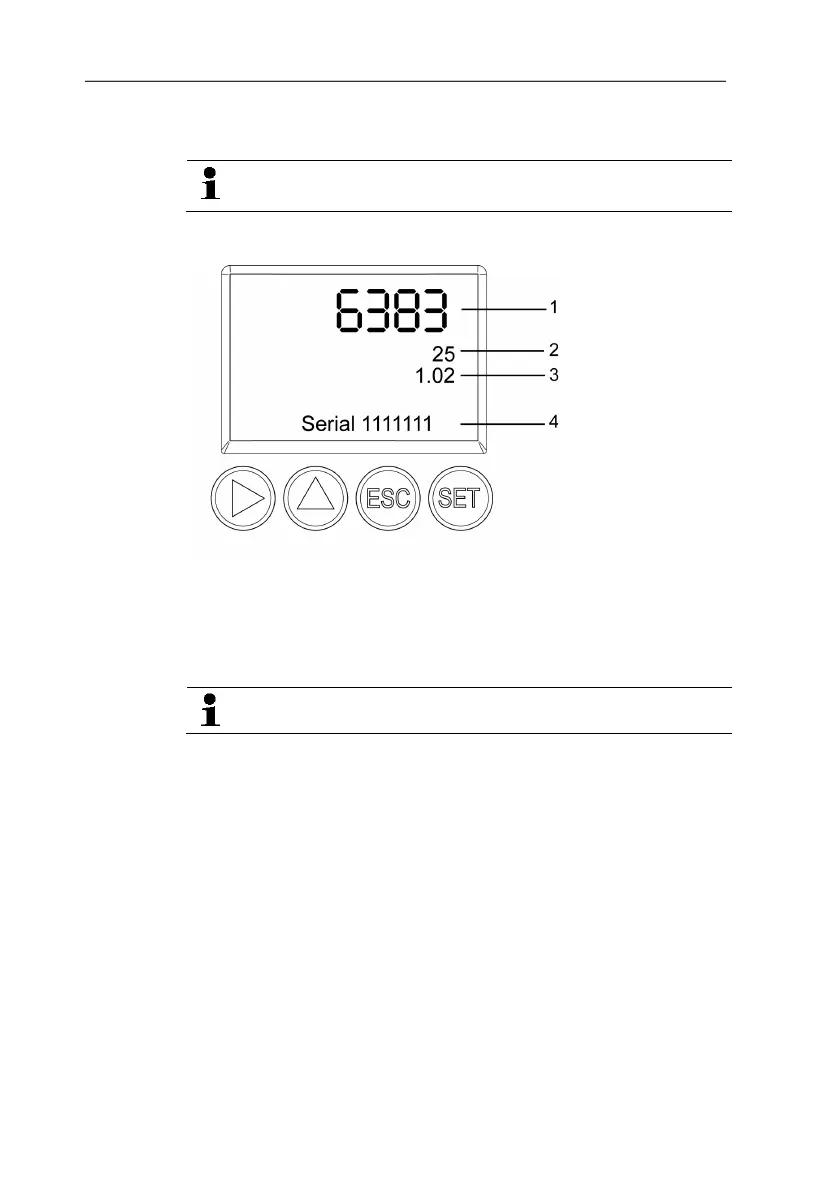
4.4.5.8. Calling up Main Menu Ident
1 Instrument or
probe type
2 Build number
3 Firmware
version
4 Serial number
The serial numbers of the transmitter and probe can be read off.
1. In the Measuring Mode press SET, select Main Menu Ident
with or and confirm selection with SET.
- The type, firmware version, build number and serial number of
the transmitter are displayed.
This information is required when servicing.
2. Return to Main Menu Ident with ESC or read off the type,
firmware release, build number and serial number of the probe
with or and then return to Main Menu Ident with or .
3. Continue to Main Menu Adjust with or or return to
Measuring Mode with ESC.
4.4.5.9. Editing Main Menu Adjust
A reference value can be entered for both relative humidity (RH)
and temperature (°C/°F) for the 1-point adjustment. Please refer to
the description in 4.3.2.8. 1-point adjustment (offset -
humidity/temperature).
The 2-point adjustment for the adjustment points 11.3 %RH/75.3
%RH and 20 %RH/80 %RH is carried out via operation menu.
Reference values for pressure can be entered for the n-point
adjustment. Please refer to the description in 4.3.2.11. n-point
adjustment (pressure).



 To Next Page