4 Transmitter
49
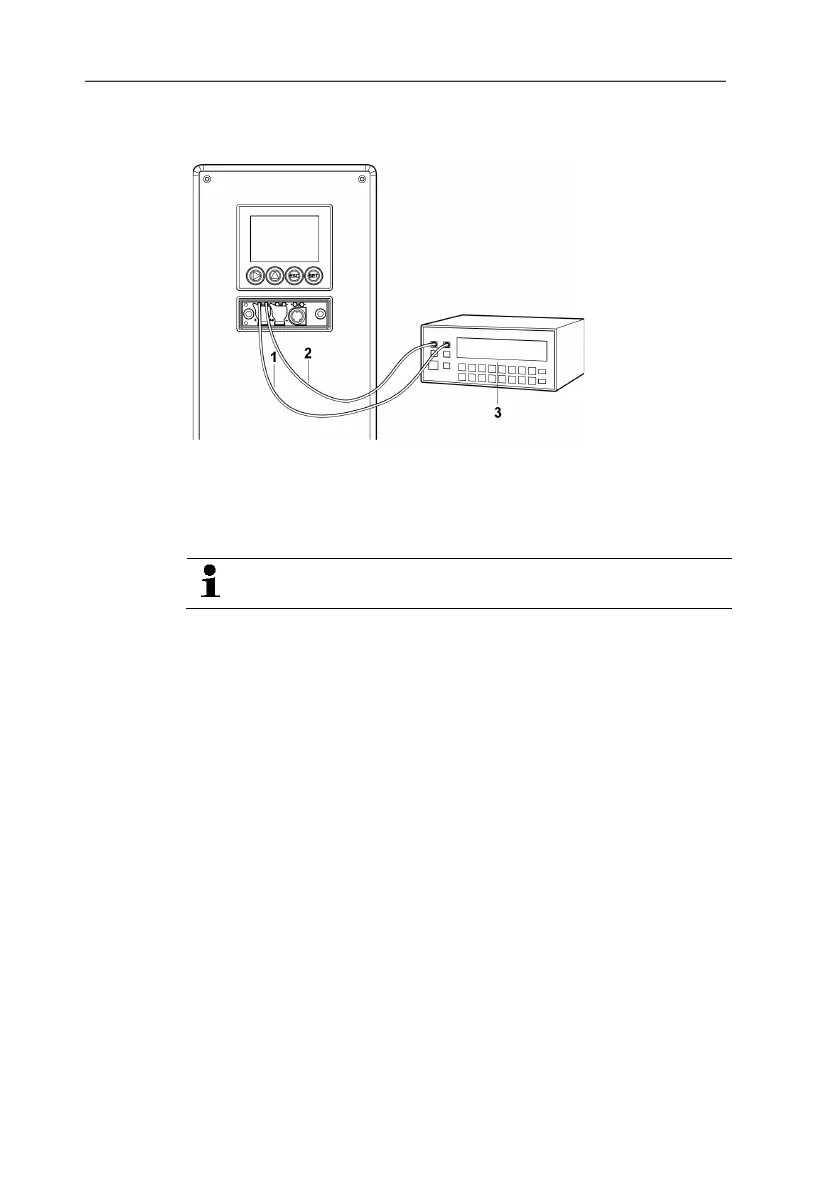
Analog output 1, 2 or 3: Via test contacts under service cover,
see diagram.
1
Positive test
contact
channel 1
2
contact
channel 1
3 Multimeter
4. Return to Test Analog Output with ESC and use or to
continue to Test Relay Output.
Testing functionality of the pressure sensor (Test pressure
sensor)
This function is only required to calibrate the pressure
sensor.
Testing functionality of relay outputs
1. Press SET and choose between Alarm 1, 2, 3, 4 with or .
2. Press SET.
The relay can now be tested. You can choose between OFF
and ON using or . If ON is chosen, the NO contact is
closed, the NC contact opened. If OFF is chosen, the NC
contact is closed, the NO contact opened.
3. To test, route a measuring cable from the relay terminals (see
4.3.2.3. Connecting the relay outputs,) out of the transmitter to a
multimeter (resistance measurement) or continuity tester.
4. Return to Test Relay Output with SET (starts relay test) or
ESC (exits the menu without relay test).
Reading off min./max. values of channels
To reset the max./min. values, see 4.4.5.10. Editing Reset main
menu.
1. Read off the min./max. values of the three channels in
succession with or and return to the Main Menu Analysis
with ESC.
2. Continue to Main Menu Message with or or return to
Measuring Mode with ESC.



 To Next Page