BLINK Network
To synchronise two or more Timecode Systems products, you need to set them to
operate in a network. There are two different types of network:
l RF network
l BLINK network.
In this section, we are going to look at the BLINK Network. To learn about the RF
network, see RF Network on page 29.
What is a BLINK Network?
A BLINK network is an RF network with added remote control and remote
monitoring functionality. The extra functionality is provided by the free BLINK Hub
app.
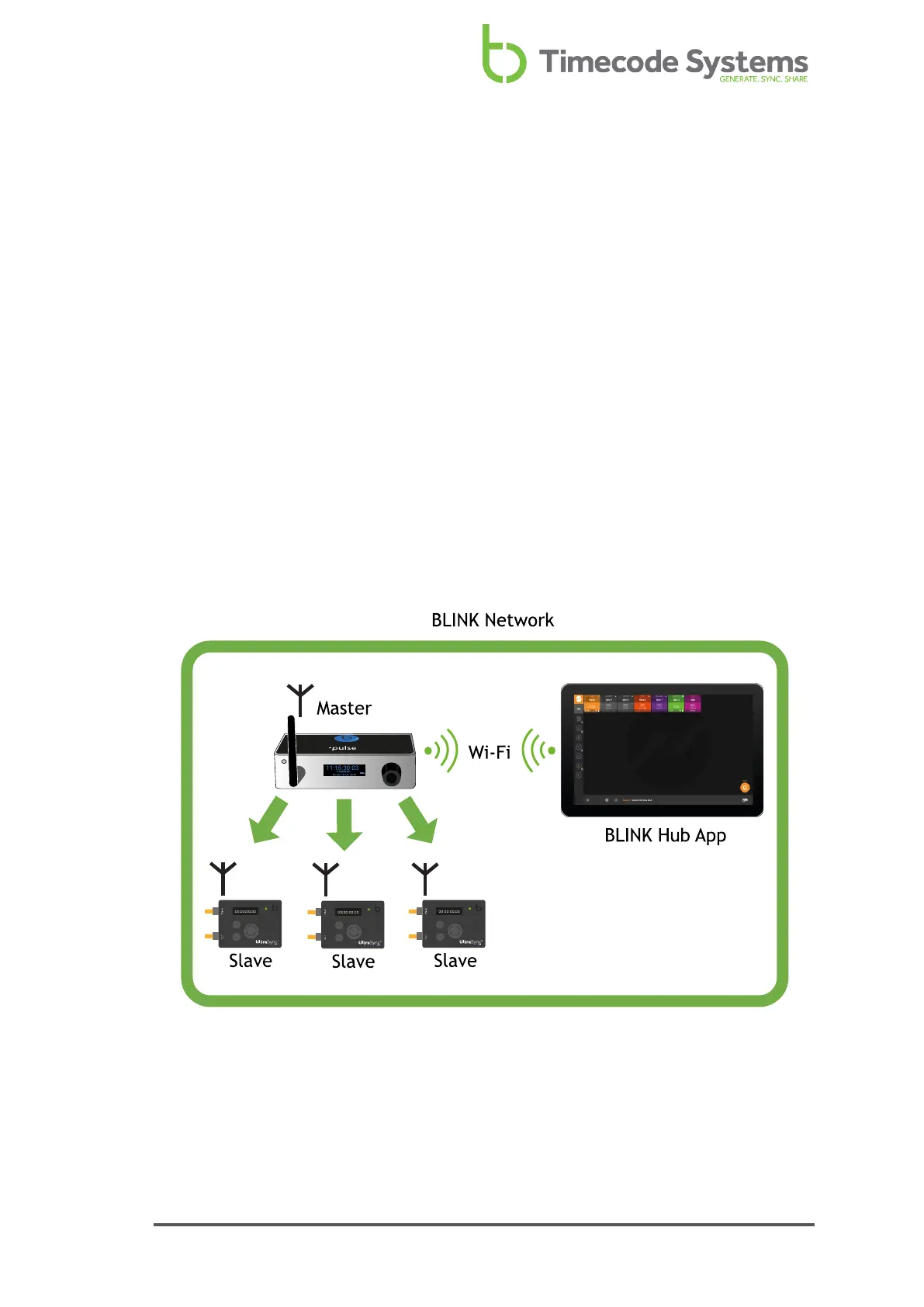
In a BLINK network, the master device has to be a :pulse or a :wave. In the following
image, a :pulse is the master and it connects to BLINK Hub via wi-fi.
Notice that the :pulse is the master and it communicates with the slaves via RF.
The communications between the :pulse and the slaves is the same as a regular RF
network, so the :pulse is acting as an RF master and BLINK network master.
UltraSync ONE User Guide 31



 To Next Page