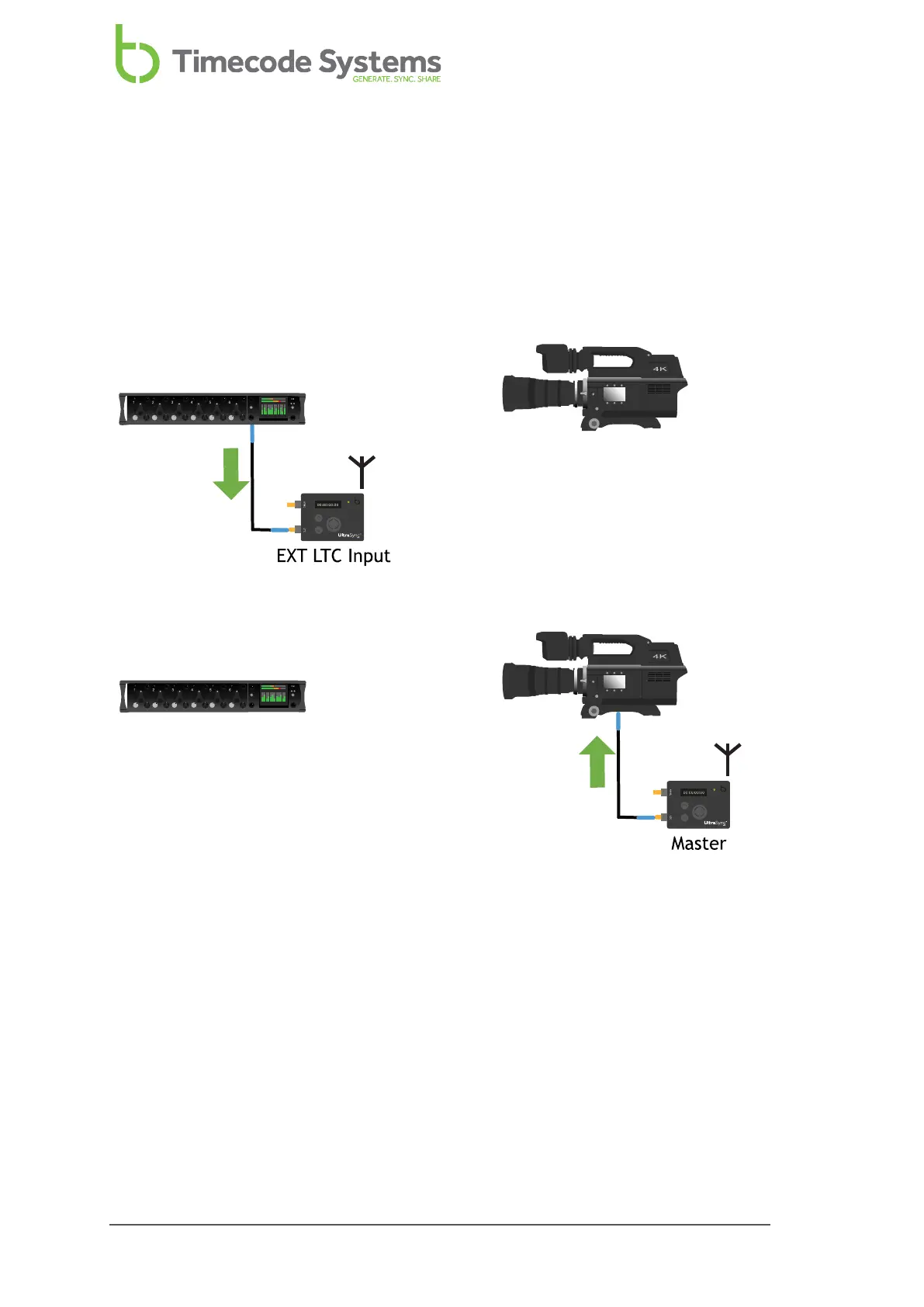
EXT LTC Input, Output to Wired Devices
You can set your UltraSync ONE to use EXT LTC Input mode without using an RF
network. This is useful if you cannot use radio communications, perhaps because of
interference or restrictions on the use of radio in your filming environment.
In this arrangement, you connect a UltraSync ONE to the external device, and
manually jam it to the timecode signal (see Free Running and Jamming on page 39).
Free Running and Jamming (see page 39)
To learn how to set your UltraSync ONE to use EXT LTC Input mode to work
independently, with no RF network, see Set UltraSync ONE to use LTC as an Input
on page 56 and Send Timecode from a Standalone UltraSync ONE (see page 59).
38 UltraSync ONE User Guide



 To Next Page