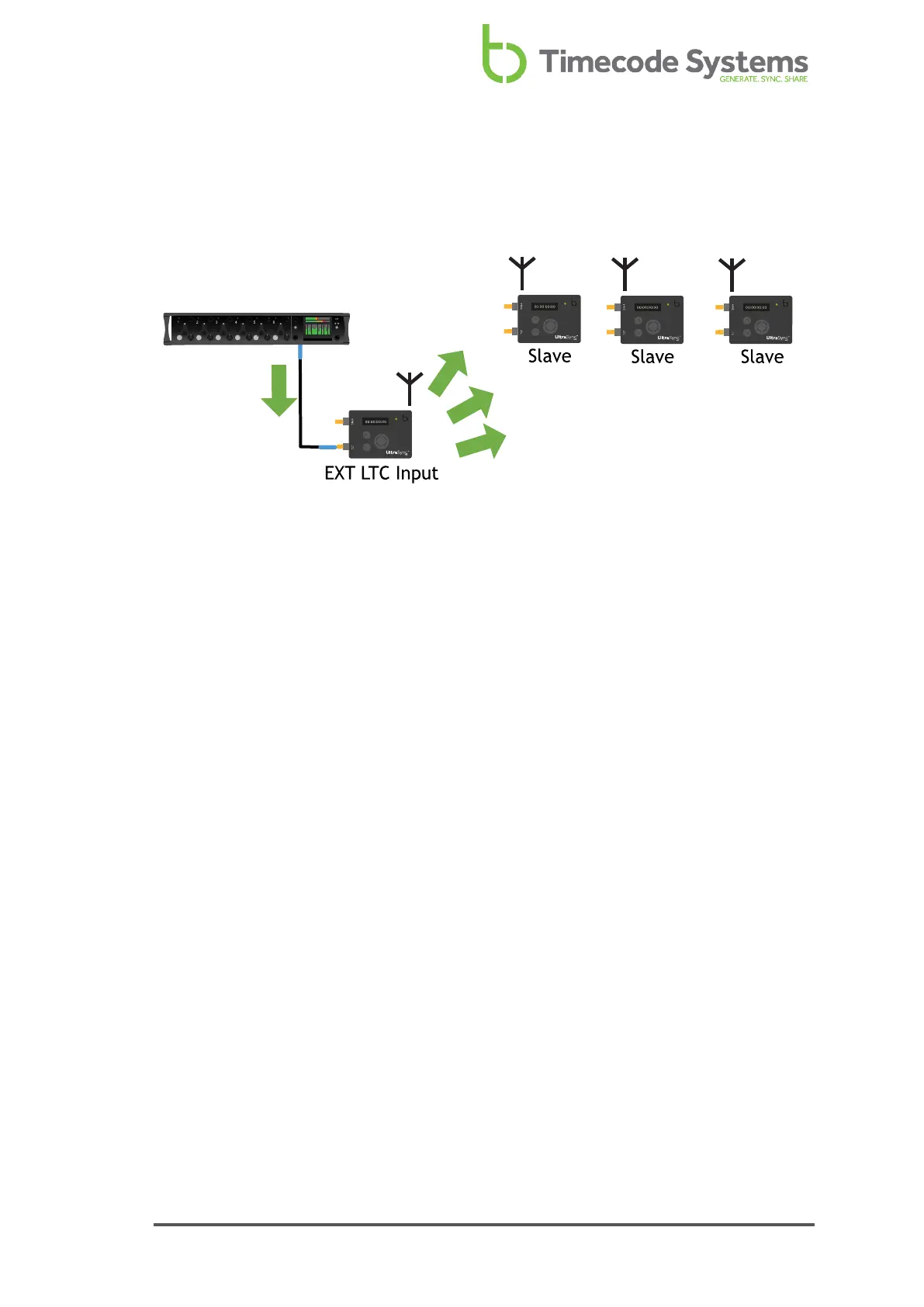
EXT LTC Input, Output to RF Slaves
The most common way to using EXT LTC Input mode is to set your UltraSync ONE to
receive timecode from an external device, and then send it to slaves via RF.
In EXT LTC Input mode, your UltraSync ONE receives timecode, FPS, and user bits
data from an external device that is connected to the LTC port. It also acts as a
master in an RF network, and so sends the timecode, FPS, and user bits to any slave
devices that are in range, using the same RF channel as the master.
When a slave receives the data, it updates its own timecode and FPS settings to
match. It may also update its user bits settings to match, but this depends on
whether the slave is configured to use local user bits or can accept external user
bits.
To learn how to set up your UltraSync ONE to use EXT LTC Input mode in this way,
see Set UltraSync ONE to use LTC as an Input on page 56.
UltraSync ONE User Guide 37



 To Next Page