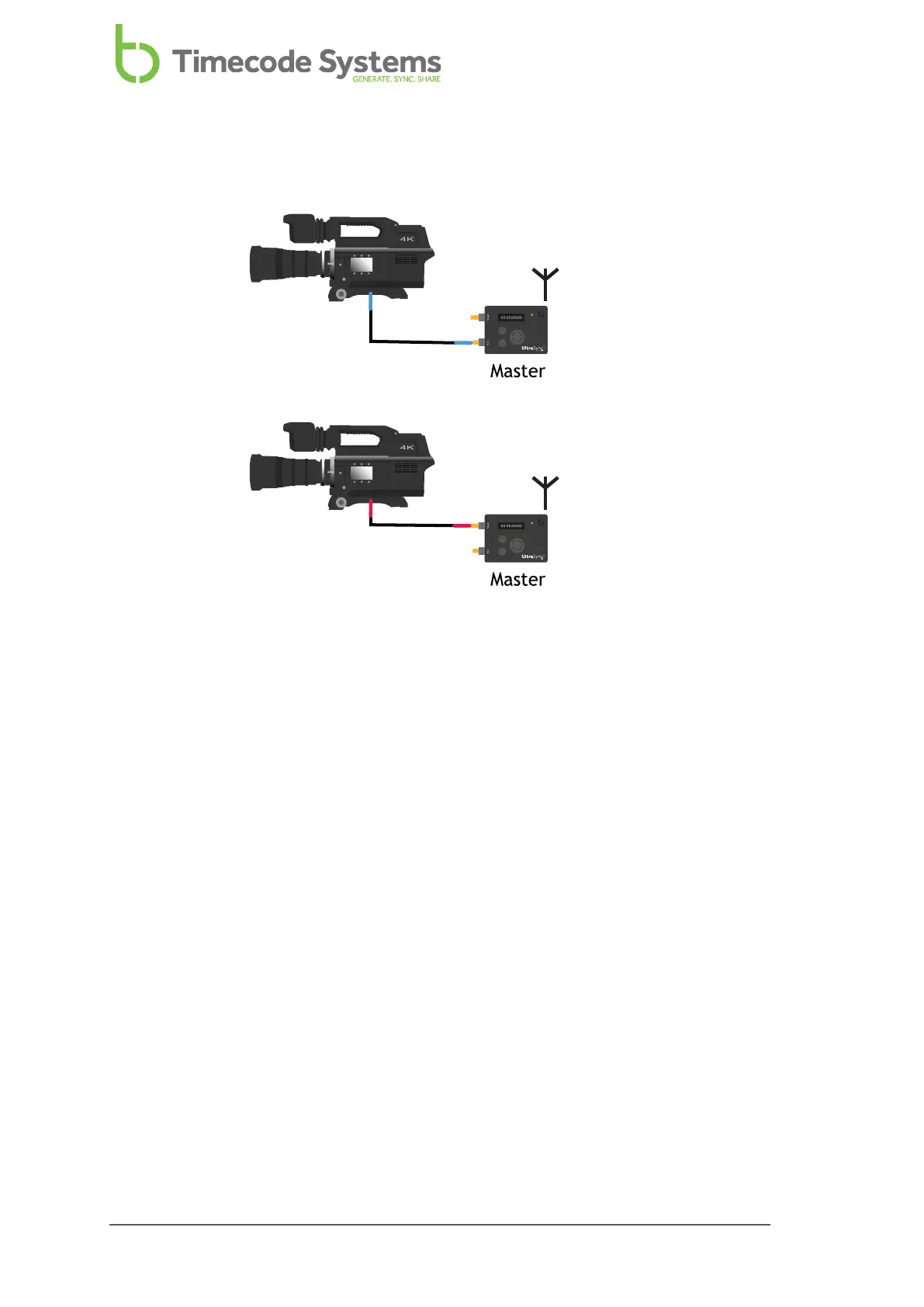
Master to Wired Device Only, No RF Slaves
If you want your UltraSync ONE to only provide timecode to devices that are wired
to the UltraSync ONE:
1. Connect your camera or sound mixer/recorder to your UltraSync ONE.
If you want your UltraSync ONE to provide timecode via the LTC port, connect
your device to the LTC port. Use the blue DIN 1.0/2.3 to BNC cable that is
supplied with your UltraSync ONE.
If you want your UltraSync ONE to provide timecode via the SYNC port,
connect your device to the SYNC output port. Use the red DIN 1.0/2.3 to BNC
cable that is supplied with your UltraSync ONE.
If you want your UltraSync ONE to provide genlock or word clock signals to
your device, connect your device to the SYNC output port. Use the red DIN
1.0/2.3 to BNC cable that is supplied with your UltraSync ONE.
2. Make sure your UltraSync ONE is switched on (see Switch UltraSync ONE On
and Off on page 11).
3. Press the Select button.
4. Set the Timecode Mode to Master TX.
50 UltraSync ONE User Guide



 To Next Page